OLG - CA email gallery from real brands
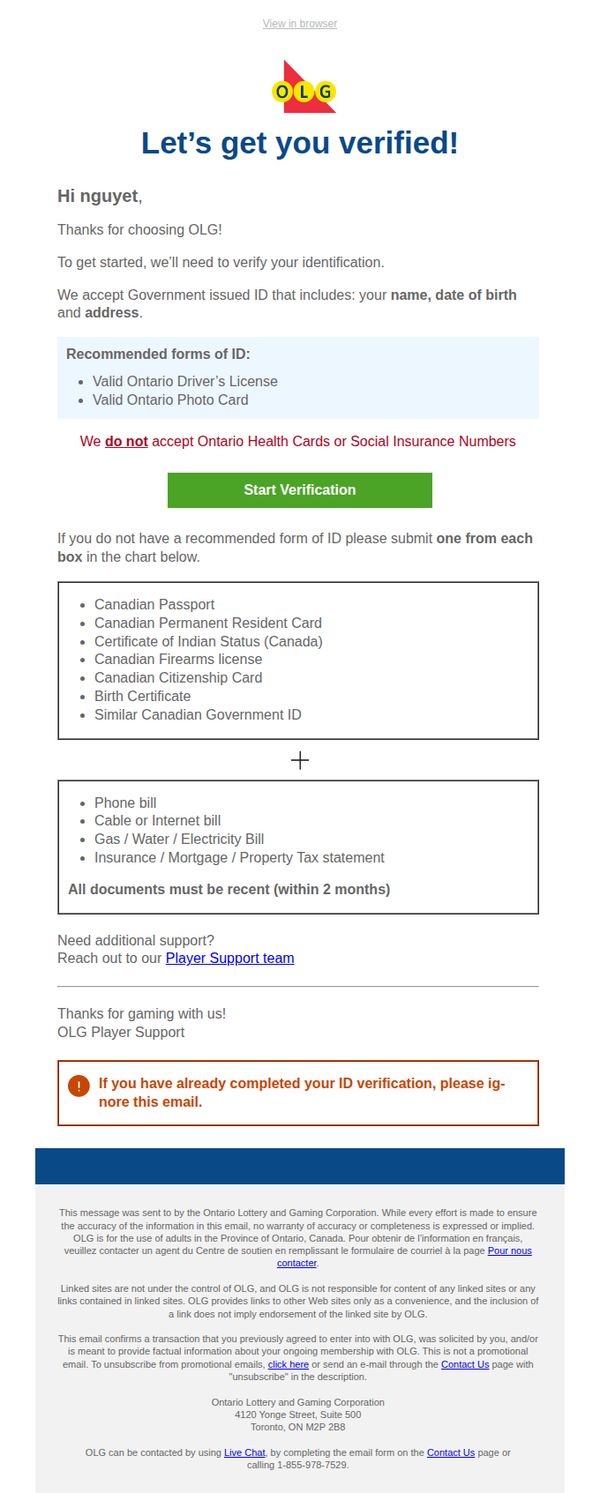
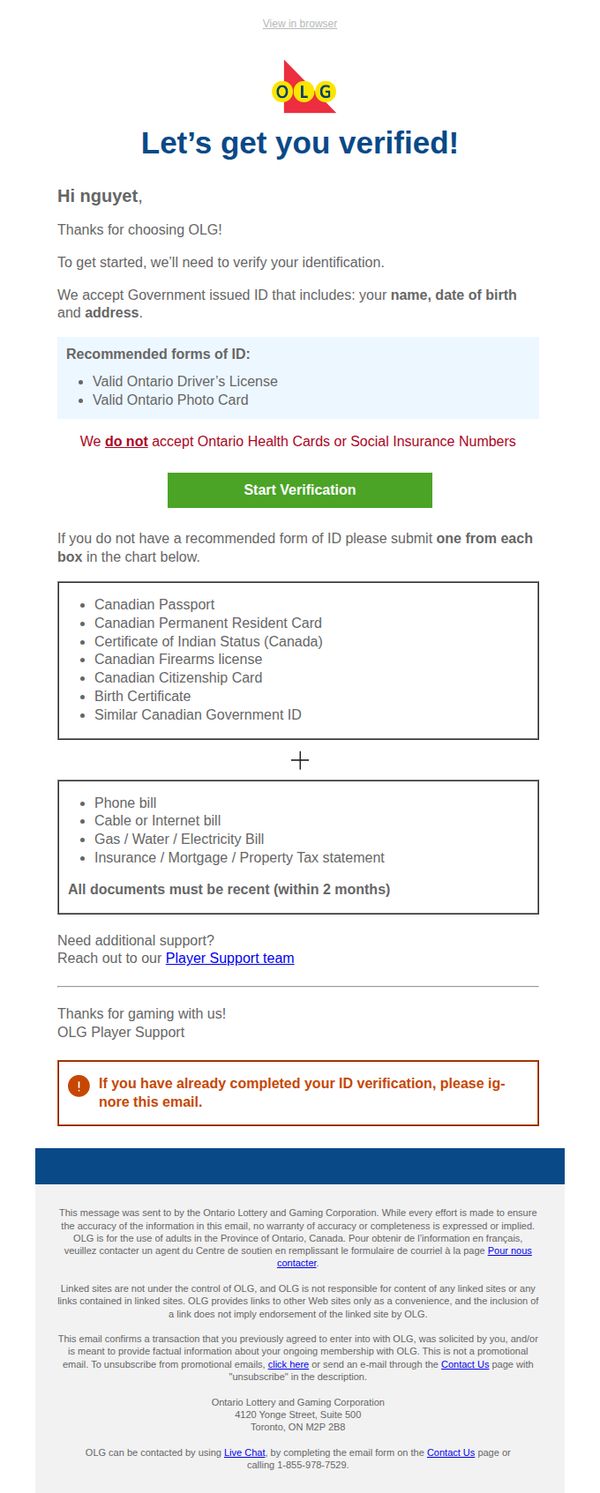
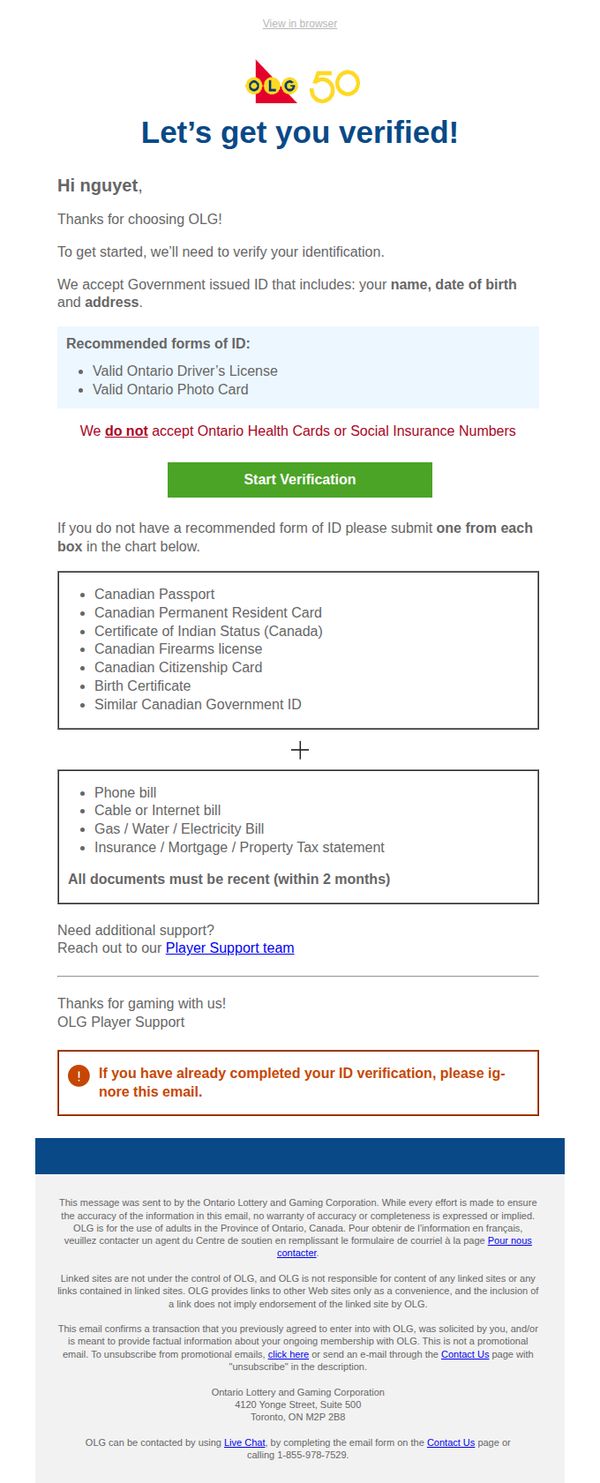
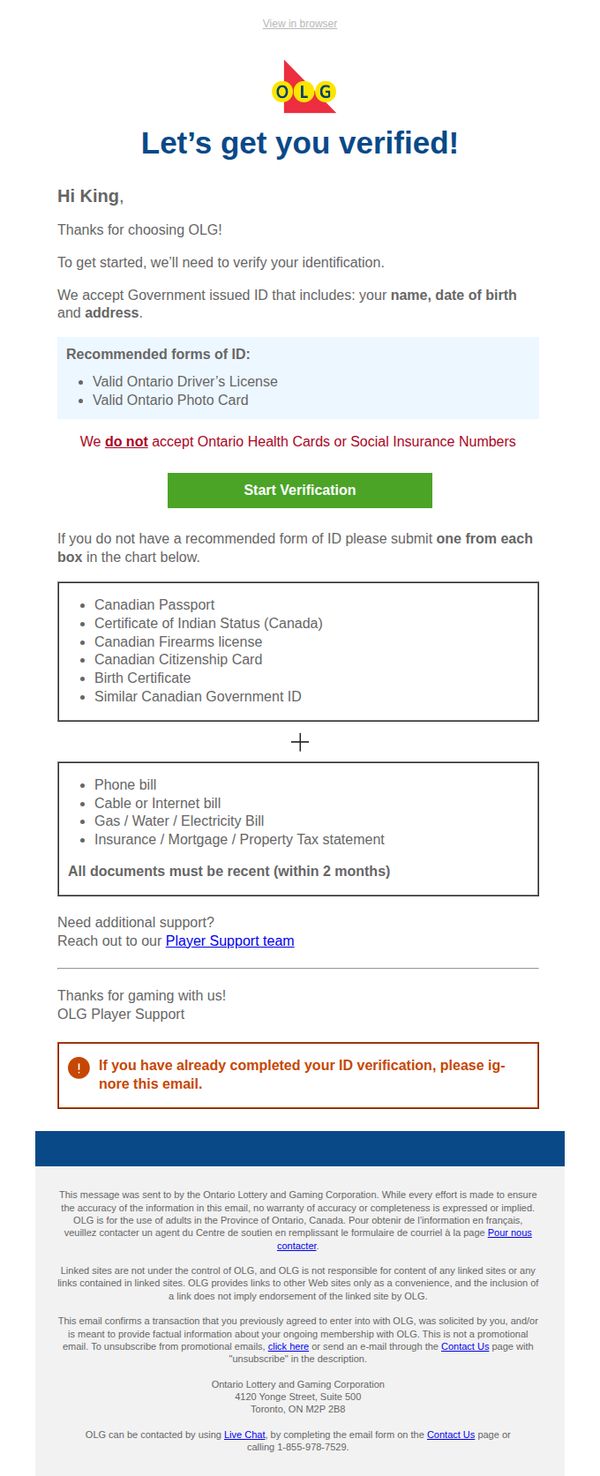
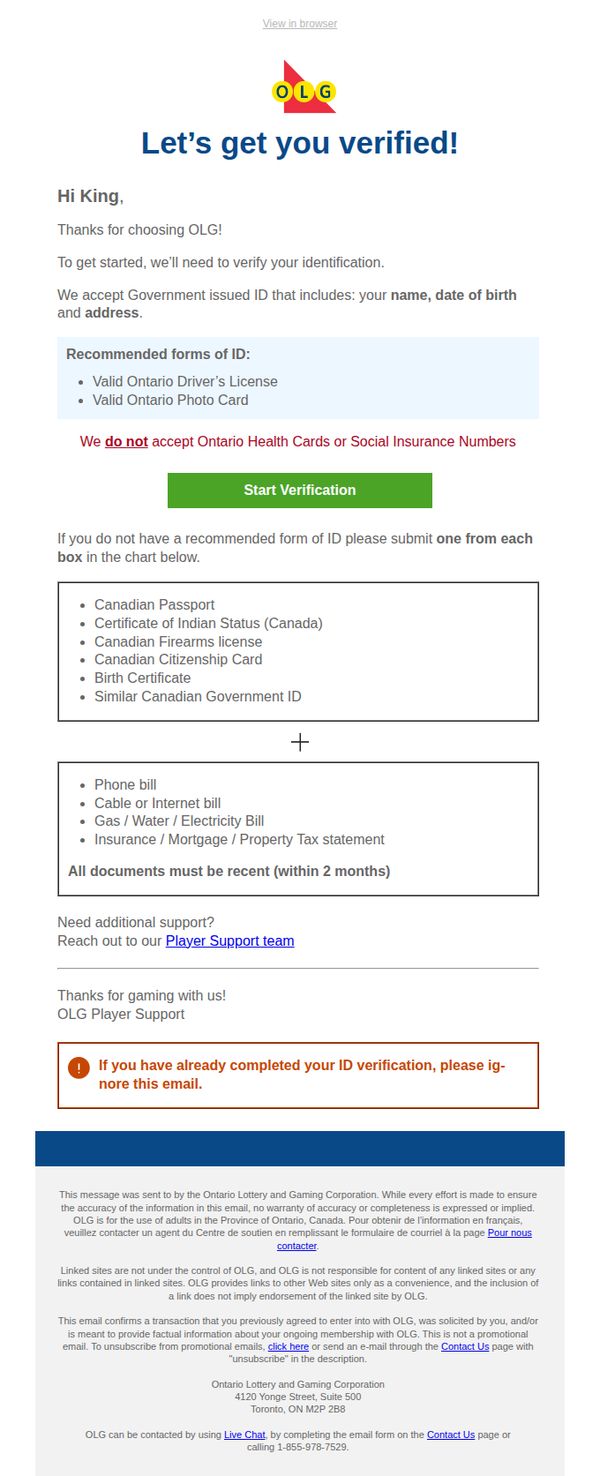
1. Verification Required to complete OLG registration.
Objective
This email aims to guide new OLG users through mandatory identity verification to comply with legal requirements and enable account activation. It reassures users that the process is straightforward and outlines acceptable documents to reduce friction.
Why this works
The email opens with a warm, personalized greeting and immediately clarifies the purpose, verification, which reduces user anxiety by setting clear expectations right from the start.
How to implement
By listing accepted ID types in a clean, scannable format and explicitly calling out what’s not accepted, the email minimizes confusion and prevents users from submitting invalid documents, streamlining the verification process.
Pro Tip
Add a progress indicator or estimated time to complete verification near the CTA to reduce abandonment by setting user expectations about effort required. • Include a brief FAQ or tooltip next to the document list explaining why certain IDs (like health cards) aren’t accepted, to preempt common support inquiries and build trust.
2. Verification Required to complete OLG registration.
Objective
This email aims to guide new OLG users through the mandatory identity verification process to complete their account registration, ensuring compliance with legal requirements while reducing friction by clearly listing acceptable documents and offering support options.
Why this works
The email immediately reassures users by personalizing the greeting and explaining the purpose of verification upfront, which reduces anxiety and increases cooperation by framing the process as a necessary step to begin gaming, not a barrier.
How to implement
By visually separating accepted ID types with clear bullet points and explicitly stating what’s not accepted in red, the email minimizes confusion and prevents users from submitting invalid documents, saving time for both the customer and support team.
Pro Tip
Add a progress indicator or estimated time to complete verification near the CTA to reduce abandonment by setting clear expectations and making the process feel more manageable. • Include a brief FAQ or tooltip icon next to 'recent documents (within 2 months)' to clarify what 'recent' means, e.g., 'issued or dated within the last 60 days', to prevent confusion and document rejections.
3. Verification Required to complete OLG registration.
Objective
This email aims to guide new OLG users through mandatory identity verification to comply with Canadian gaming regulations, ensuring account activation while clearly outlining acceptable documentation and support options.
Why this works
The email immediately establishes trust by personalizing the greeting and clearly stating the regulatory necessity of verification, which reduces user friction by framing compliance as a shared responsibility rather than a bureaucratic hurdle.
How to implement
By visually separating accepted ID types into distinct, scannable lists with explicit exclusions highlighted in red, the email minimizes confusion and prevents submission errors that could delay account activation or frustrate users.
Pro Tip
Add a progress indicator or step counter (e.g., 'Step 1 of 2: Verify Your Identity') near the CTA to reduce uncertainty about what happens after clicking and reinforce forward momentum in the onboarding journey. • Include a brief explainer icon or tooltip next to 'recent (within 2 months)' to clarify whether this refers to document issuance date or billing period, preventing ambiguity that could lead to rejected submissions.
4. Verification Required to complete OLG registration.
Objective
This email aims to guide new OLG users through mandatory identity verification to comply with legal requirements and enable account activation. It seeks to reduce friction by clearly listing acceptable documents and offering support options.
Why this works
The email immediately establishes trust by specifying exactly which government-issued IDs are accepted, reducing user confusion and increasing compliance through clear, authoritative guidance.
How to implement
By visually separating acceptable and non-acceptable documents with contrasting colors and bold disclaimers, the email minimizes user errors and streamlines the verification process for faster onboarding.
Pro Tip
Add a progress indicator or checklist near the CTA to visually reassure users how many steps remain, reducing abandonment by making the verification feel more manageable. • Include a brief FAQ or tooltip next to the 'Start Verification' button explaining what happens after submission, to reduce anxiety and increase conversion by setting clear expectations.
5. Verification Required to complete OLG registration.
Objective
This email aims to guide new OLG users through mandatory identity verification to comply with legal requirements and enable account activation. It reassures users by clearly listing acceptable documents and offering support to reduce friction in the onboarding process.
Why this works
The email immediately establishes trust by specifying exactly which government IDs are accepted and which are not, reducing user confusion and preventing submission errors that could delay account activation.
How to implement
By separating recommended IDs from alternative options with clear visual dividers and a plus symbol, the email guides users through a logical decision path, making the verification process feel structured and manageable rather than overwhelming.
Pro Tip
Add a progress indicator or step counter (e.g., 'Step 1 of 2: Verify Your Identity') to visually reinforce where the user is in the onboarding journey and reduce perceived effort. • Include a brief explanation of why verification is required, such as 'to ensure safe, legal gaming for all Ontario residents', to increase compliance by connecting the action to a shared value.
6. Verification Required to complete OLG registration.
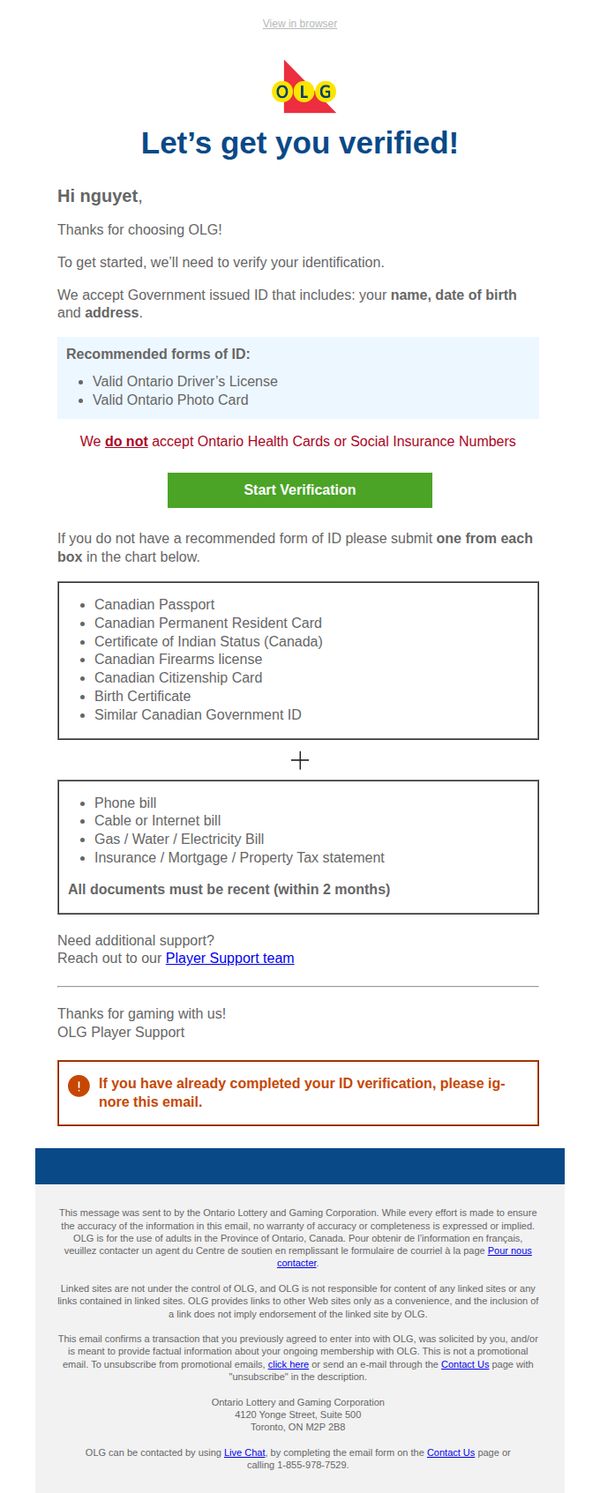
Objective
This email aims to guide new OLG users through mandatory identity verification to comply with legal requirements and enable account activation. It reassures users by clearly listing accepted documents and offering support to reduce friction in the onboarding process.
Why this works
The email immediately establishes trust by specifying exactly which government IDs are accepted and which are not, reducing user confusion and preventing submission errors that could delay account activation.
How to implement
By visually separating primary and secondary ID options with clear formatting and a plus symbol, the email simplifies a complex requirement into an intuitive, step-by-step process that guides users without overwhelming them.
Pro Tip
Add a progress indicator or estimated time to complete verification near the CTA to reduce perceived effort and increase conversion, especially since identity verification can feel intimidating or time-consuming. • Include a brief, reassuring sentence above the CTA explaining why verification is required, e.g., 'This quick step keeps your account secure and ensures compliance with Ontario gaming laws', to improve perceived value and reduce drop-offs.
7. Verification Required to complete OLG registration.
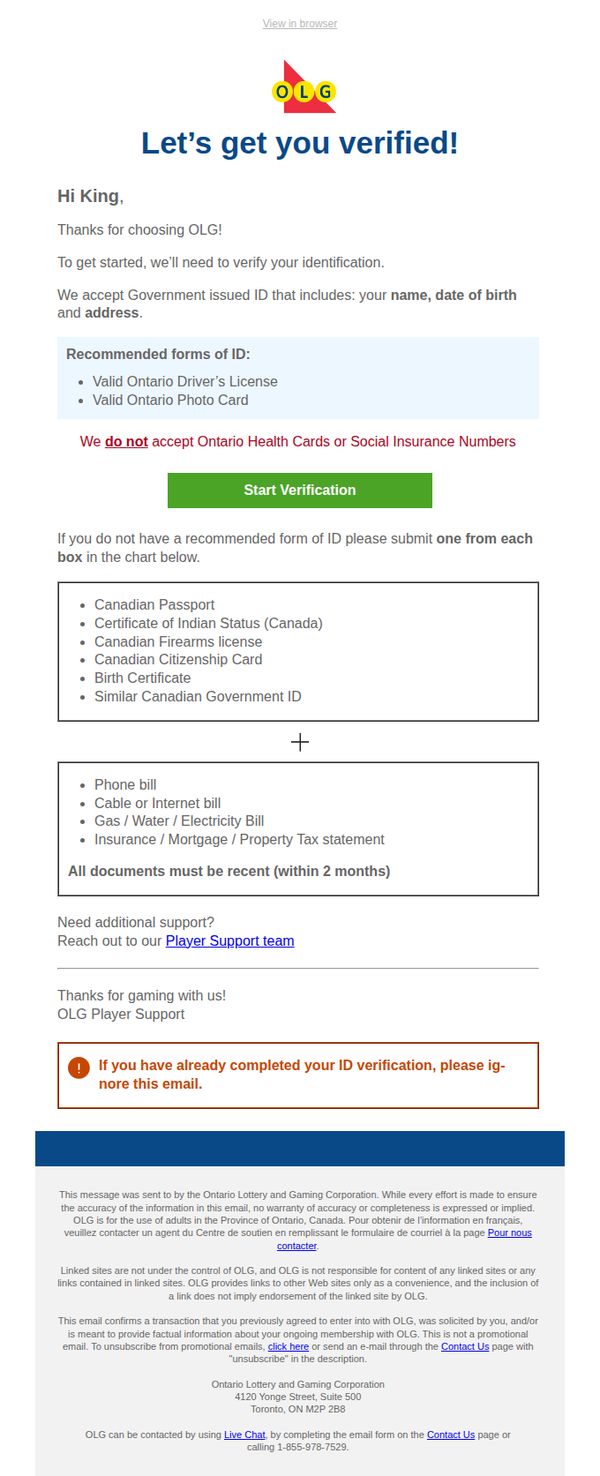
Objective
This email aims to guide new OLG users through mandatory identity verification to comply with legal requirements and enable account activation. It reassures users by clearly listing acceptable documents and offering support to reduce friction in the onboarding process.
Why this works
The email immediately establishes trust by specifying exactly which government-issued IDs are accepted, reducing user confusion and preventing submission of invalid documents that could delay account activation.
How to implement
By clearly stating what is NOT accepted, like health cards or SIN numbers, the email proactively eliminates common user errors, streamlining the verification process and reducing support ticket volume.
Pro Tip
Add a progress indicator or step counter (e.g., 'Step 1 of 3') near the CTA to visually guide users through the verification journey, reducing abandonment by setting clear expectations. • Include a brief FAQ or tooltip next to the document list explaining why recent bills are required (e.g., 'to confirm current address'), which increases compliance by addressing unspoken user questions.
8. Verification Required to complete OLG registration.
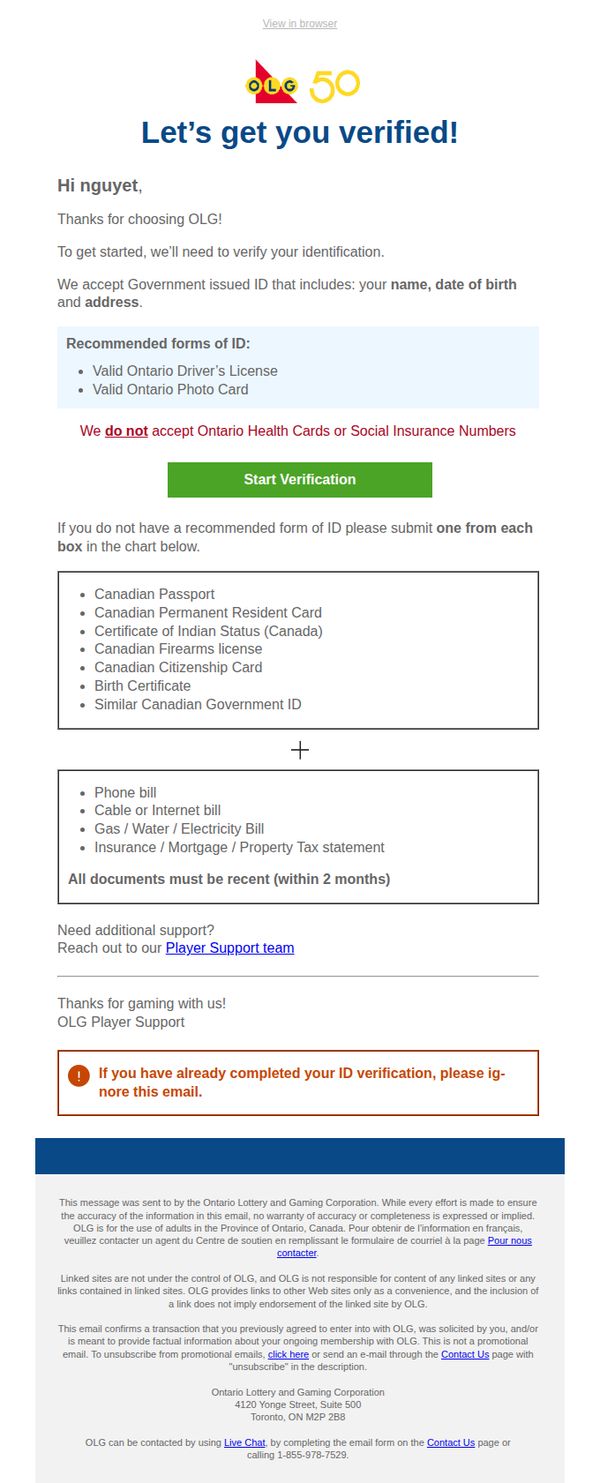
Objective
This email aims to guide new OLG users through the mandatory identity verification process to complete their account registration, ensuring compliance with legal requirements while reducing friction by clearly listing acceptable documents and offering support options.
Why this works
The email immediately reassures the recipient by personalizing the greeting and thanking them for choosing OLG, which builds trust and reduces resistance to the verification process that follows.
How to implement
By clearly listing accepted ID types and explicitly calling out what’s not accepted, like health cards or SINs, the email prevents user confusion and reduces support tickets by proactively addressing common questions.
Pro Tip
Add a progress indicator or step counter (e.g., 'Step 1 of 3') near the CTA to visually reassure users how far along they are in the registration process, reducing abandonment due to perceived complexity. • Include a brief explainer video or animated GIF near the 'Start Verification' button showing how to upload documents, which can reduce friction for users unfamiliar with digital ID submission workflows.
9. Verification Required to complete OLG registration.
Objective
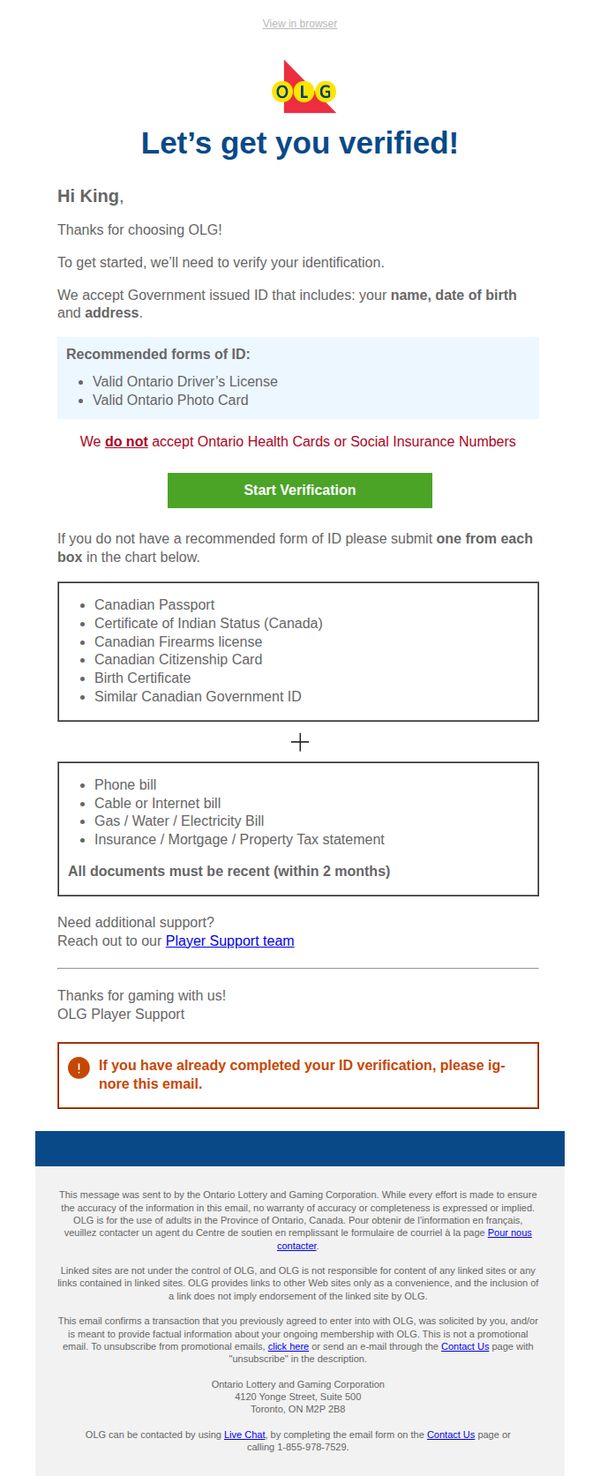
This email aims to guide new users through the mandatory identity verification process required to complete their OLG account registration, ensuring compliance with legal requirements while reducing friction by clearly listing acceptable documents and offering support.
Why this works
The email opens with a personalized greeting and immediate clarity on purpose, reducing user confusion by stating upfront that verification is mandatory to begin gaming, which builds trust through transparency.
How to implement
By visually separating acceptable ID types with bullet points and explicitly calling out what’s not accepted, the email minimizes support requests and user frustration by preemptively answering the most common questions.
Pro Tip
Add a progress indicator or visual cue (e.g., 'Step 1 of 2') near the CTA to help users understand where they are in the onboarding journey, reducing uncertainty and increasing completion rates. • Include a brief, reassuring sentence near the CTA such as 'Your information is encrypted and used solely for verification' to alleviate privacy concerns and encourage action without hesitation.
10. Verification Required to complete OLG registration.
Objective
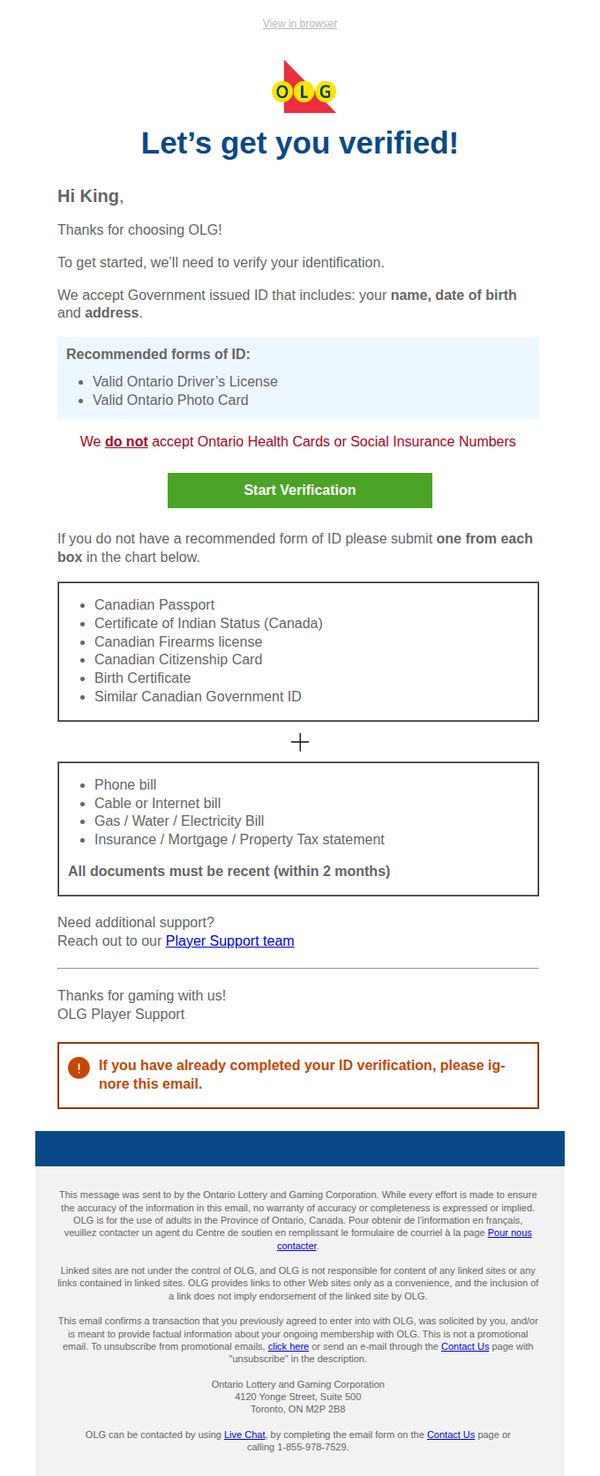
This email aims to guide new OLG users through mandatory identity verification to comply with Canadian gaming regulations, ensuring account activation while clearly listing acceptable documents and offering support pathways.
Why this works
The email immediately establishes trust by personalizing the greeting and clearly stating the regulatory necessity of verification, which reduces user friction by framing the request as a required step rather than an optional inconvenience.
How to implement
By visually separating accepted ID types with bullet points and explicitly calling out rejected documents in red, the email minimizes confusion and prevents user errors that could delay account activation or trigger support inquiries.
Pro Tip
Add a progress indicator or estimated time to complete verification near the CTA to reduce abandonment by setting user expectations and reinforcing that the process is quick and straightforward. • Include a brief FAQ or tooltip icon next to 'recent (within 2 months)' to clarify what qualifies as recent, preventing confusion and reducing support tickets from users unsure about document validity timelines.