How Promptsideas does email campaigns that convert
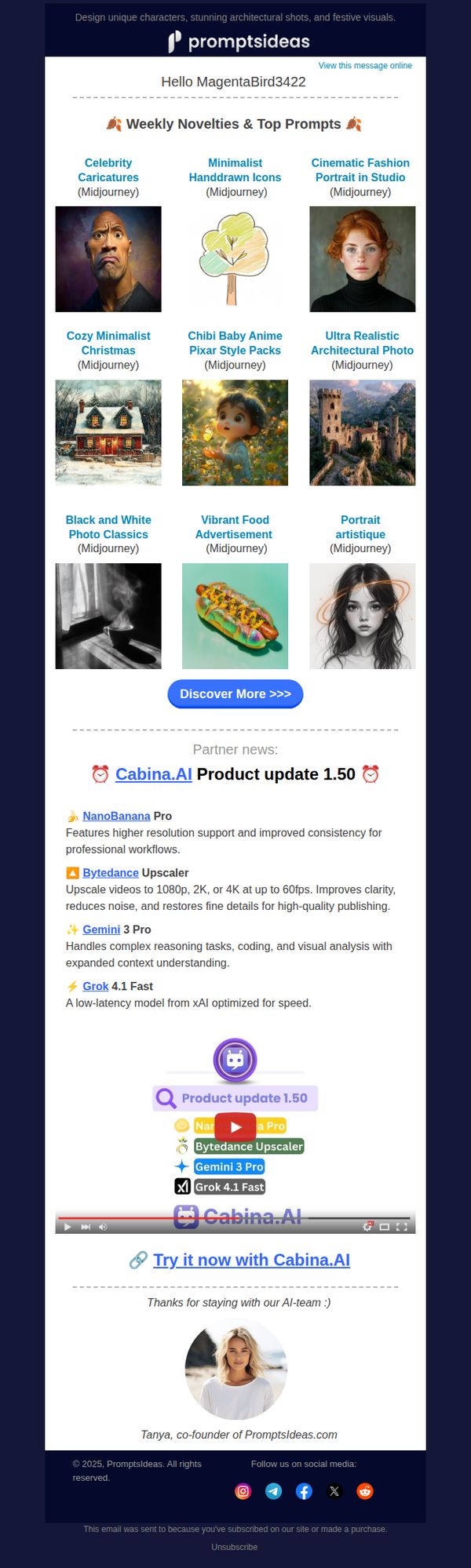
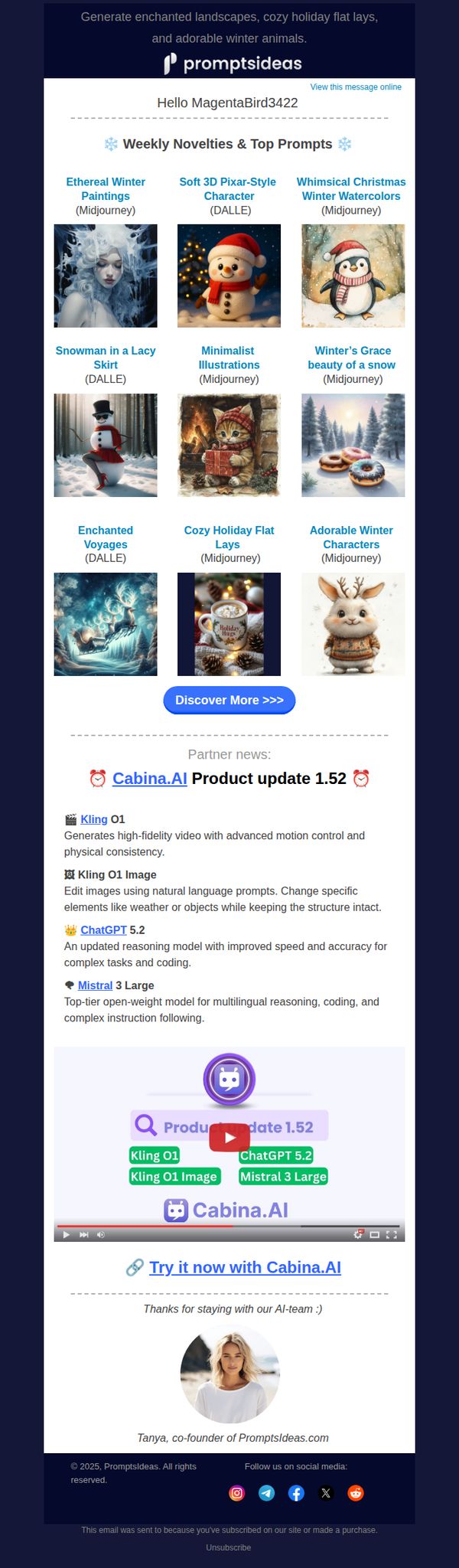
1. Late November Magic: 9 New Creative Prompts ✨
Objective
This email aims to engage subscribers by showcasing fresh, AI-generated creative prompts while subtly promoting partner tools and updates, encouraging exploration and continued interaction with the Promptsideas platform.
Why this works
The email brilliantly curates nine visually distinct AI-generated prompts into a clean, grid-based layout that invites immediate browsing while subtly reinforcing the brand’s creative authority and variety of output styles.
How to implement
By embedding partner product updates within the main content flow, not as ads but as relevant tools, the email builds trust and positions Promptsideas as a hub for the broader AI creative ecosystem, not just a prompt generator.
Pro Tip
Add a micro-copy line under the 'Discover More >>>' CTA like 'New prompts added weekly, never run out of inspiration' to reinforce urgency and value without cluttering the layout. • Include a small visual indicator (e.g., a 'New' badge or sparkle icon) on the first 2–3 prompt thumbnails to draw attention to the freshest content and guide the user’s eye toward immediate engagement.
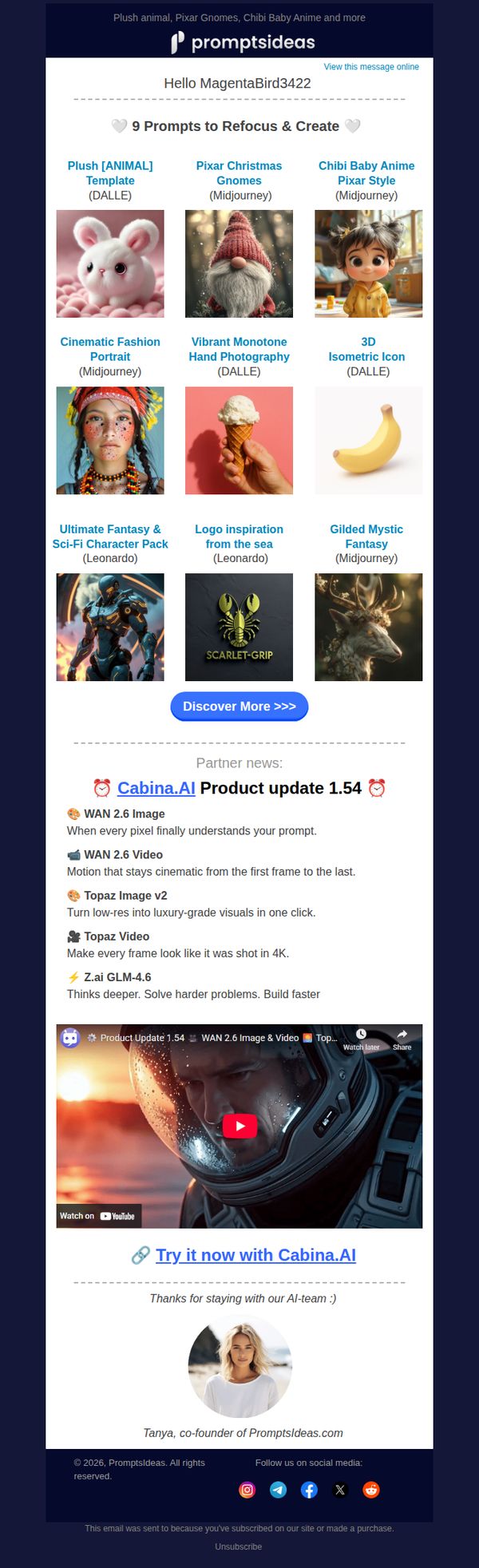
2. January Glow-Up: 9 Prompts to Spark New Ideas ✨
Objective
This email aims to re-engage subscribers by offering curated AI image generation prompts to inspire creativity and refocus their creative energy at the start of the year. It also promotes a partner product update to add value and encourage exploration of new tools.
Why this works
The email brilliantly frames its content as a ‘January Glow-Up,’ tapping into the psychological momentum of new beginnings while positioning the prompts as tools for personal creative transformation rather than just technical resources.
How to implement
By showcasing nine visually distinct AI-generated images with clear model attributions, the email builds instant credibility and curiosity, allowing users to immediately imagine the creative possibilities without needing to click through first.
Pro Tip
Add a brief personalization tagline under the greeting (e.g., ‘We noticed you loved our holiday prompts, here’s what’s next!’) to strengthen relevance and increase emotional connection with the recipient. • Place a secondary CTA like ‘Watch the Demo’ or ‘See How It Works’ directly beneath the Cabina.AI video thumbnail to reduce friction and guide users toward immediate engagement with the partner tool.
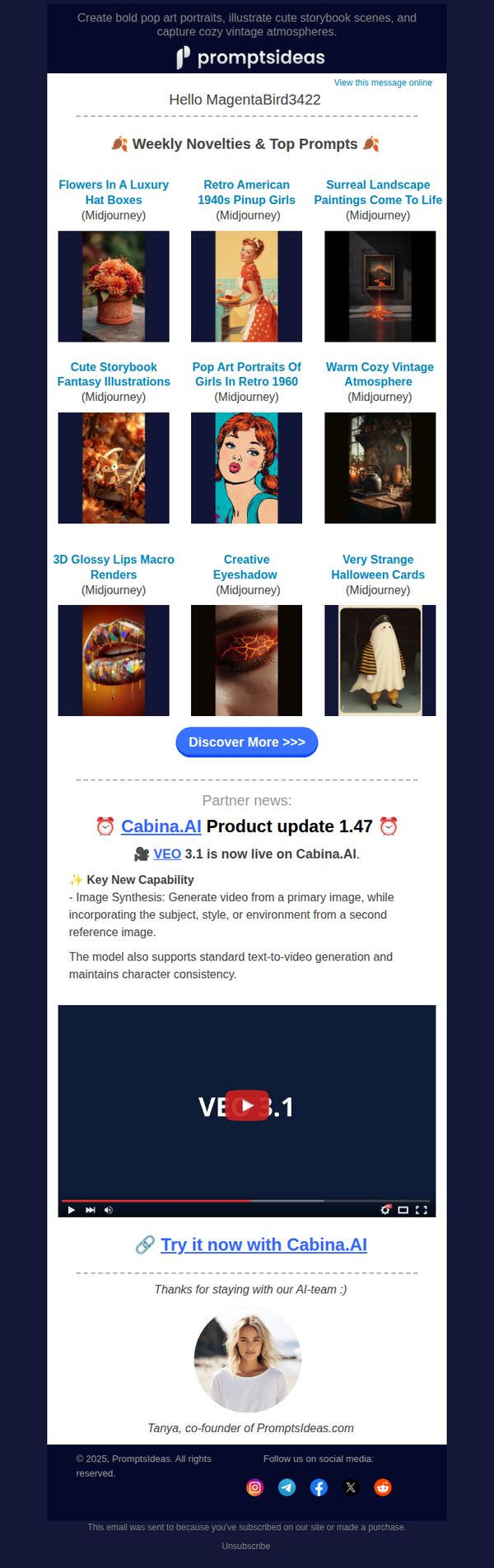
3. The Creative Harvest Continues: 9 Fresh Prompts for October 🍂
Objective
This email aims to engage subscribers by showcasing fresh, seasonal AI art prompts to inspire creativity while subtly promoting a partner product update. It reinforces brand value through curated content and nurtures community loyalty with a personal sign-off.
Why this works
The email brilliantly curates seasonal, visually rich AI prompts that feel both timely and inspirational, turning a simple content drop into a creative catalyst that encourages immediate experimentation and user-generated output.
How to implement
By embedding a partner product update with a clear video demo and direct CTA, the campaign leverages third-party credibility to enhance perceived value without disrupting the core creative theme or overwhelming the reader.
Pro Tip
Add a subtle countdown or 'New This Week' badge to the prompt grid to create urgency and highlight freshness, encouraging immediate clicks rather than passive scrolling. • Include a micro-testimonial or user-generated example beneath one of the top prompts to demonstrate real-world application and social proof, increasing perceived value and conversion likelihood.
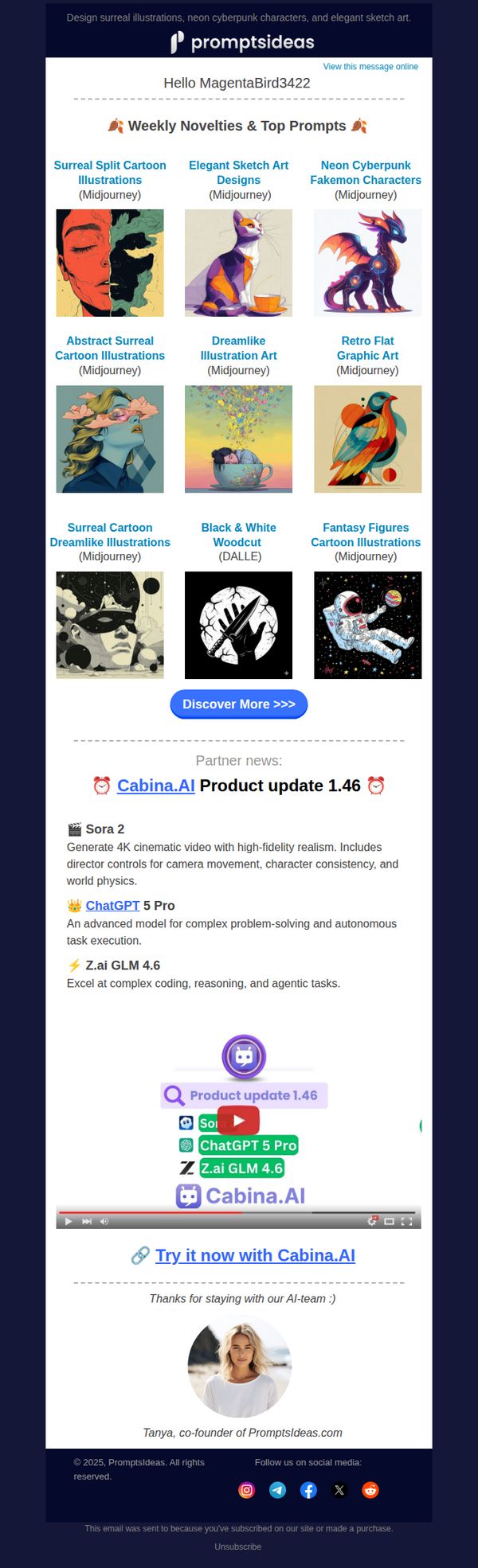
4. Mid-October Magic: 9 New Creative Prompts ✨
Objective
To engage creative subscribers by showcasing fresh, AI-generated art prompts and spotlighting partner tool updates, encouraging exploration and continued interaction with the Promptsideas platform.
Why this works
The email brilliantly curates nine visually distinct AI art prompts into a clean grid, making it effortless for creatives to scan, select, and feel inspired without overwhelm or decision fatigue.
How to implement
By embedding timely partner updates like Cabina.AI 1.46 alongside visual examples, the campaign transforms product news into actionable inspiration rather than dry announcements, boosting perceived value and relevance.
Pro Tip
Add a brief descriptive tagline under each prompt image (e.g., 'Perfect for character design') to clarify intent and help users quickly identify which prompts align with their current projects. • Introduce a secondary CTA button below the main grid, such as 'Save These Prompts' or 'Download as PDF', to capture passive interest and provide immediate utility beyond browsing.
5. Cozy December: 9 New Creative Prompts ☕
Objective
This email aims to engage subscribers by delivering a curated set of seasonal AI art prompts while subtly promoting partner tools and updates, encouraging exploration and continued interaction with the Promptsideas platform.
Why this works
The email masterfully blends seasonal aesthetics with functional creativity by offering themed AI prompts that feel both timely and inspiring, making users eager to open and experiment rather than just skim.
How to implement
By embedding partner updates within the email’s natural flow, not as ads but as value-adds, it builds credibility and cross-promotes tools without disrupting the subscriber’s experience or sense of personal curation.
Pro Tip
The CTA 'Discover More >>>' is generic and doesn’t convey urgency or benefit; rephrase to something like 'Unlock Your Winter Art Kit Now' to better align with the creative, seasonal theme and drive clicks. • The partner update section, while informative, interrupts the creative flow; consider moving it below the CTA or adding a visual separator with a tag like 'Bonus Tools for Creators' to maintain thematic continuity.
6. Winter Wonder: 9 Fresh Creative Prompts ❄️
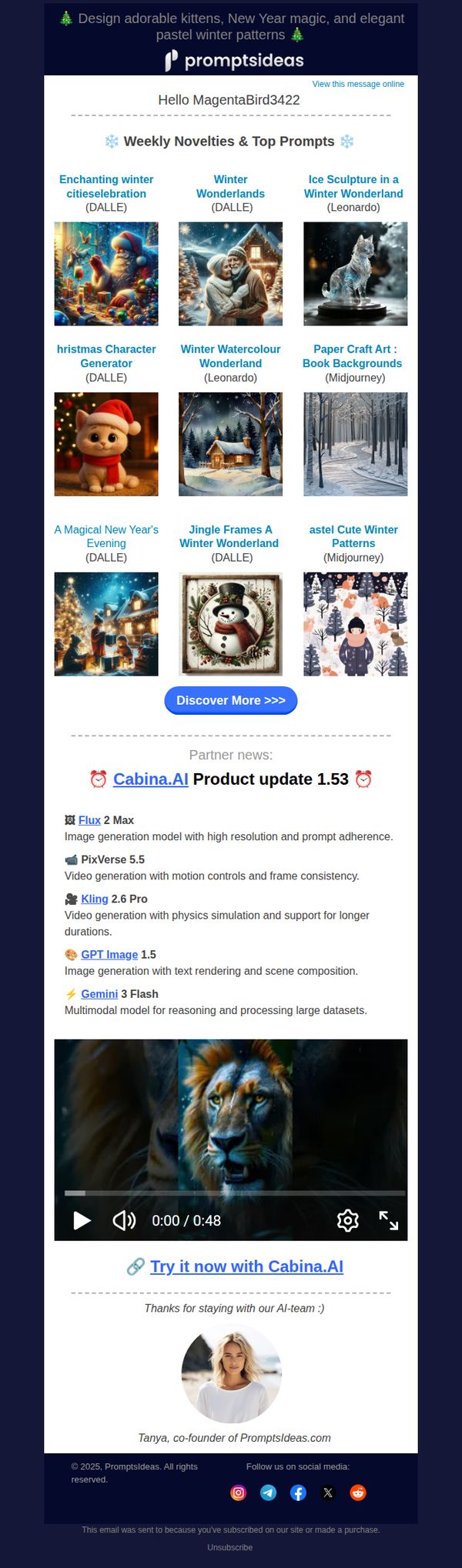
Objective
To inspire creativity and drive engagement by delivering curated, seasonal AI art prompts while subtly promoting partner tools like Cabina.AI. The email aims to reinforce brand value as a go-to source for fresh, high-quality creative inspiration.
Why this works
The email masterfully blends seasonal aesthetics with practical creative value by curating nine visually rich, platform-specific prompts that feel both festive and immediately usable for AI artists seeking inspiration.
How to implement
By integrating partner tool updates like Cabina.AI’s 1.53 release directly into the creative workflow, the email transforms promotional content into a value-added resource, making tool adoption feel like a natural extension of the user’s creative process.
Pro Tip
Add a visual progress bar or badge indicating how many prompts the user has already tried from past emails to encourage completion and create a sense of personal achievement within the creative journey. • Include a micro-testimonial or user-generated image beneath 1–2 top prompts to demonstrate real-world application and social proof, increasing perceived value and prompting immediate experimentation.
7. The Creative Chill: 9 November Prompts 🍁
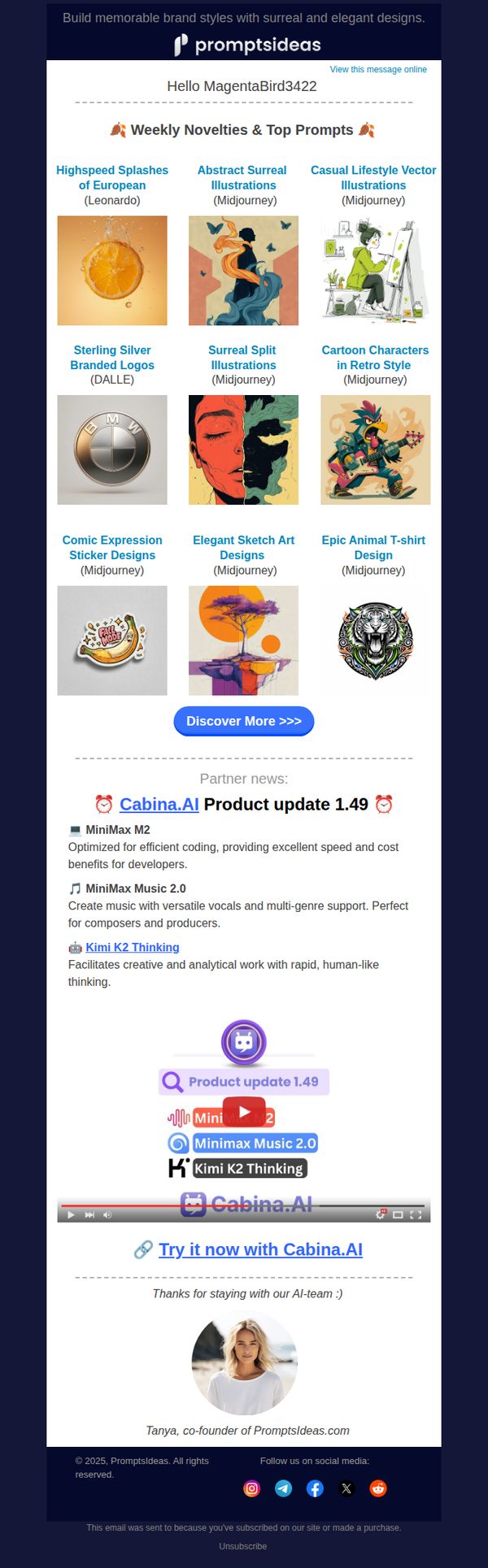
Objective
This email aims to engage subscribers by showcasing a curated selection of trending AI-generated design prompts while subtly promoting partner tools through integrated product updates, encouraging exploration and continued interaction with the brand’s creative ecosystem.
Why this works
The email brilliantly curates visually striking, niche-specific AI prompts that cater to diverse creative interests, making it feel personalized and inspiring rather than generic or promotional, which builds trust and encourages deeper engagement.
How to implement
By integrating partner product updates with visual icons and brief benefit-driven descriptions, the email transforms third-party promotions into valuable educational content, subtly guiding users toward tools that complement their creative workflow without feeling intrusive.
Pro Tip
Add a time-sensitive element like 'New prompts added weekly, explore before they’re gone!' near the CTA to create urgency and increase click-through rates without altering the email’s calm aesthetic. • Include a micro-testimonial or user-generated example (e.g., 'MagentaBird3422 used this prompt to design a best-selling sticker pack!') to build social proof and demonstrate real-world application of the prompts.