WAPI - PL email designs from top brands
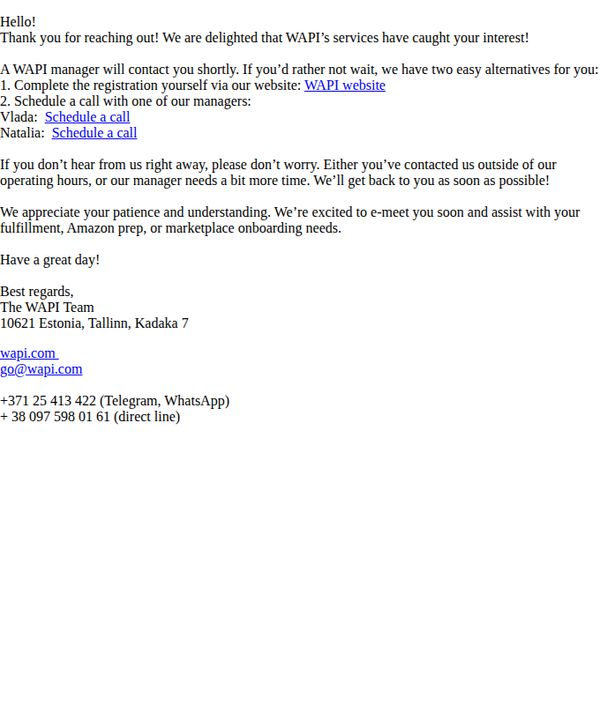
1. WAPI will be in touch with you shortly
Objective
This email aims to reassure new leads that WAPI has received their inquiry and will follow up promptly, while also offering immediate self-service options to reduce wait time and maintain engagement.
Why this works
The email immediately validates the recipient’s interest with warm, appreciative language, which builds trust and reduces drop-off by making the lead feel seen and valued from the first sentence.
How to implement
By offering two clear, parallel next steps, self-service registration or direct scheduling with named managers, the email empowers the user to choose their preferred path, increasing conversion likelihood through autonomy.
Pro Tip
Add a visual hierarchy to the CTA links, such as button styling or bold underlines, to make 'Schedule a call' stand out more prominently and guide the eye toward the highest-intent action. • Include a brief sentence or bullet point listing what the recipient can expect during the call (e.g., 'We’ll walk you through onboarding, answer questions, and set up your first shipment') to reduce uncertainty and increase call scheduling rates.
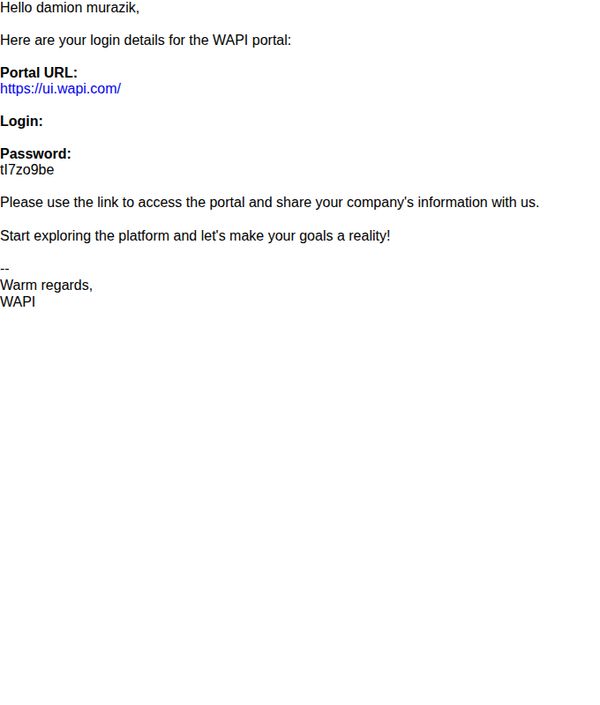
2. Your Password Inside: Start Now!
Objective
This email aims to onboard a new user by delivering immediate login credentials and encouraging prompt platform exploration to initiate engagement and data sharing. It seeks to convert the recipient from passive recipient to active user within the WAPI portal.
Why this works
The email cuts through friction by delivering login credentials directly in the body, removing the need for password resets or account recovery steps, which accelerates user activation and reduces early drop-off.
How to implement
By framing platform access as the first step toward achieving the user’s goals, the message taps into aspirational motivation rather than just functional onboarding, making the action feel personally meaningful and urgent.
Pro Tip
Add a visual button or hyperlink styled as a CTA around the phrase 'Start exploring the platform' to increase click-through rates by making the action more visually prominent and interactive. • Include a brief bullet list or one-sentence preview of what the user will see or accomplish upon logging in (e.g., 'Complete your profile, upload documents, connect with advisors') to reduce uncertainty and increase perceived value.
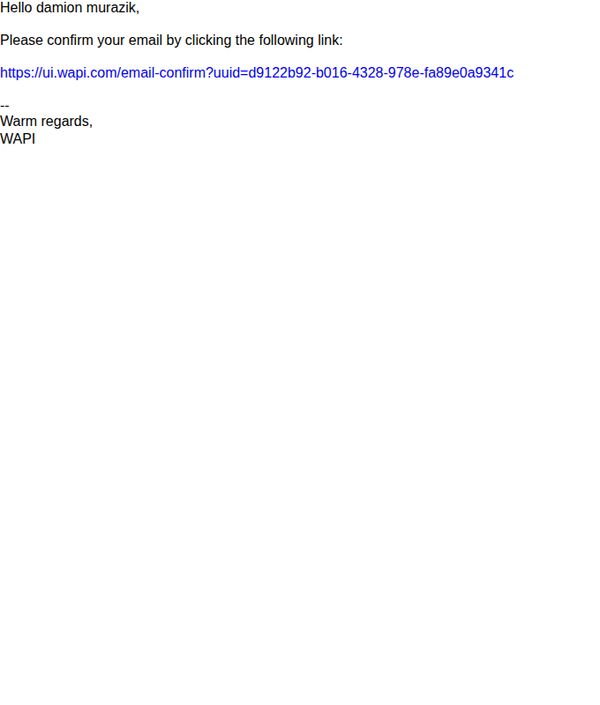
3. Confirm your email
Objective
This email aims to verify the user’s email address to complete account setup or subscription, ensuring deliverability and user authenticity. It prompts immediate action by directing the recipient to click a unique confirmation link.
Why this works
The email opens with a personalized greeting that immediately establishes relevance and reduces the chance of being dismissed as spam, making the recipient feel recognized rather than targeted generically.
How to implement
Including a direct, single-purpose CTA link eliminates decision fatigue and streamlines the user journey, which is critical for conversion in transactional emails where friction can lead to abandonment.
Pro Tip
Add a visual indicator or icon next to the confirmation link to draw attention and reduce the chance of the link being overlooked in plain-text formatting. • Include a brief note explaining why email confirmation is required, such as ‘to ensure you receive order updates and security alerts’, to increase perceived value and reduce drop-offs.