The complete Attio email collection


1. Changelog: Ask Attio, now with Sonnet 4.6
Objective
To inform existing users about major product updates, especially the enhanced 'Ask Attio' feature powered by Sonnet 4.6, and to drive engagement through education, app adoption, and ecosystem integration.
Why this works
The email strategically leads with the most impactful update, Ask Attio’s AI upgrade, and immediately demonstrates its value through real-world use cases like call scripting and deal automation, making the benefit tangible from the first scroll.
How to implement
Instead of overwhelming users with every change, the email groups updates into digestible sections with clear visual anchors, like the MCP server graphic and iOS app mockups, which guide the reader through complex features without cognitive overload.
Pro Tip
Add a primary CTA button above the fold, such as 'Try Ask Attio Now', directly beneath the hero section to convert immediate interest into action, rather than relying solely on passive 'Learn more' links buried in text. • Include a short video thumbnail or animated GIF demonstrating Ask Attio’s real-time capabilities within the hero section to visually reinforce the '15 minutes into seconds' claim and reduce friction for users unfamiliar with the feature.
2. Changelog: Emails on Deals and Custom Objects
Objective
This email aims to inform existing Attio users about new platform capabilities, specifically emails on Deals and Custom Objects, while also highlighting associated updates, new integrations, and UI improvements to encourage adoption and reinforce product value.
Why this works
The email smartly leads with a high-impact feature, emails on Deals and Custom Objects, then immediately demonstrates its utility with a real-world UI example, making abstract functionality instantly tangible for users who need context to adopt new tools.
How to implement
By embedding a clean, annotated screenshot of the email tab interface within the first section, Attio reduces cognitive load and accelerates user understanding without requiring them to navigate away or guess how the feature works in practice.
Pro Tip
Add a secondary CTA button or link beneath the 'Explore and install all apps' text that says 'See how Productboard syncs with Attio' to reduce friction for users interested in that specific integration and guide them toward immediate action. • Include a short video or animated GIF in the 'Emails on Deals and Custom Objects' section showing the tab-switching behavior in action, this would better convey dynamic functionality than a static screenshot and increase feature comprehension.
3. Ask our CTO anything.
Objective
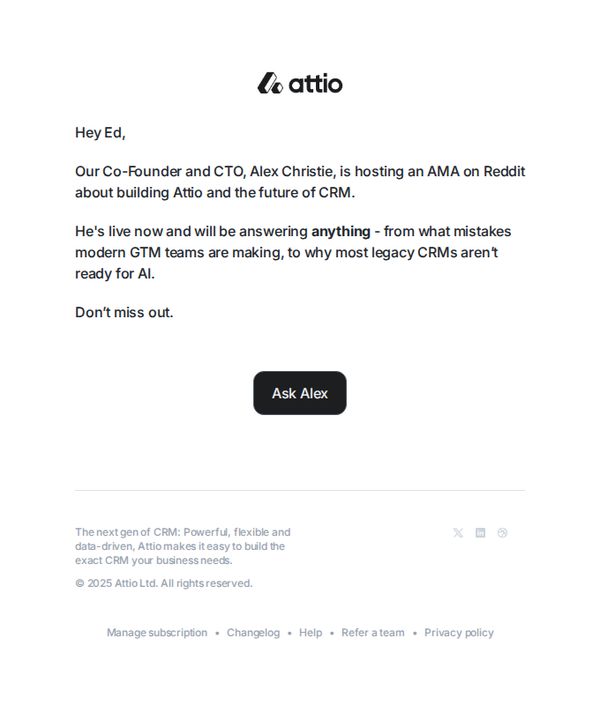
The email aims to drive immediate engagement by inviting the recipient to participate in a live Reddit AMA with Attio’s Co-Founder and CTO, Alex Christie, while positioning Attio as a forward-thinking CRM solution ready for AI-driven business needs.
Why this works
The email leverages personalization by addressing the recipient by name and creates urgency by highlighting that the AMA is live now, which taps into FOMO and increases the likelihood of immediate action.
How to implement
By framing the AMA around provocative, industry-relevant topics like ‘mistakes modern GTM teams are making’ and ‘why legacy CRMs aren’t ready for AI,’ the email positions Attio as a thought leader while subtly contrasting itself against outdated competitors.
Pro Tip
Add a brief preview of one or two compelling questions already asked in the AMA to spark curiosity and demonstrate the value of participating, reducing hesitation for users unfamiliar with Reddit AMAs. • Include a secondary CTA or link to a recording or summary page for those who can’t attend live, broadening the campaign’s reach and capturing interest from time-constrained or asynchronous audiences.
4. Permissions in Attio, upgraded.
Objective
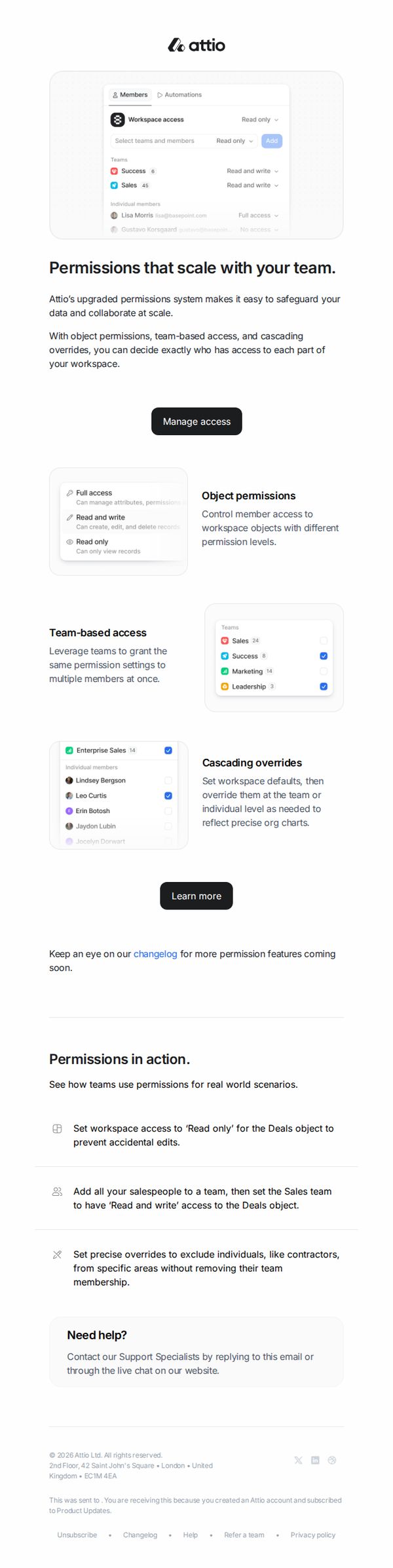
This email aims to inform existing Attio users about the upgraded permissions system, highlighting its scalability and control features to encourage adoption and deeper platform engagement. It positions the update as essential for teams needing granular data governance without sacrificing collaboration.
Why this works
The email opens with a bold, benefit-driven headline that immediately connects the feature upgrade to the user’s pain point, scaling team collaboration without compromising data security, making the value proposition instantly clear and relevant.
How to implement
By visually breaking down complex permissions into digestible components, object permissions, team-based access, and cascading overrides, the email transforms a technical update into an intuitive, scannable experience that reduces cognitive load for non-technical users.
Pro Tip
Add a short video or animated GIF demonstrating how to set up team-based permissions in under 30 seconds, this would reduce friction for users unfamiliar with the interface and increase conversion from 'Learn more' to actual feature adoption. • Include a testimonial or case study snippet from a customer who solved a specific data governance challenge using the new permissions, this would strengthen social proof and make the abstract benefit of 'scaling with your team' more tangible and trustworthy.