Chatbase email gallery from real brands

1. Your Chatbase AI Agent now answers emails too
Objective
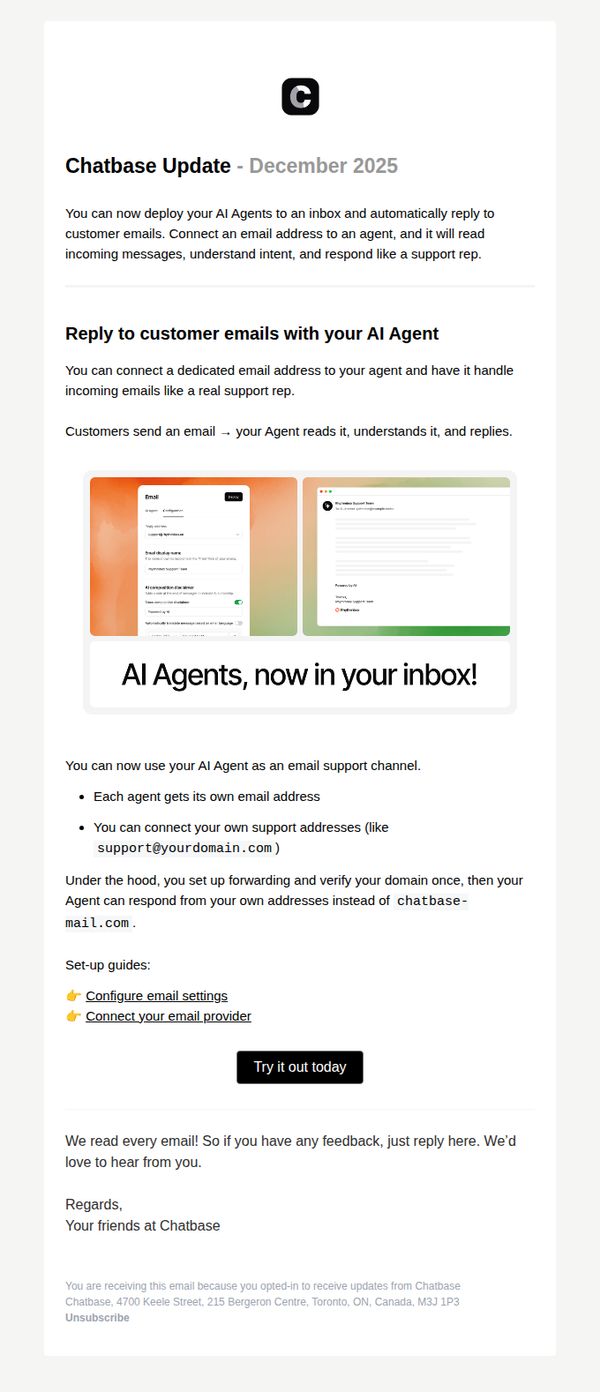
To inform existing Chatbase users about a new feature that allows their AI agents to automatically reply to customer emails, encouraging immediate adoption by highlighting ease of setup and professional email handling capabilities.
Why this works
The email immediately frames the new feature as a natural extension of existing AI capabilities, reducing perceived complexity and making adoption feel like an upgrade rather than a new task.
How to implement
By visually showing the email interface alongside the AI response, the campaign creates instant credibility, users can see exactly how the feature works without needing to imagine it.
Pro Tip
Add a brief customer testimonial or use case example to reinforce trust, e.g., 'Teams at [Company] reduced email response time by 80% using this feature,' which would strengthen social proof and urgency. • Include a subtle visual indicator like a small badge or icon next to the CTA button (e.g., 'New Feature') to draw attention and signal novelty, increasing click-through by leveraging novelty bias.
2. Chatbase January Changelog: Tickets as a Source, Localization & Agent Duplication
Objective
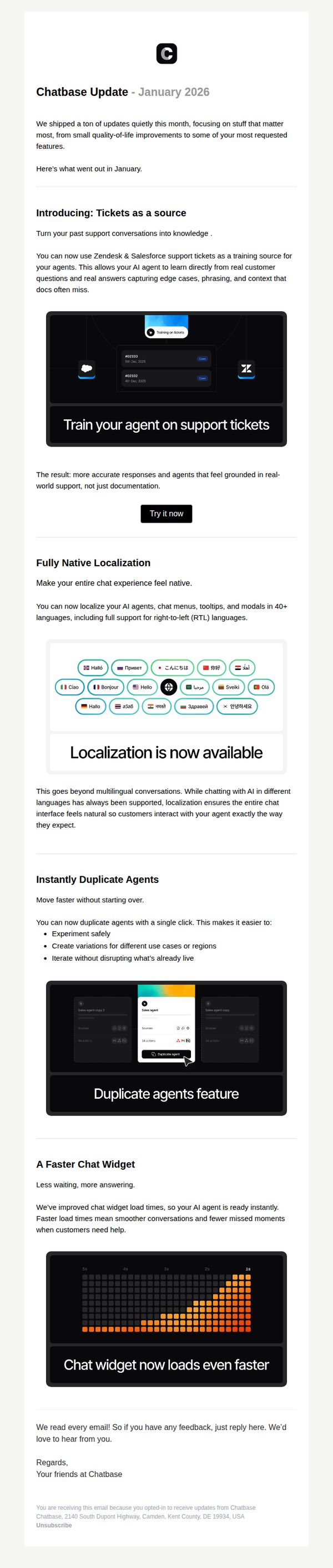
This email aims to inform existing Chatbase users about key product updates released in January 2026, highlighting new features that improve agent training, localization, and operational efficiency, encouraging immediate adoption through clear CTAs and visual demos.
Why this works
The email brilliantly frames each new feature as a direct solution to real user pain points, like turning support tickets into training data, making technical updates feel immediately valuable and emotionally resonant with customer service teams.
How to implement
By embedding clean, annotated screenshots directly beneath each feature explanation, the email reduces cognitive load and lets users instantly visualize how the update works in practice, which dramatically increases the likelihood of feature adoption.
Pro Tip
Add a brief 'Why This Matters' subheading under each feature to explicitly connect the update to business outcomes, for example, 'Reduces training time by 40%', to strengthen persuasive impact for decision-makers. • Include a small progress bar or badge next to each feature indicating 'Used by 85% of Enterprise Teams' or similar social proof to increase perceived urgency and adoption confidence.
3. 20% Off Our New Plans
Objective
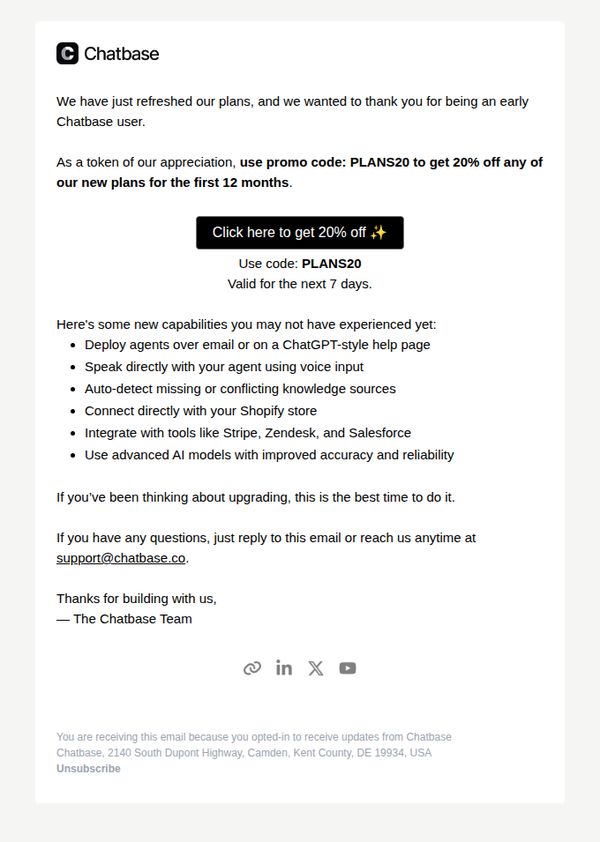
This email aims to reward early Chatbase users with a limited-time 20% discount on new plans while highlighting upgraded features to encourage immediate upgrades. It leverages gratitude and urgency to convert existing users into higher-tier subscribers.
Why this works
The email opens with genuine appreciation for early adopters, creating emotional alignment before introducing the discount, a subtle but powerful trust-building tactic that makes the offer feel like a reward, not a sales pitch.
How to implement
By listing new capabilities as bullet points immediately after the CTA, the email reinforces value perception without overwhelming the reader, making the upgrade decision feel logical and low-friction for users already familiar with the platform.
Pro Tip
Add a visual element, even a simple icon or divider, between the promo code and the feature list to improve scannability and prevent the email from feeling text-heavy, which could reduce engagement on mobile devices. • Include a brief testimonial or user stat (e.g., '92% of users upgraded to see faster results') near the CTA to reinforce social proof and reduce hesitation, especially for users on the fence about upgrading.
4. Chatbase plans changing Feb 25, upgrade now to lock in current plans
Objective
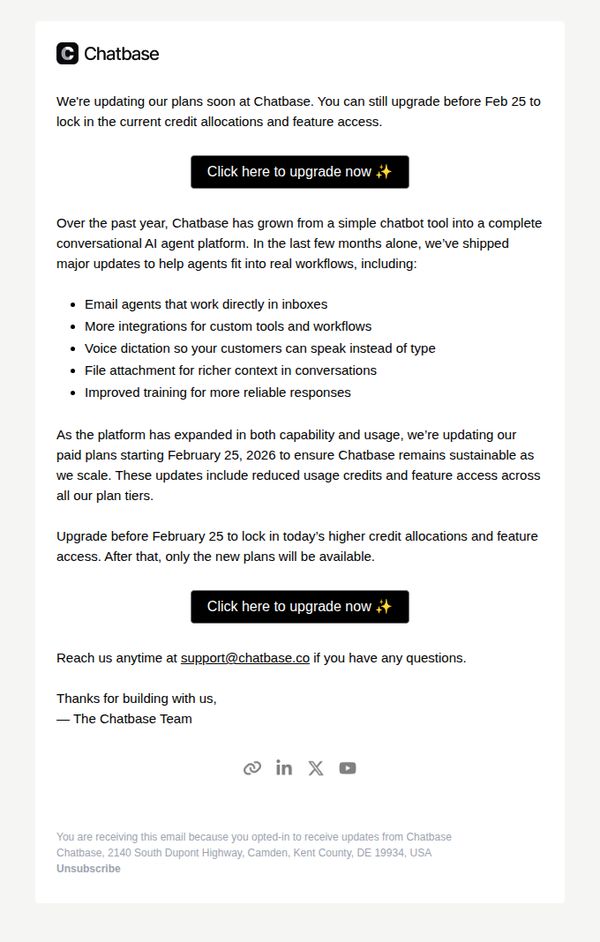
The email aims to encourage existing users to upgrade their Chatbase plans before February 25 to preserve current credit allocations and feature access, while emphasizing recent platform enhancements that justify the urgency and value of upgrading.
Why this works
The email effectively leverages urgency by anchoring the upgrade deadline to a specific date while simultaneously showcasing tangible product improvements that make the current plan feel more valuable than the future one.
How to implement
By listing recent feature updates like voice dictation and email agents, the message positions the upgrade not as a cost but as an investment in enhanced workflow efficiency and customer experience capabilities.
Pro Tip
Add a brief testimonial or customer quote near the CTA to build social proof and reduce perceived risk, especially since the upgrade involves financial commitment and plan changes. • Include a visual comparison table or bullet-point summary contrasting current vs. new plan features to clarify exactly what users stand to lose if they delay upgrading.
5. Chatbase Update – Training, Sources, Claude 4.5, Control & More
Objective
This email aims to inform existing Chatbase users about key product updates released in October 2025, highlighting improvements that make building and managing AI Agents faster, more reliable, and more intuitive, ultimately encouraging continued engagement and deeper platform adoption.
Why this works
The email opens with a clear, benefit-driven narrative, not just listing features, but framing each update as a direct improvement to the user’s experience, making the Agent faster, more reliable, and easier to manage, which builds immediate perceived value.
How to implement
Each feature is paired with a clean, contextual screenshot and a concise explanation that answers the user’s unspoken question: ‘What’s in it for me?’, turning technical updates into tangible workflow wins without overwhelming the reader.
Pro Tip
Add a subtle visual indicator or badge next to the ‘Claude Sonnet 4.5’ section to highlight it as a major model upgrade, this would help users quickly distinguish high-impact features from incremental improvements, improving scannability. • Include a short testimonial or user quote after the ‘Suggestions for sources’ section to reinforce social proof, since this feature solves a real pain point (knowledge gaps), hearing from another user would strengthen trust and urgency.
6. Chatbase Sign Up
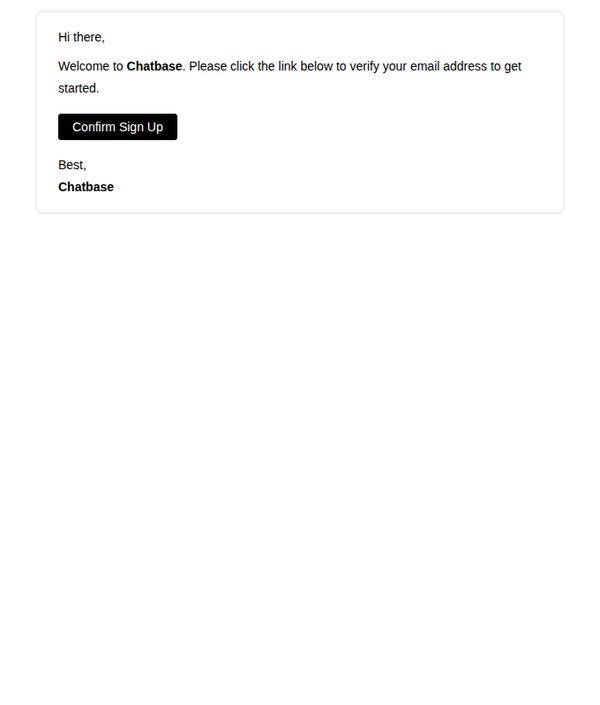
Objective
This email aims to confirm a new user’s sign-up and prompt immediate email verification to activate their Chatbase account, ensuring a smooth onboarding experience and reducing drop-off at the critical first step.
Why this works
The email opens with a warm, personal greeting that immediately establishes rapport, making the user feel welcomed rather than processed, which increases the likelihood of completing the verification step.
How to implement
The CTA button is bold, high-contrast, and placed immediately after the instruction, reducing cognitive load and guiding the user’s eye directly to the desired action without distraction or ambiguity.
Pro Tip
Add a brief explanation of what happens after verification, such as 'You’ll gain instant access to your AI chatbot dashboard', to reduce uncertainty and increase motivation to click. • Include a secondary, low-friction CTA like 'Resend Verification Email' below the main button to recover users who may have missed or deleted the original link, reducing support requests.