The complete ClickUp email collection
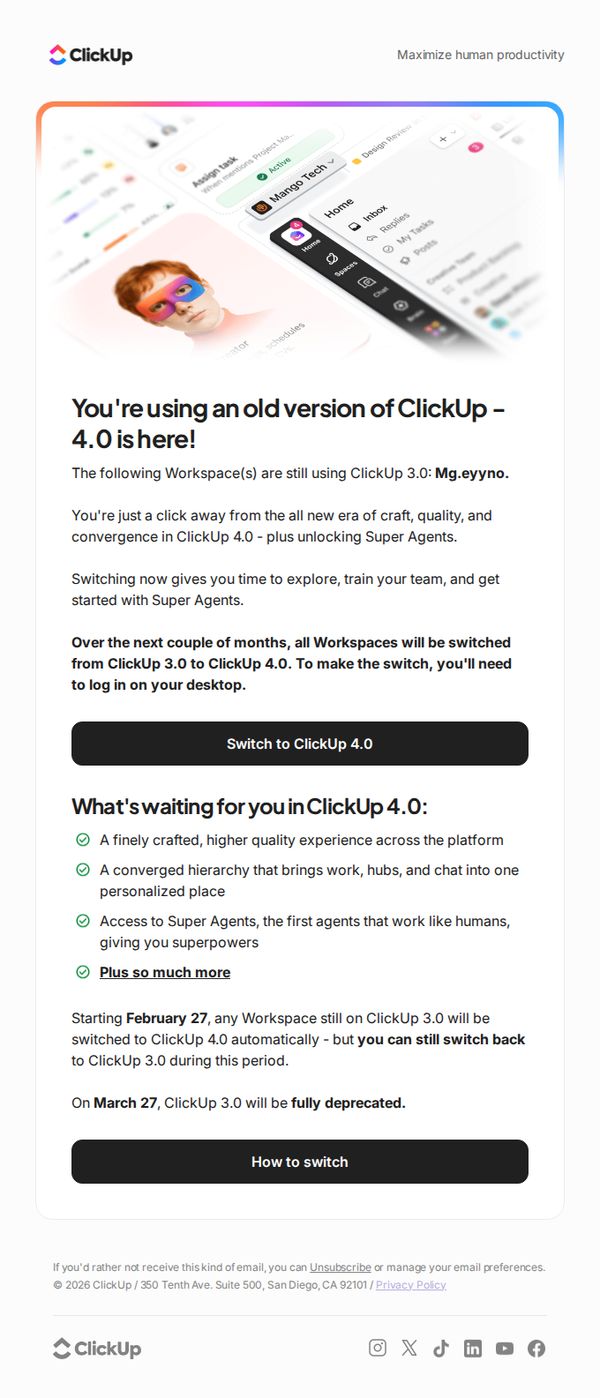

1. All Workspaces are moving to ClickUp 4.0 soon. Turn it on today for your team.
Objective
This email aims to prompt users to proactively upgrade their ClickUp workspaces from version 3.0 to 4.0 by highlighting key benefits and creating urgency around the upcoming automatic migration. It also seeks to reduce friction by reassuring users they can switch back temporarily and offering clear next steps.
Why this works
The email brilliantly frames the upgrade not as a forced change but as an empowering opportunity, using phrases like 'you’re just a click away from the all new era of craft, quality, and convergence' to position the update as a reward rather than a requirement.
How to implement
It builds trust and reduces resistance by clearly stating users can switch back temporarily during the transition window, which turns potential anxiety into a sense of control and makes the upgrade feel low-risk and user-centric.
Pro Tip
Add a visual comparison slider or side-by-side screenshot between ClickUp 3.0 and 4.0 in the Education Section to make the upgrade benefits more tangible and reduce perceived effort for users unfamiliar with the new interface. • Include a short video or animated GIF near the primary CTA showing how easy it is to switch versions, since visual walkthroughs significantly increase conversion for technical upgrades by reducing cognitive load and perceived complexity.
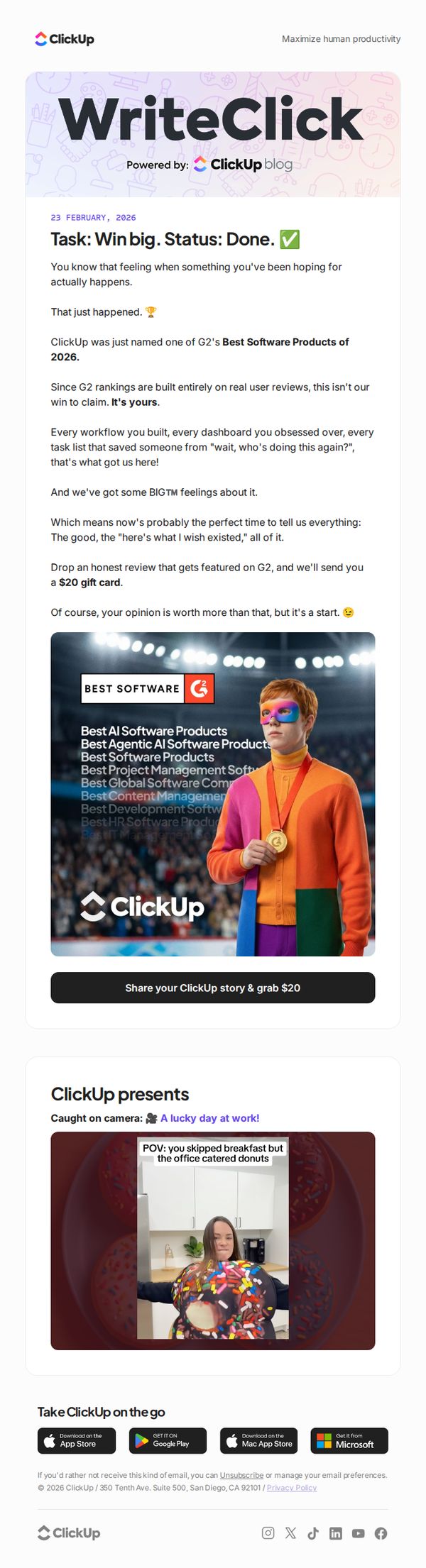
2. Here's lookin' at you!
Objective
This email celebrates ClickUp’s recognition as one of G2’s Best Software Products of 2026 and turns that achievement into a community-driven moment by inviting users to share honest reviews in exchange for a $20 gift card, reinforcing user ownership of the win.
Why this works
ClickUp brilliantly flips a product award into a user-centric celebration, making customers feel like co-creators of the win rather than passive observers, which deepens emotional investment and encourages authentic advocacy.
How to implement
The email uses playful, conversational language like 'Task: Win big. Status: Done.' to mirror the product’s tone, creating a seamless brand experience that feels familiar and fun rather than corporate or transactional.
Pro Tip
The CTA button is visually strong but could be more persuasive by adding urgency or social proof, e.g., 'Join 5,000+ users sharing their story, grab $20 before spots run out', to increase conversion through scarcity and community validation. • The 'Caught on camera' section, while fun, distracts from the core goal; either tie it directly to the review incentive (e.g., 'Share your story, get featured like this lucky user!') or move it below the CTA to preserve campaign focus.
3. Let’s talk about that wobbly first step
Objective
This email aims to motivate readers to take their first small, actionable step toward productivity by offering a free Personal Projects Template, while also positioning ClickUp as a supportive guide for overcoming early-stage overwhelm and building momentum through practical, bite-sized content.
Why this works
The email brilliantly reframes January not as a time for grand resolutions but as a low-pressure launchpad for one tiny, curiosity-driven project, making productivity feel accessible rather than intimidating for overwhelmed beginners.
How to implement
By embedding a real Kanban board screenshot with relatable, imperfect tasks like 'Learn crochet' and 'Apartment hunt,' the email visually validates the user’s messy starting point while subtly demonstrating ClickUp’s flexibility for personal, non-corporate use cases.
Pro Tip
The primary CTA 'Get free template' is visually strong but lacks urgency or benefit-driven language, consider testing variants like 'Start your first project today, free template inside' to better align with the email’s motivational tone and increase conversion. • The 'What’s new in productivity?' section offers valuable mindset content but feels disconnected from the core offer, consider adding a micro-CTA like 'Apply this to your project →' linking back to the template to reinforce the campaign’s action-oriented goal.
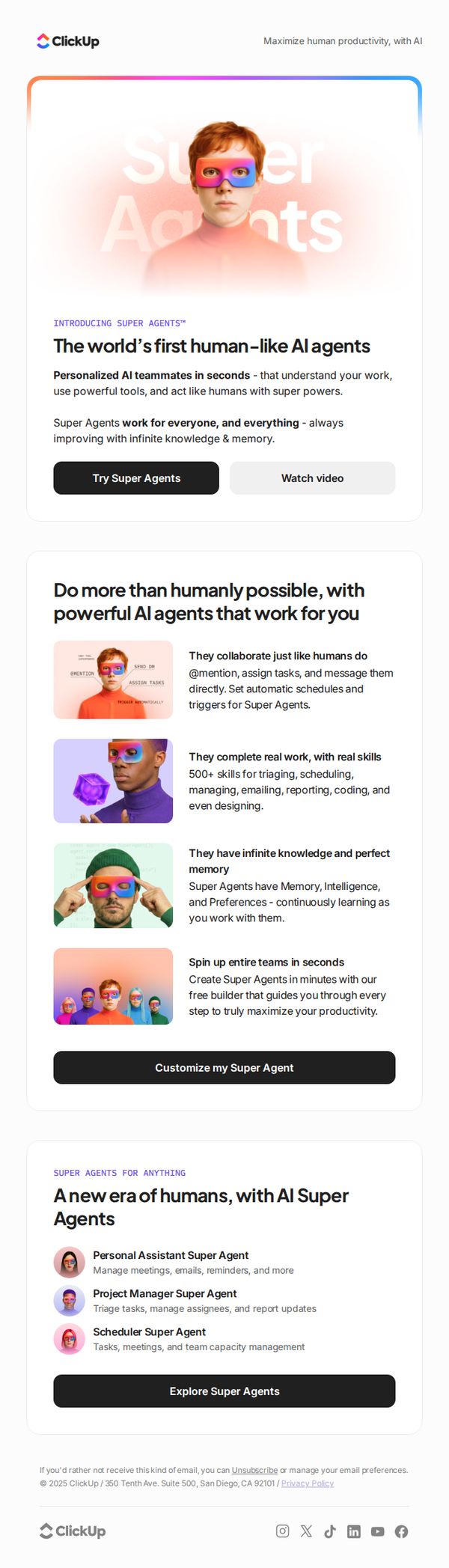
4. A new era of humans, with AI Super Agents
Objective
This email aims to introduce ClickUp’s new AI Super Agents as revolutionary, human-like teammates that boost productivity by automating complex workflows. It seeks to drive immediate engagement through trial sign-ups and video views while positioning the product as essential for modern teams.
Why this works
ClickUp brilliantly frames AI not as a tool but as a teammate, humanizing the technology with relatable roles like 'Personal Assistant Super Agent' to reduce user intimidation and increase emotional buy-in.
How to implement
The email leverages aspirational language like 'Do more than humanly possible' to tap into users’ desire for superhuman productivity, making the AI feel like an empowering upgrade rather than just another feature.
Pro Tip
Add a subtle countdown timer or limited-time offer badge near the 'Try Super Agents' CTA to create urgency and nudge hesitant users toward immediate action. • Include a short customer testimonial or use case quote in the Education Section to build social proof and reinforce credibility around the AI’s real-world impact.
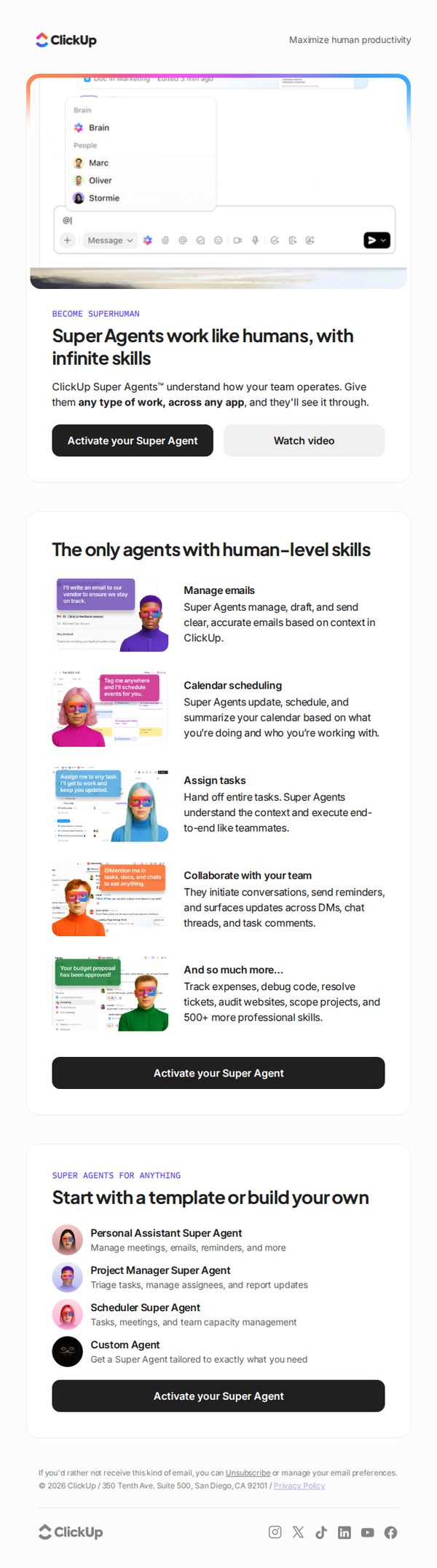
5. Super Agents work like human teammates, 24/7
Objective
This email aims to introduce and promote ClickUp Super Agents as AI teammates that operate 24/7 with human-level skills, encouraging users to activate their own agent to boost productivity and automate complex workflows across apps.
Why this works
ClickUp positions Super Agents not as tools but as human-like teammates, which emotionally resonates with users overwhelmed by task overload and craving reliable, intelligent support that understands context and workflow.
How to implement
The email strategically showcases specific, high-impact use cases, like managing emails, scheduling, and assigning tasks, with visual examples that make abstract AI capabilities feel tangible, immediate, and deeply integrated into daily work routines.
Pro Tip
Add a subtle countdown timer or urgency indicator near the CTA to create FOMO, especially since the offer implies immediate productivity gains, this would nudge procrastinators to act now rather than defer activation. • Include a short testimonial or social proof snippet from a recognizable brand or user near the hero section to validate the 'human-level skills' claim and reduce skepticism about AI reliability in professional settings.
6. Meet your new teammate: Introducing @Brain Agent
Objective
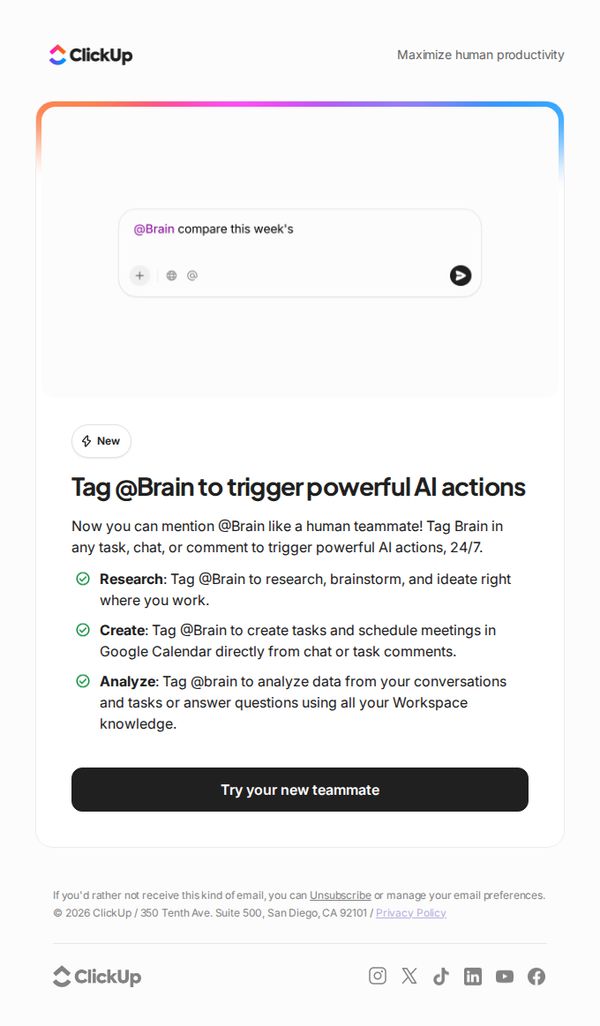
To introduce ClickUp’s new AI teammate, @Brain Agent, and encourage users to start using it by highlighting its 24/7 availability and core capabilities in research, task creation, and data analysis directly within their workflow.
Why this works
Positioning the AI as a 'teammate' rather than a tool creates emotional resonance and lowers adoption friction by implying collaboration, not automation, making users feel supported rather than replaced.
How to implement
Using a conversational command format like '@Brain compare this week’s' visually demonstrates real-world usage, helping users instantly grasp how to integrate the feature into their existing workflows without needing training.
Pro Tip
Add a short video or animated GIF showing @Brain in action within a real ClickUp workspace to visually reinforce the 'tag like a teammate' concept and reduce cognitive load for new users. • Include a testimonial or usage stat from an early adopter (e.g., 'Teams using @Brain save 3 hours/week') to build social proof and urgency around trying the feature.
7. Meet ClickUp 4.0, a new era of craft, quality, and convergence
Objective
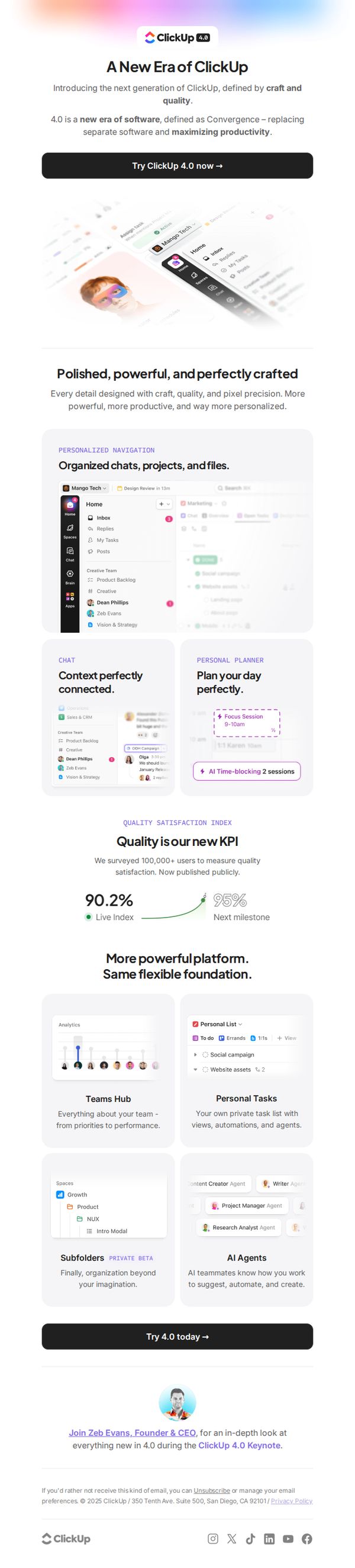
This email aims to introduce ClickUp 4.0 as a transformative evolution of the platform, emphasizing craftsmanship, convergence, and productivity gains to drive immediate user adoption through a compelling CTA. It positions the update as a major milestone that redefines how teams work together.
Why this works
ClickUp brilliantly frames version 4.0 not as an incremental update but as a cultural and functional renaissance, using the language of 'craft, quality, and convergence' to emotionally resonate with power users who crave sophistication over feature bloat.
How to implement
The email leverages social proof with a bold 'Quality Satisfaction Index' showing 90.2% user approval, turning abstract claims of improvement into a quantifiable, trustworthy metric that reduces perceived risk for hesitant adopters.
Pro Tip
Add a subtle countdown timer or 'limited-time early access' indicator near the CTA to create urgency, since the email currently lacks any time-based incentive to act immediately despite promoting a major platform launch. • Include a short video thumbnail or animated GIF in the hero section showing a 5-second demo of the 'Convergence' experience, this would better illustrate the abstract concept of replacing separate tools with a unified interface than static screenshots alone.
8. What's new in ClickUp: Gmail in Brain, Codegen Agent, Absolute Dates, and more!

Objective
This email aims to inform existing ClickUp users about the latest product updates in version 3.64, highlighting AI-powered features like Codegen Agent and Gmail integration with Brain, while encouraging engagement through release notes and feature voting to foster community-driven development.
Why this works
ClickUp brilliantly frames each new feature as a productivity superpower, like shipping code 10x faster or turning Gmail into an AI insights engine, making technical updates feel immediately valuable and emotionally compelling to time-starved professionals.
How to implement
The email uses clear visual comparisons, like 'Before/After' date formatting, to instantly demonstrate value without requiring users to imagine the benefit, which reduces cognitive load and increases feature adoption likelihood through intuitive proof.
Pro Tip
Add a short video or animated GIF next to the 'Gmail in Brain' section to visually demonstrate asking AI questions, this would reduce friction for users unfamiliar with the feature and increase click-through to the release notes. • Reposition the 'View release notes' CTA button to appear after each major feature section instead of only at the top and bottom, this creates multiple conversion points aligned with user interest spikes as they read through each update.
9. What's new in ClickUp: 4.0 is here!

Objective
This email aims to announce and excite users about the launch of ClickUp 4.0, positioning it as a transformative upgrade that redefines productivity through AI integration and unified workflows. It also invites users to explore new features and participate in shaping future development.
Why this works
ClickUp brilliantly frames version 4.0 not as a feature update but as the dawn of a new era, a strategic narrative that elevates the release from incremental to revolutionary, making users feel they’re witnessing a pivotal moment in productivity software evolution.
How to implement
By embedding real UI screenshots with annotated callouts like 'Auto-schedule' and 'Teams Hub,' the email transforms abstract promises into tangible, visual proof points that help users instantly grasp how each feature solves a real workflow pain point without needing to click through.
Pro Tip
The primary CTA 'View release notes' is buried under a large hero image and lacks visual urgency; adding a secondary, contrasting CTA button like 'See What’s New in 60 Seconds' above the fold would better capture attention and reduce bounce risk for time-poor users. • While the 'Help us build ClickUp' section invites beta sign-ups, it lacks a clear incentive or deadline, adding a phrase like 'Join beta before April 30 for early access to AI Notetaker' would create urgency and increase conversion by tying participation to a tangible, time-sensitive reward.
10. Why are you still working?
Objective
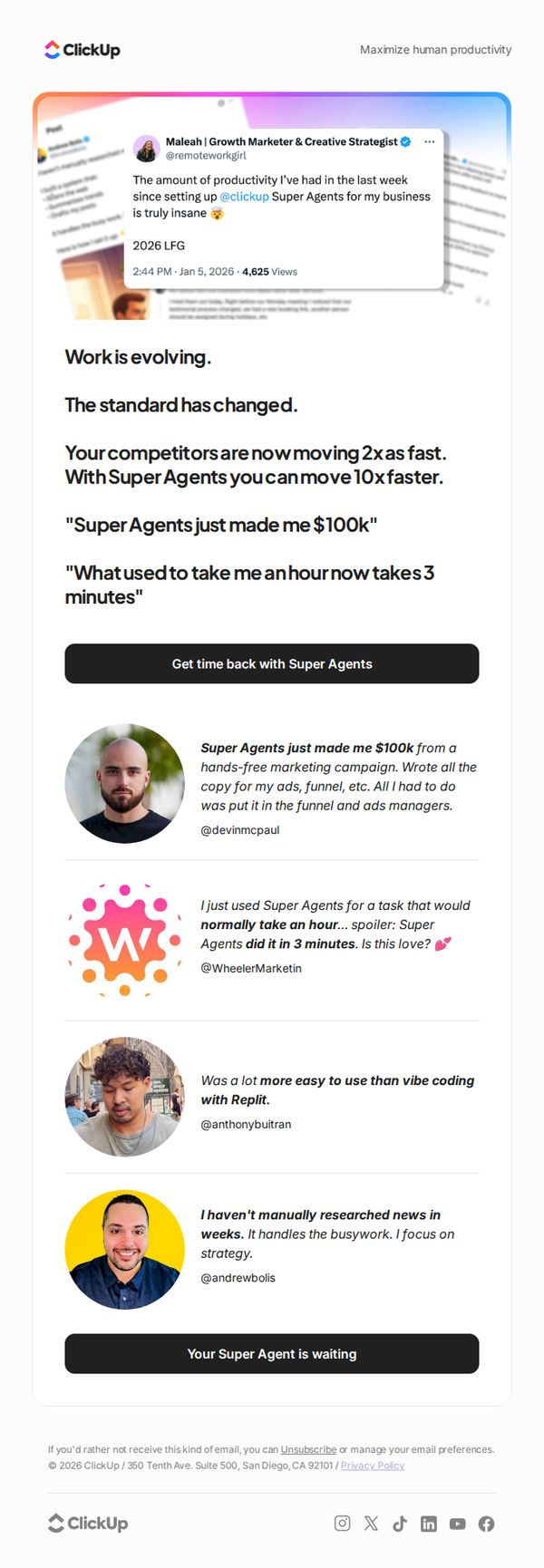
This email aims to drive urgency and conversion by positioning ClickUp’s Super Agents as a game-changing productivity tool that outpaces competitors and delivers dramatic time and revenue gains, encouraging immediate sign-up through social proof and bold claims.
Why this works
The email opens with a provocative, benefit-driven headline that immediately challenges the reader’s current workflow, creating instant curiosity and positioning the product as a necessary evolution rather than just another tool.
How to implement
It leverages real user testimonials with specific, quantifiable outcomes, like earning $100k or cutting hour-long tasks to 3 minutes, to build credibility and emotional resonance, making abstract productivity gains feel tangible and achievable.
Pro Tip
Add a brief 'How It Works' visual or 3-step breakdown after the hero section to reduce friction for new users who may not understand what Super Agents actually do, bridging the gap between curiosity and conversion. • Include a time-sensitive element like a countdown or limited-availability badge near the CTA to amplify urgency, especially since the email’s tone already implies rapid industry change and competitive pressure.