Proven CreativeLive email designs you can use

1. What to discover this week (for free).
Objective
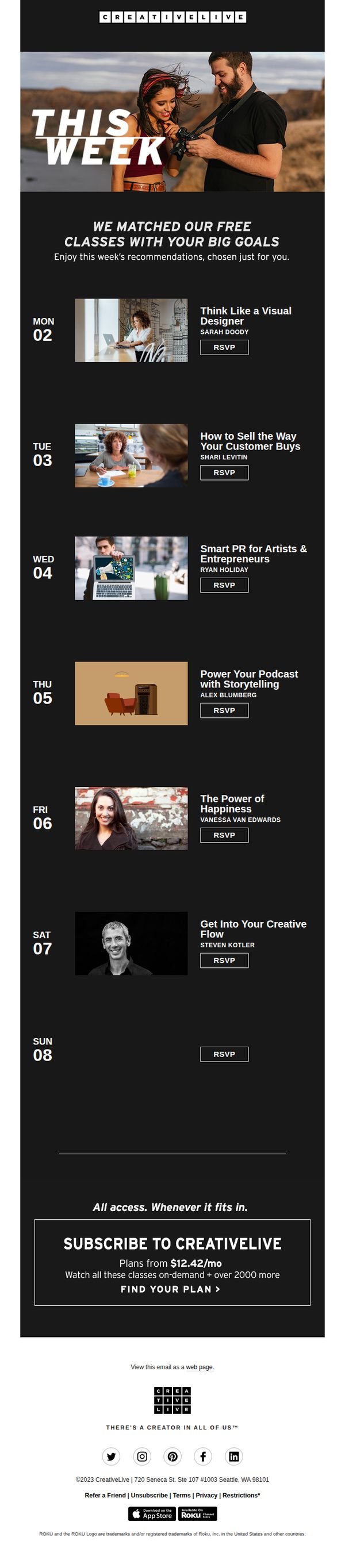
This email aims to re-engage subscribers by showcasing a personalized weekly lineup of free live classes aligned with their creative and professional goals, while subtly encouraging subscription through a value-driven CTA at the bottom.
Why this works
The email brilliantly frames free classes as personalized goal-matching experiences, making recipients feel seen and strategically nudging them toward deeper engagement without overt sales pressure.
How to implement
By organizing classes day-by-day with clear instructor names and compelling titles, the email creates a sense of curated momentum and daily value, turning passive browsing into an intentional weekly ritual.
Pro Tip
Add a subtle visual indicator (like a small badge or icon) next to each class title to denote whether it’s beginner-friendly, advanced, or includes downloadable resources, this would help users self-select faster and reduce friction in decision-making. • Include a short testimonial or social proof snippet under one or two high-impact classes (e.g., 'Join 2,300+ creatives who transformed their workflow with this session') to boost credibility and urgency without cluttering the layout.
2. Treat yourself to this October Lineup
Objective
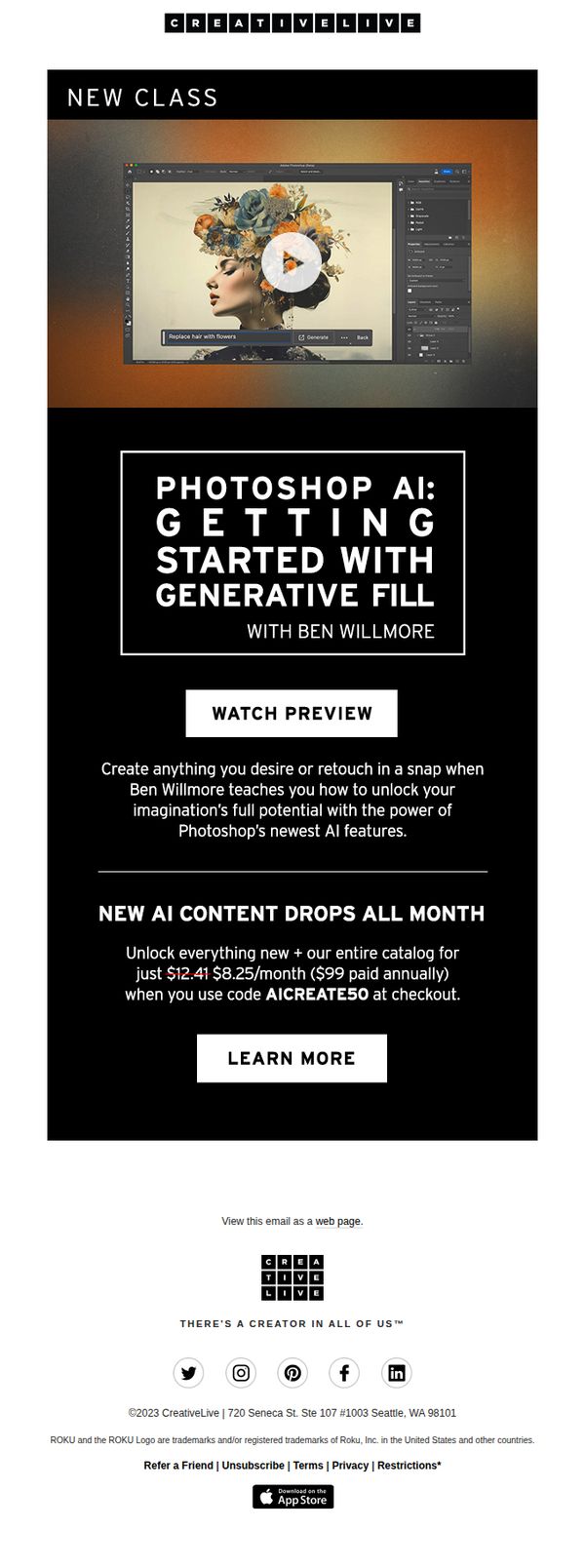
This email aims to drive subscriptions by highlighting CreativeLive’s new AI-powered October class lineup, positioning them as essential tools to boost creativity and productivity, while leveraging instructor credibility to build trust and urgency.
Why this works
The email brilliantly frames AI not as a replacement for creativity but as a catalyst, positioning each class as a skill amplifier that empowers users to unlock new dimensions of their craft without sacrificing artistic intent.
How to implement
By spotlighting Ben Willmore’s real-world credibility, from global photography experience to Adobe beta testing, the campaign transforms an instructor into a trusted authority, making the learning promise feel personal, proven, and deeply valuable.
Pro Tip
Add a countdown timer or limited-time badge near the subscription offer to amplify urgency, since the current pricing incentive lacks temporal pressure despite the ‘October’ theme. • Include a short video preview or animated GIF within each class tile to demonstrate the AI tool in action, this would reduce cognitive load and increase click-through by showing value before the user commits to reading.
3. NEW CLASS | Photoshop AI: Essential Editing Tools
Objective
This email aims to drive sign-ups for a new CreativeLive class on Photoshop AI by highlighting its cutting-edge features and offering a limited-time discount to incentivize immediate enrollment. It positions the course as essential for creatives wanting to master generative tools.
Why this works
The email brilliantly pairs a visually arresting hero image of AI-powered Photoshop editing with a clear, benefit-driven headline that speaks directly to creative professionals’ desire for innovation and control over their digital artistry.
How to implement
By anchoring the offer around a time-sensitive discount code and contrasting the monthly price with the annual value, the campaign creates urgency while making the investment feel accessible and smart for budget-conscious learners.
Pro Tip
Add a short testimonial or student success stat near the offer section to build social proof and reinforce credibility, especially since the course is new and targets users unfamiliar with Photoshop AI’s capabilities. • Include a subtle countdown timer or 'limited seats' indicator next to the discount code to amplify urgency, since the current offer lacks temporal pressure despite being framed as a monthly drop.
4. Yesss! Your Weekly Lineup is in and it is FILLED with free classes.
Objective
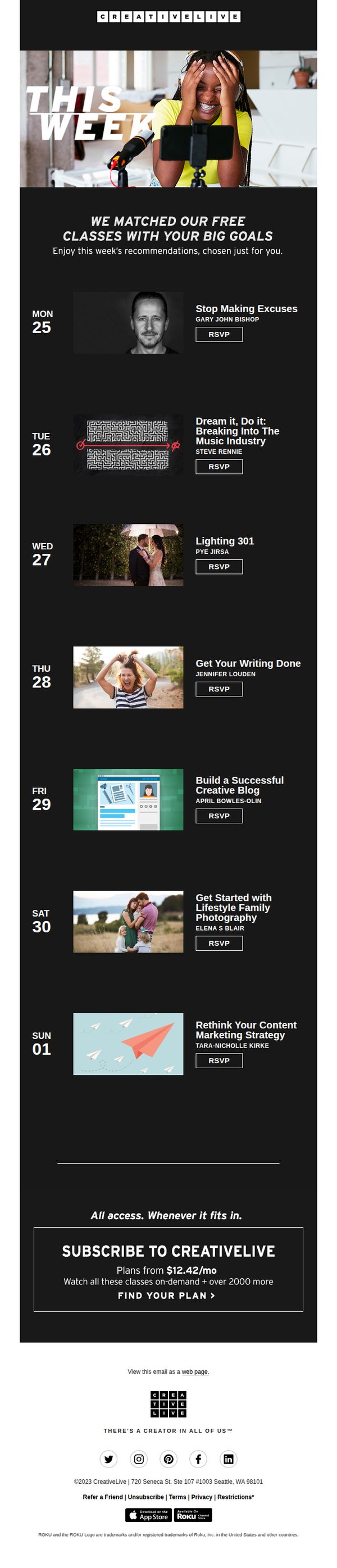
This email aims to drive engagement by showcasing a personalized weekly lineup of free classes tailored to the recipient’s goals, while subtly encouraging subscription through a compelling value proposition at the end.
Why this works
The email brilliantly personalizes the experience by framing free classes as curated matches for the user’s big goals, making the content feel uniquely relevant rather than generic promotional noise.
How to implement
Each class is presented with a clean, consistent layout featuring instructor photos, clear titles, and immediate RSVP buttons, reducing friction and encouraging instant action without overwhelming the reader.
Pro Tip
Add a subtle countdown timer or 'limited seats' indicator next to each RSVP button to create urgency and increase conversion rates for live class signups. • Include a short testimonial or social proof snippet under one or two high-impact classes to reinforce credibility and motivate hesitant users to commit.
5. Don’t forget ❗️$20 off your $40+ cart
Objective
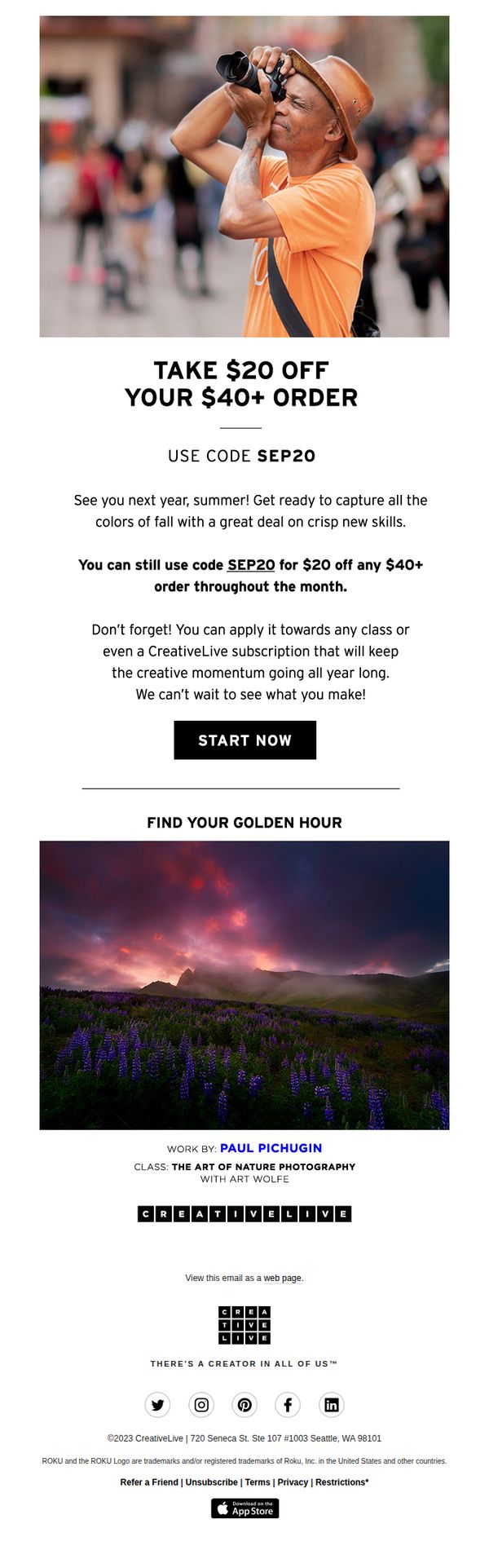
This email aims to re-engage subscribers by reminding them of an expiring discount offer while encouraging immediate enrollment in creative classes or subscriptions. It leverages seasonal messaging and visual storytelling to connect the promotion with creative inspiration and long-term learning goals.
Why this works
The email brilliantly ties a limited-time discount to seasonal creativity, using warm imagery and forward-looking language to position the offer not as a sale but as an investment in future artistic growth.
How to implement
By explicitly stating the code works on subscriptions as well as classes, the campaign broadens its appeal and subtly encourages higher lifetime value through recurring revenue, which is a smart retention play for educational platforms.
Pro Tip
Add a countdown timer near the CTA to heighten urgency, since the offer is time-bound, a visible timer would reduce hesitation and nudge users toward immediate action without requiring them to calculate the deadline. • Reposition the CTA button to sit directly beneath the offer description instead of after the paragraph about subscriptions, this reduces friction by aligning the call-to-action with the moment the reader feels motivated to act.
6. Rediscover your weekly live classes.
Objective
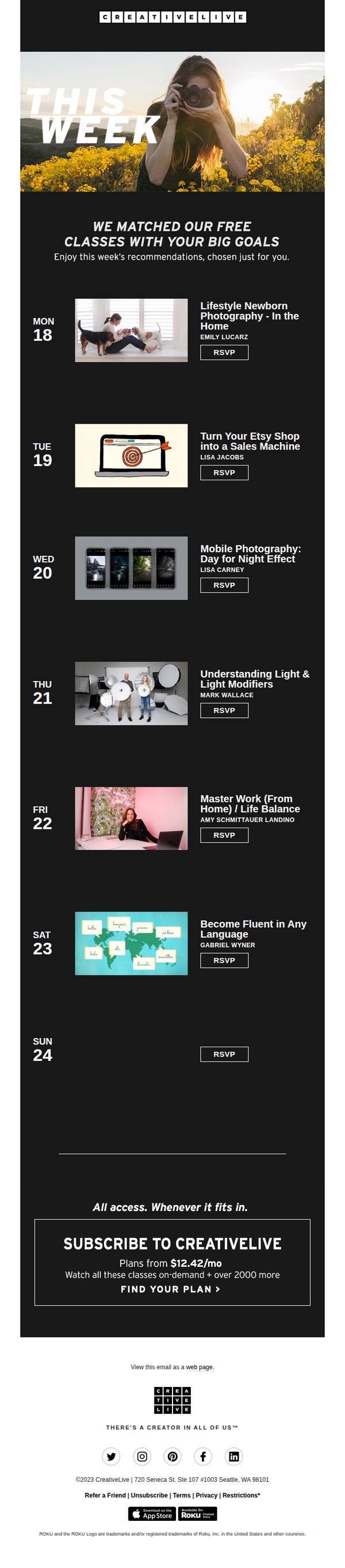
This email aims to re-engage subscribers by showcasing a personalized weekly lineup of free live classes aligned with their creative goals, while gently guiding them toward a paid subscription for unlimited access.
Why this works
By framing the class schedule as 'matched with your big goals,' CreativeLive transforms a simple calendar into a personal growth roadmap, making recipients feel seen and strategically valued rather than just marketed to.
How to implement
Each class entry pairs a compelling visual thumbnail with instructor credibility and a clear RSVP button, creating a frictionless micro-commitment that builds momentum without overwhelming the reader’s decision-making process.
Pro Tip
Add a subtle countdown timer or urgency indicator next to each RSVP button (e.g., ‘Seats filling fast’) to nudge procrastinators into immediate action without disrupting the clean layout. • Include one short testimonial or student quote beneath the hero section to build social proof early, validating the value of these ‘goal-matched’ classes before diving into the schedule.
7. Final call for $20 off your $40+ cart
Objective
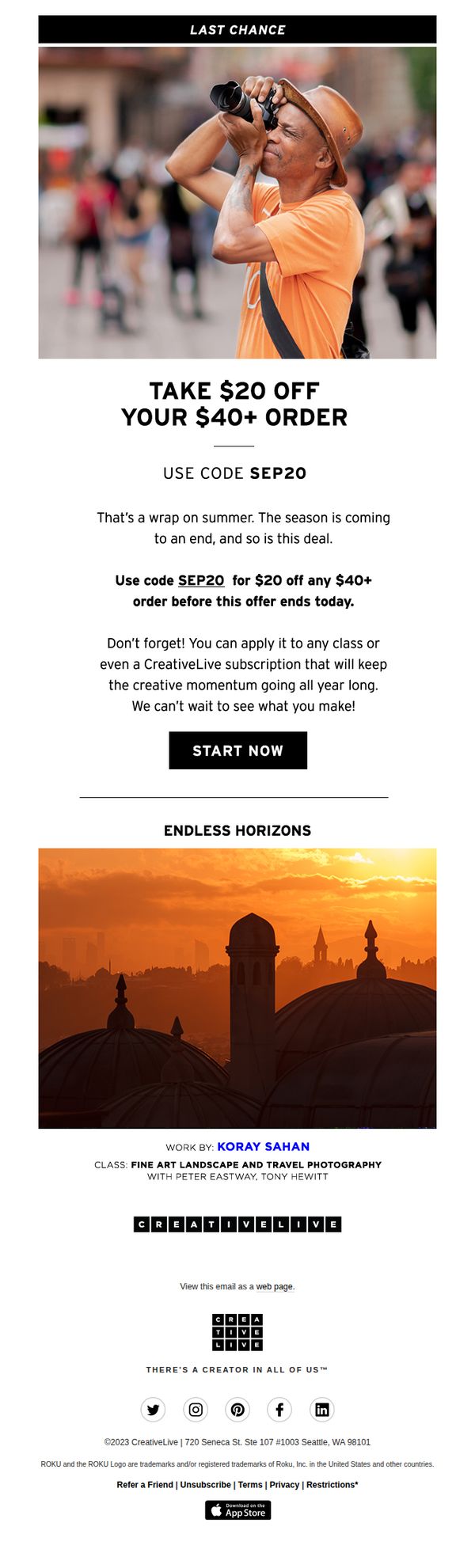
This email aims to drive immediate purchases by creating urgency around a limited-time discount offer, encouraging recipients to use the promo code before the deal expires and reinforcing the value of CreativeLive’s creative education offerings.
Why this works
The email effectively leverages seasonal transition messaging, tying the end of summer to the end of a deal, to emotionally resonate with creatives who associate summer with inspiration and momentum, making the discount feel timely and meaningful.
How to implement
By explicitly stating the promo code can be applied to any class or subscription, the email removes friction and broadens the perceived value, encouraging users to think beyond a single purchase and invest in long-term creative growth.
Pro Tip
Add a countdown timer near the CTA to visually reinforce urgency and reduce decision latency, especially since the email mentions the offer ends 'today' but doesn’t show real-time pressure. • Include a short testimonial or student success stat beneath the offer to build social proof and credibility, helping hesitant users overcome perceived risk in spending on a class or subscription.