The Complete Equipment Zone Email Collection



1. Ready to Print Big? Meet the Epson Solvent S-Series
Objective
This email aims to introduce and promote the Epson Solvent S-Series printers to print shop owners looking to expand into large-format applications like banners, vehicle wraps, and posters. It seeks to drive inquiries and orders by highlighting model-specific features, benefits, and ease of integration into existing workflows.
Why this works
The email smartly segments each printer model into its own dedicated section with bold headlines, bullet-pointed specs, and a consistent CTA, making it easy for busy shop owners to quickly compare capabilities and identify the right fit for their production needs.
How to implement
By pairing each printer with a vibrant, real-world sample print, like ice cream ads or music festival posters, the campaign visually demonstrates output quality and application relevance, helping buyers envision the machine’s value in their own business context.
Pro Tip
Add a short testimonial or customer quote under each printer section to build social proof, for example, ‘Our shop increased banner output by 40% with the S8170’, to reinforce credibility and reduce perceived risk for new buyers. • Include a comparison table at the bottom summarizing key specs across all three models (print width, ink colors, speed, unique features) to help decision-makers quickly evaluate options without scrolling back and forth.
2. Print with Passion: Epson G6070 & F2270 IN STOCK!
Objective
This email aims to drive immediate sales of two in-stock Epson printers by framing them as reliable, long-term production partners, using Valentine’s Day as a thematic hook to emotionally connect with print shop owners seeking dependable equipment.
Why this works
The email brilliantly ties Valentine’s Day to business reliability, transforming a romantic holiday into a clever metaphor for long-term equipment commitment, making technical specs feel emotionally resonant and personally relevant to shop owners.
How to implement
Each printer is presented with a clear, benefit-driven bullet list that speaks directly to production pain points, like scalability, maintenance, and workflow, helping buyers visualize how the machine solves real-world operational challenges beyond just specs.
Pro Tip
Add a visual comparison table between the G6070 and F2270 to help buyers quickly differentiate use cases, especially since both are positioned as complementary rather than competitive, which could confuse decision-making without side-by-side specs. • Include a short video or animated GIF showing the printers in action, especially the garment loading or print head movement, to demonstrate workflow ease and build trust through motion, since static images can’t convey operational fluidity.
3. NEW Epson SureColor G9070 Powerhouse DTF Printer!
Objective
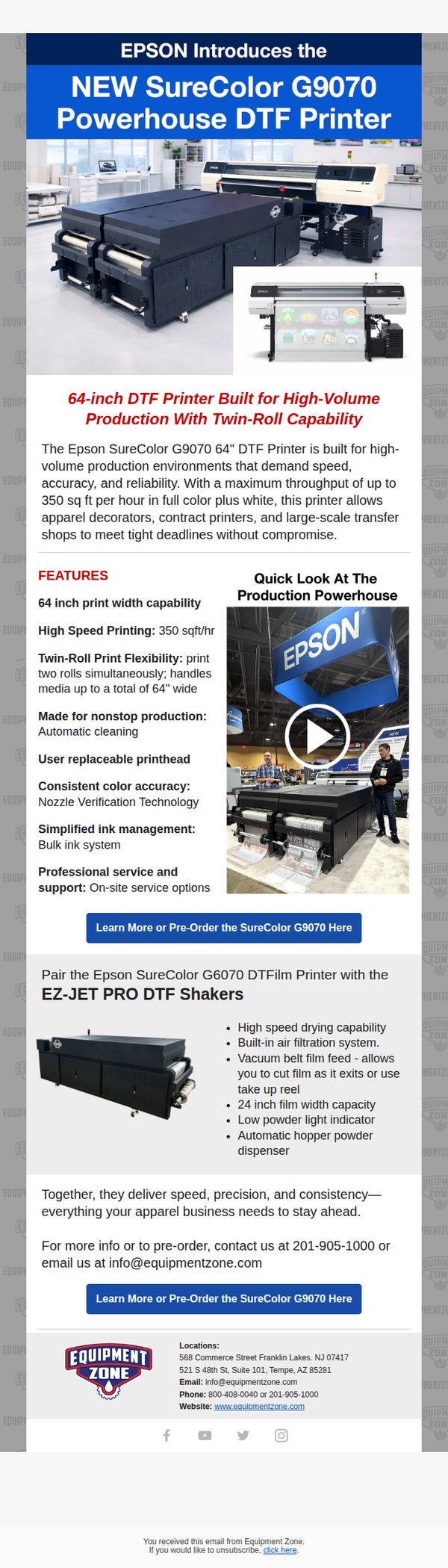
To generate immediate interest and pre-orders for the new Epson SureColor G9070 DTF printer by highlighting its high-volume production capabilities and pairing it with complementary equipment. The email positions the product as an essential upgrade for apparel decorators and contract printers needing speed, reliability, and scalability.
Why this works
The email brilliantly frames the printer not just as a machine but as a productivity solution for time-sensitive businesses, using phrases like 'meet tight deadlines without compromise' to speak directly to pain points of high-volume shops.
How to implement
Pairing the printer with the EZ-JET PRO DTF Shakers transforms a single product launch into a complete workflow upgrade, subtly encouraging larger purchases by demonstrating how components work together to solve real operational bottlenecks.
Pro Tip
Add a limited-time pre-order incentive (e.g., free installation, extended warranty, or bundled consumables) to create urgency and differentiate this launch from standard product announcements, thereby boosting immediate pre-order conversions. • Include a customer testimonial or case study snippet from an early adopter or beta tester to build social proof around performance claims like '350 sq ft per hour,' which currently stand alone without validation.
4. Come See the NEW Epson G9070 DTF Printer At Impressions Expo Atlantic City!
Objective
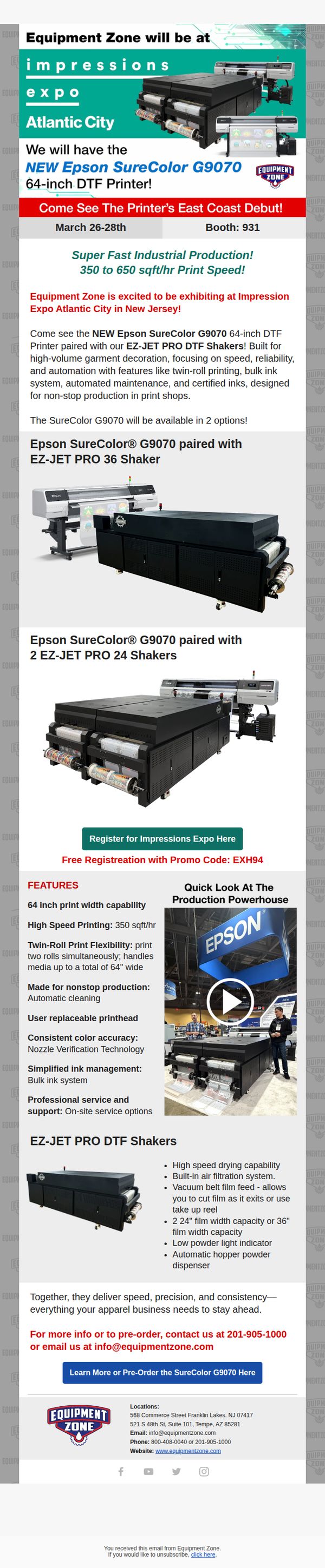
The email aims to drive attendance to Equipment Zone’s booth at Impressions Expo Atlantic City by showcasing the East Coast debut of the new Epson SureColor G9070 DTF Printer, paired with EZ-JET PRO Shakers, to attract print shop owners seeking high-volume, automated garment decoration solutions.
Why this works
The email brilliantly anchors excitement around a product debut, the East Coast launch of the Epson G9070, turning a trade show appearance into a must-see event for print professionals hungry for next-gen production tools.
How to implement
By pairing the printer with complementary EZ-JET PRO Shakers and visually demonstrating their synergy, the email transforms a hardware showcase into a complete workflow solution, making the value proposition tangible and irresistible to high-volume shop owners.
Pro Tip
Add a countdown timer near the CTA to create urgency around expo registration, especially since the event dates (March 26–28) are fixed and approaching, this would nudge procrastinators to act immediately. • Include a short testimonial or quote from a beta user or early adopter of the G9070 to build social proof and credibility, especially since the product is new and potential buyers may need reassurance before committing to attend or pre-order.
5. Epson G6070 & F2270 IN STOCK | Fall in Love with Production That Delivers ❤️
Objective
To drive immediate sales of the Epson SureColor G6070 and F2270 printers by positioning them as reliable, in-stock solutions for Valentine’s Day-themed production needs, while encouraging long-term customer relationships through emotional appeal and urgency.
Why this works
The email brilliantly ties Valentine’s Day to business equipment by framing printers as ‘reliable partners’ in production, turning a technical purchase into an emotional decision that resonates with shop owners seeking dependable growth tools.
How to implement
By highlighting both printers’ unique strengths, G6070 for scalability and F2270 for flexibility, the email speaks directly to different buyer personas, making each feel seen and offering a tailored solution rather than a one-size-fits-all pitch.
Pro Tip
Add a visible countdown timer or ‘limited stock’ indicator near the CTA to heighten urgency, since the Valentine’s Day tie-in already implies time sensitivity but lacks a visual nudge to act now. • Include a short customer testimonial or case study snippet under each printer’s CTA to reinforce reliability claims with social proof, especially since the email positions these as long-term relationship investments.
6. Stock up on Inks & Supplies!
Objective
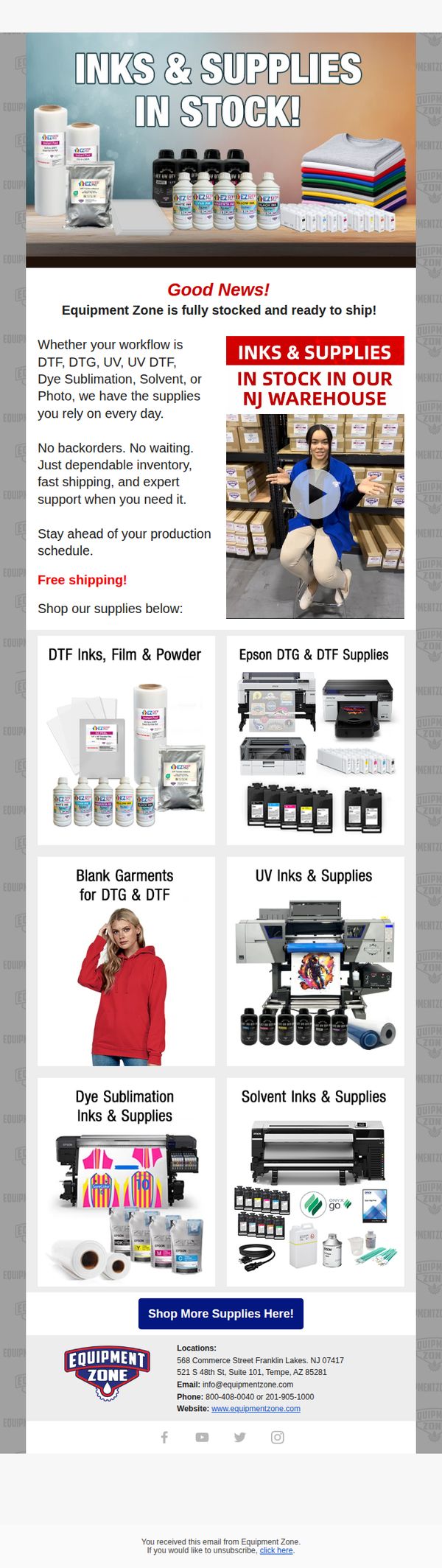
This email aims to reassure customers that Equipment Zone has ample inventory of inks and supplies for all major printing workflows, encouraging immediate purchase by highlighting fast shipping, no backorders, and expert support.
Why this works
The email effectively builds trust by visually showcasing real warehouse stock and a smiling employee, making the 'in stock' claim feel authentic and reassuring to production-driven buyers who can’t afford delays.
How to implement
By organizing supplies into workflow-specific categories like DTF, UV, and Solvent, the email speaks directly to professional users’ mental models, reducing decision fatigue and helping them quickly find what they need without scrolling or searching.
Pro Tip
Add a countdown timer or limited-quantity indicator near the CTA to create urgency, since the current design lacks temporal pressure despite promoting a 'stock up' message that benefits from scarcity cues. • Include a short customer testimonial or case study snippet under the hero section to reinforce credibility, as the current email relies solely on claims without social proof to validate reliability and speed.