How ClearEstate does lifecycle emails
1. Chat transcript on https://www.clearestate.com/pricing
Objective
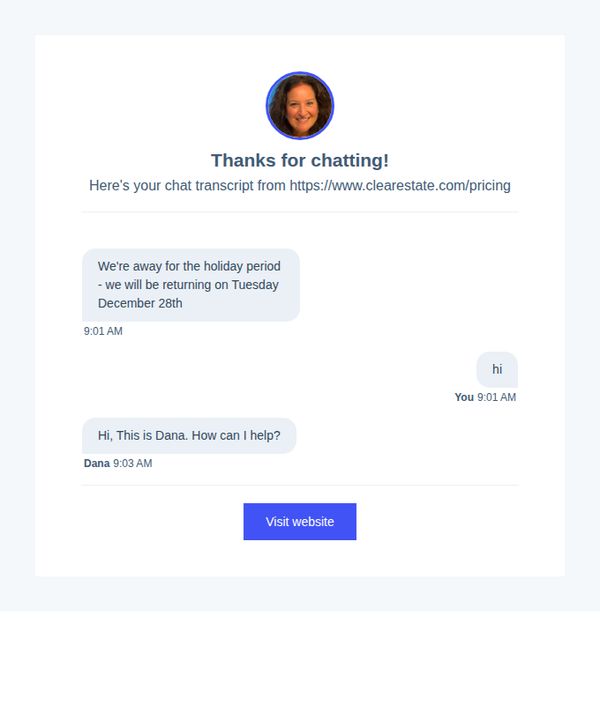
To acknowledge a user’s chat interaction and gently redirect them to the pricing page for self-service exploration, while setting expectations about response timing during the holiday break.
Why this works
The email smartly repurposes a chat transcript as a personalized touchpoint, making the recipient feel seen and valued while naturally guiding them toward the next step without pressure.
How to implement
By clearly stating holiday closure dates upfront, the brand builds trust through transparency, reducing user frustration and setting accurate expectations for follow-up engagement.
Pro Tip
Add a brief, benefit-driven teaser about what users will discover on the pricing page, such as 'See how much you can save with transparent, no-hidden-fee pricing', to increase CTA click-through motivation. • Include a secondary CTA or link offering to schedule a post-holiday callback or email follow-up, capturing leads who may not be ready to self-serve immediately but want personalized attention.
2. You booked a meeting with: John Farrell
Objective
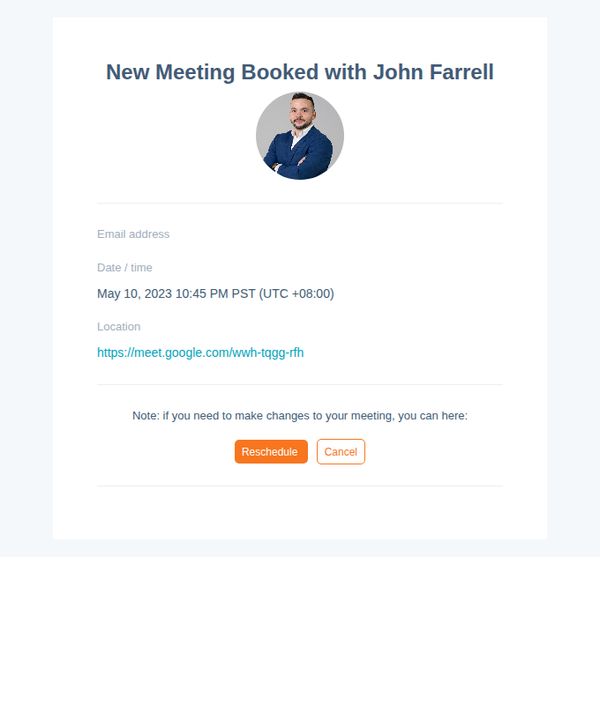
This email confirms a scheduled meeting with a representative and provides essential details including date, time, and virtual location, while empowering the recipient to reschedule or cancel if needed to reduce friction and no-shows.
Why this works
The email immediately establishes trust by featuring a professional headshot of the meeting host, which humanizes the interaction and reinforces accountability before the call even happens.
How to implement
Including a direct, clickable Google Meet link removes friction and reduces the chance of missed connections by eliminating the need for the recipient to search or copy-paste the URL manually.
Pro Tip
Add a brief agenda or prep note under the meeting details to set expectations and increase attendance quality, for example, 'Bring your property address and questions about local market trends.' • Include a subtle countdown or reminder badge near the top (e.g., 'Your meeting is in 2 days') to create gentle urgency and reduce no-shows without being pushy.
3. Reminder: here is your meeting link for your free consultation: https://meet.google.com/wwh-tqgg-rfh
Objective
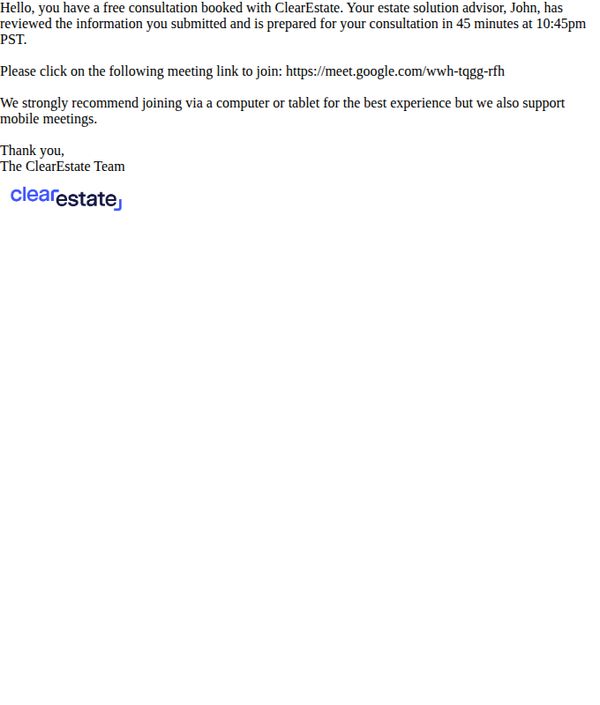
This email serves as a last-minute reminder to confirm attendance for a scheduled free consultation, reinforcing trust by noting the advisor has already reviewed the recipient’s information and is prepared to meet. It aims to reduce no-shows by providing clear access instructions and device recommendations.
Why this works
The email builds immediate credibility by stating the advisor has already reviewed the recipient’s submitted information, which reduces anxiety and positions the meeting as personalized rather than generic.
How to implement
Including a specific time zone (PST) and countdown (45 minutes) creates urgency without being pushy, helping recipients mentally prioritize the meeting in their schedule.
Pro Tip
Add a visual countdown timer or bolded time indicator (e.g., 'Meeting in 45 minutes!') near the top to reinforce urgency and reduce the chance of the recipient missing the time-sensitive nature of the reminder. • Include a brief one-line value reminder before the CTA, such as 'You’ll leave this call with a clear plan to simplify your estate, no pressure, no sales pitch,' to reinforce the benefit and reduce hesitation.
4. Reminder: please confirm your free consultation on Wednesday May 10 at 10:45pm
Objective
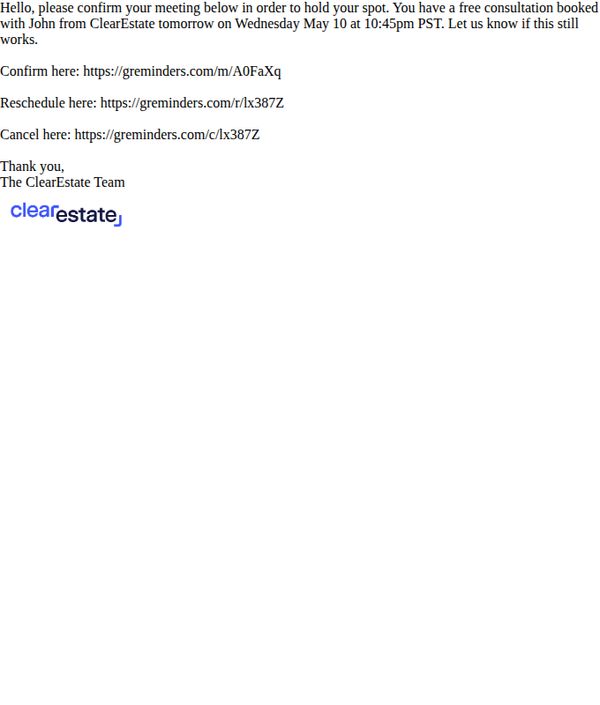
This email aims to secure confirmation for a scheduled free consultation by prompting the recipient to act quickly, while also offering easy rescheduling or cancellation options to reduce friction and improve attendance rates.
Why this works
The email creates urgency without pressure by framing the action as holding a reserved spot, which psychologically increases perceived value and reduces no-shows while maintaining a polite tone.
How to implement
Including direct, labeled links for confirmation, rescheduling, and cancellation removes decision fatigue and empowers the recipient to act immediately, which streamlines the user journey and boosts conversion efficiency.
Pro Tip
Add a visual countdown timer or bolded time-sensitive language (e.g., 'Confirm within 24 hours to secure your spot') to reinforce urgency and reduce procrastination, especially since the meeting is scheduled for the next day. • Include a brief bullet-point preview of what the recipient will gain from the consultation (e.g., 'Get a personalized property valuation + market insights') to increase perceived value and motivate confirmation.
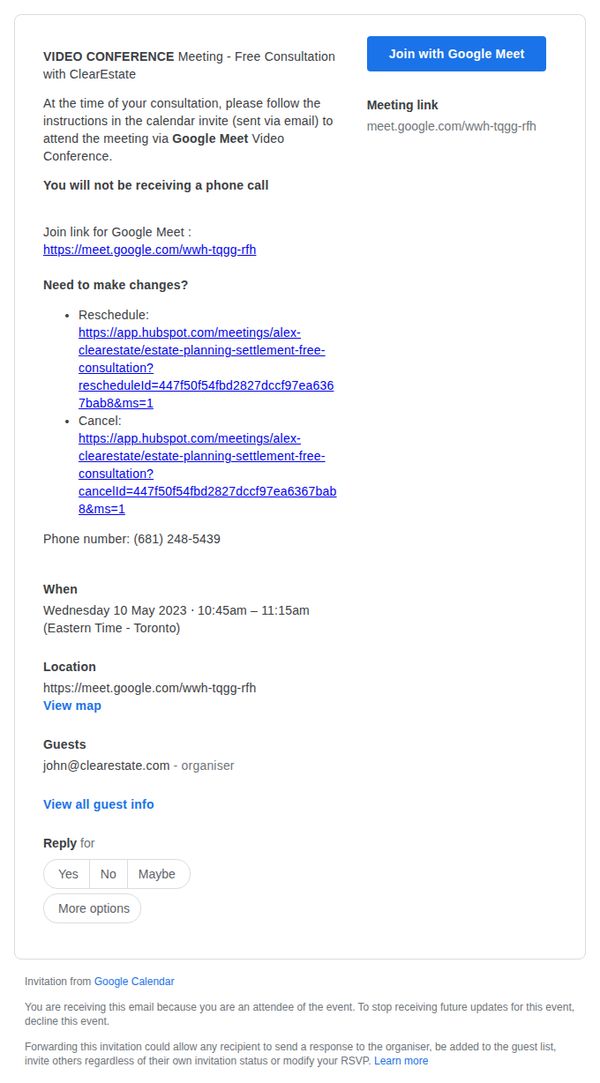
5. Invitation: Free Consultation (Video Conference) | kelly reichert & C... @ Wed 10 May 2023 10:45am - 11:15am (GMT-04:00) (kellyreichert6876@njaemail.com)
Objective
This email aims to confirm and remind the recipient of an upcoming free consultation via Google Meet, while providing clear instructions for joining, rescheduling, or canceling the appointment to ensure high attendance and reduce no-shows.
Why this works
The email immediately clarifies that this is a video-only consultation with no phone call, setting accurate expectations and reducing confusion for time-sensitive attendees who may be juggling multiple commitments.
How to implement
Including direct, clickable links for rescheduling and cancellation empowers the recipient to manage their commitment autonomously, which increases perceived control and reduces friction in the user journey without requiring additional outreach.
Pro Tip
Add a countdown timer or reminder badge near the top to visually reinforce urgency and reduce the chance of the recipient forgetting the appointment time, especially since it’s a time-sensitive video consultation. • Include a brief one-sentence value proposition or agenda preview (e.g., 'In 30 minutes, you’ll learn how to optimize your estate plan for tax efficiency') to increase perceived relevance and boost attendance motivation.