Meetgamma campaign ideas that work
1. Supercharge presentations with visual building blocks
Objective
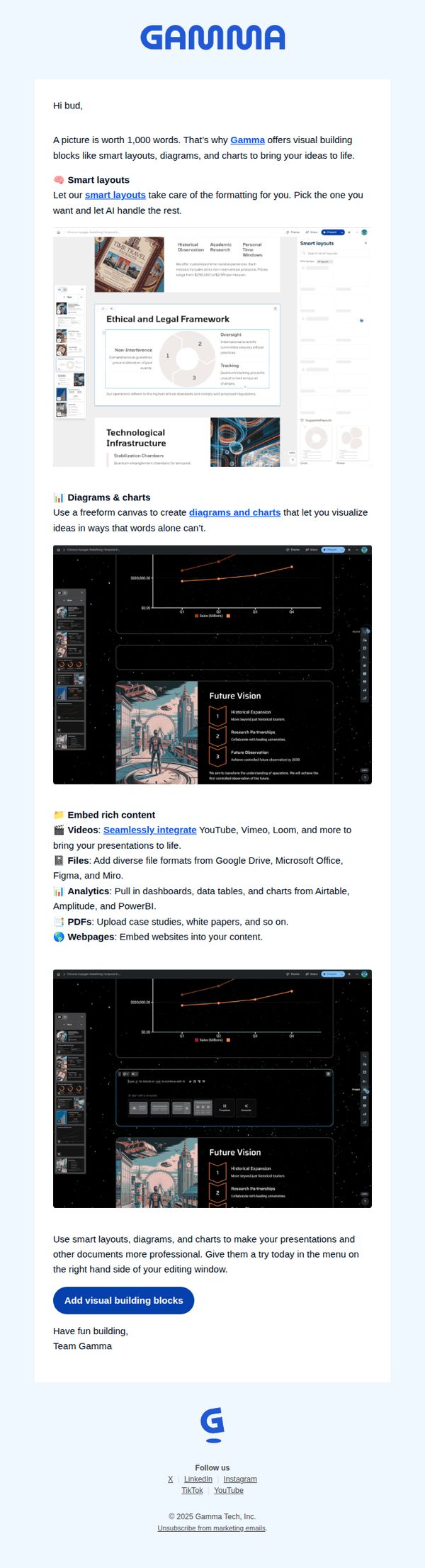
This email aims to encourage users to enhance their presentations by adopting Gamma’s visual building blocks, smart layouts, diagrams, and charts, so they can communicate ideas more effectively and professionally with AI-assisted design tools.
Why this works
The email opens with a powerful, universally understood metaphor, 'A picture is worth 1,000 words', to immediately frame the value of visual communication, making the product’s purpose instantly relatable and emotionally resonant for busy professionals.
How to implement
Instead of overwhelming users with features, the email strategically groups capabilities under intuitive headings like 'Smart layouts' and 'Embed rich content,' helping readers quickly grasp how Gamma solves real presentation pain points without technical jargon or cognitive overload.
Pro Tip
Add a subtle progress indicator or 'See how it works in 30 seconds' video thumbnail near the CTA to reduce friction, many users may hesitate to click without a quick preview of the interface or workflow. • Include a micro-testimonial or social proof element (e.g., 'Used by 50K+ teams at Google, Airbnb, and Stanford') near the hero section to reinforce credibility and reduce skepticism for new users unfamiliar with Gamma.
2. Edit with AI
Objective
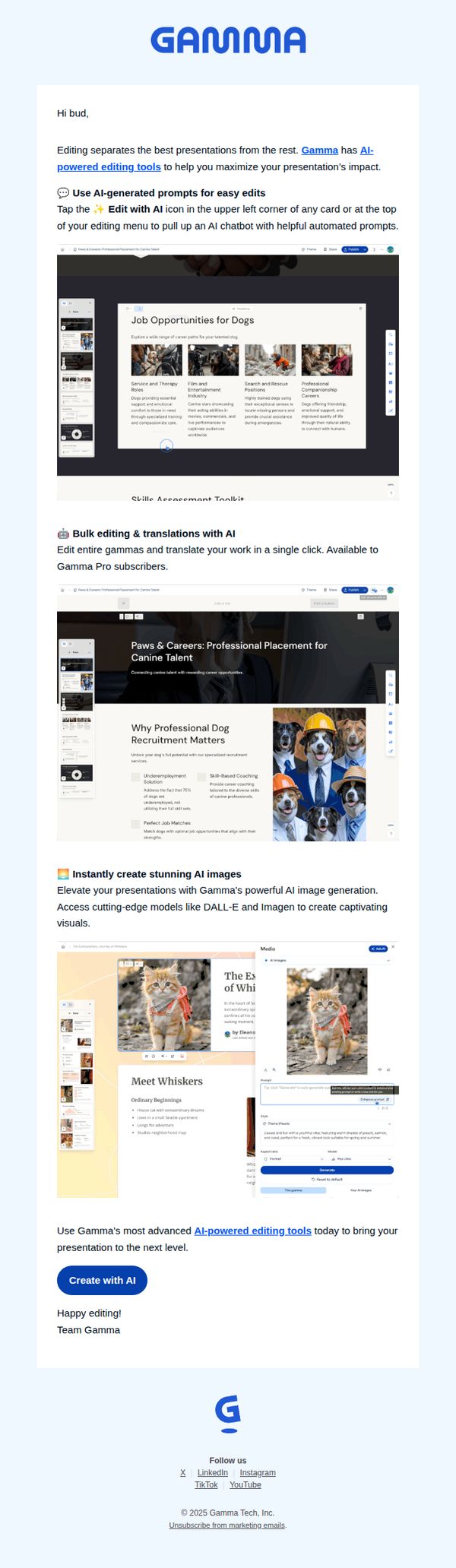
This email aims to showcase Gamma’s AI-powered editing tools to help users enhance their presentations with smart automation, prompting immediate engagement through a clear CTA to start creating with AI. It targets existing users and prospects by demonstrating tangible value through real editing use cases.
Why this works
The email brilliantly demonstrates AI editing in context by showing real presentation slides with AI-generated prompts, making the feature feel tangible and immediately useful rather than abstract or technical.
How to implement
By segmenting features into digestible blocks, AI prompts, bulk editing, and image generation, the email guides the reader through escalating value, subtly building desire without overwhelming them with technical jargon.
Pro Tip
Add a subtle countdown timer or limited-time badge near the CTA to create urgency, especially since the offer targets Pro subscribers who may benefit from time-sensitive incentives to upgrade. • Include a short testimonial or social proof snippet under the AI image generation section to reinforce credibility, since visual tools often require trust before users commit to experimenting with them.
3. Present with confidence
Objective
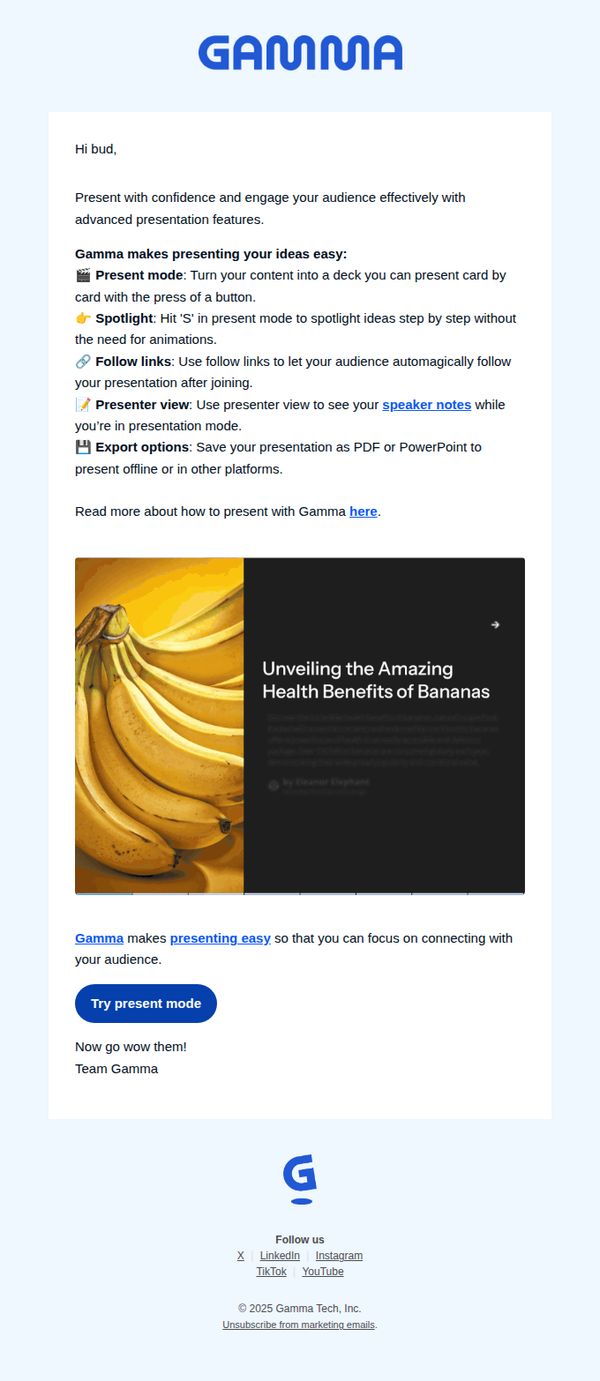
This email aims to encourage the recipient to try Gamma’s presentation tools by highlighting key features that reduce presentation anxiety and increase audience engagement. It positions Gamma as a confidence-boosting solution for everyday presenters.
Why this works
The email opens with a warm, personal greeting and immediately addresses a universal pain point, presenting with confidence, making the value proposition instantly relatable and emotionally resonant for the target audience.
How to implement
Instead of listing generic features, it frames each tool as a solution to a specific presentation struggle, like using 'Spotlight' to guide audiences without animations, which turns technical capabilities into tangible user benefits.
Pro Tip
Add a subtle countdown timer or urgency cue near the CTA to nudge immediate action, since the current design lacks any time-sensitive motivation despite the persuasive tone and clear value proposition. • Include a short testimonial or social proof snippet from a real user who gained confidence using Gamma, placed just above the CTA, to reinforce credibility and reduce perceived risk for first-time testers.
4. Please verify your email address
Objective
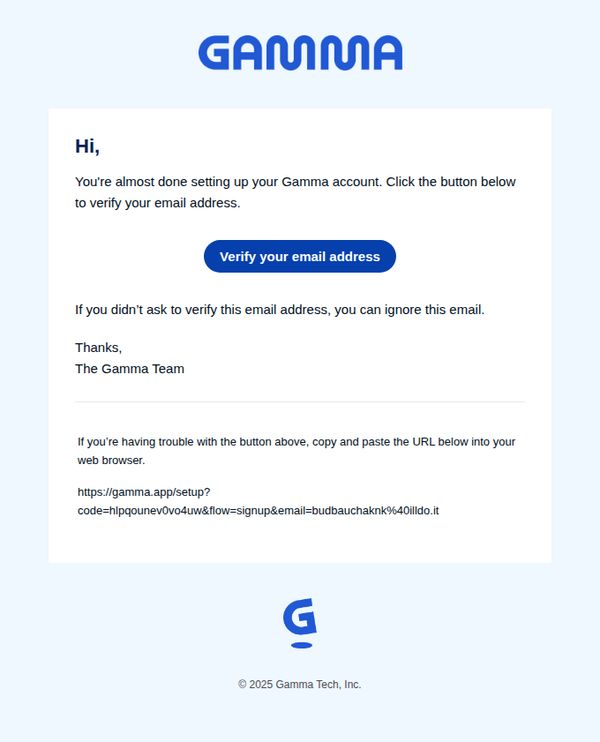
This email aims to guide new users to verify their email address as the final step in setting up their Gamma account, ensuring account security and enabling full platform access. It also provides a fallback URL for users who may encounter technical issues with the primary CTA button.
Why this works
The email opens with a warm, conversational greeting and immediately reassures the user they’re ‘almost done,’ reducing friction and creating a sense of momentum toward account completion.
How to implement
Including a clear, actionable fallback instruction with a full URL empowers users who may face technical barriers, demonstrating thoughtful UX design that anticipates real-world user behavior.
Pro Tip
Add a brief explanation of why email verification is required, such as security or access to features, to increase user motivation and reduce abandonment due to perceived friction. • Include a subtle visual indicator (like a progress bar or step counter) showing this is the final step, reinforcing the ‘almost done’ message and reducing user uncertainty.
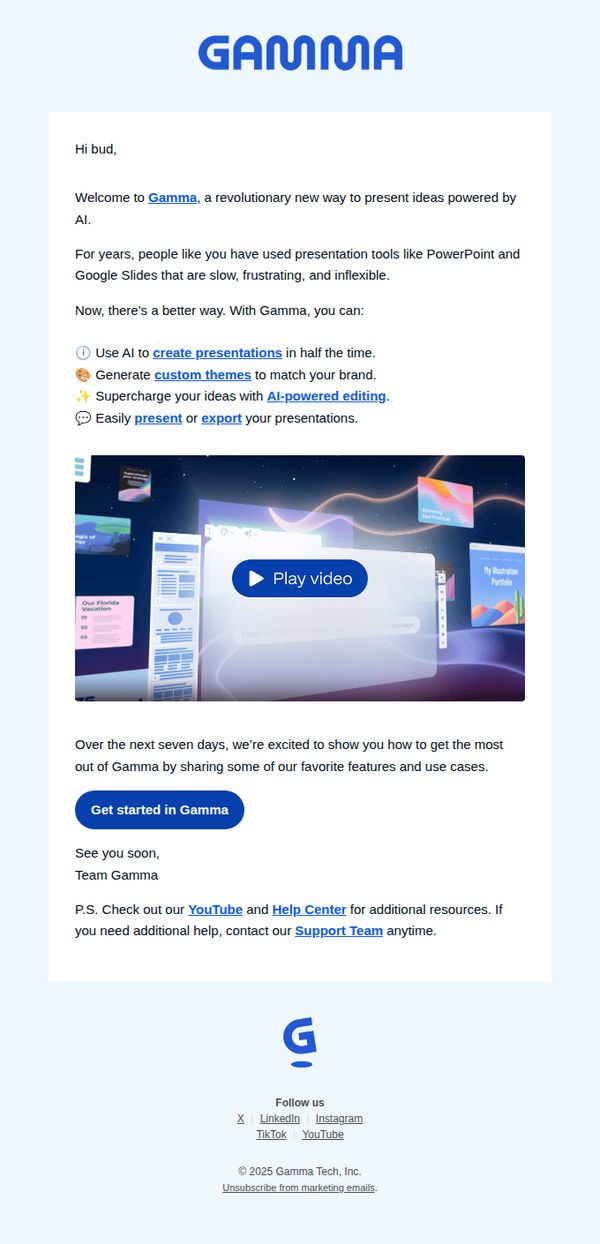
5. Welcome to Gamma!
Objective
This email aims to warmly welcome new users to Gamma by positioning it as a revolutionary, AI-powered alternative to traditional presentation tools, while encouraging immediate engagement through a clear onboarding CTA and supplemental resources.
Why this works
The email immediately frames Gamma as a solution to pain points with legacy tools like PowerPoint, creating instant relevance by naming frustrations users already feel, which builds trust before showcasing features.
How to implement
It uses concise, benefit-driven bullet points with icons to highlight core capabilities, AI-powered editing, custom themes, and fast creation, making value instantly scannable without overwhelming the reader with technical jargon.
Pro Tip
Add a secondary CTA below the video, such as 'Watch the 2-Minute Demo' or 'See Templates', to capture users who may not click the primary button but are still curious about functionality. • Include a brief testimonial or social proof snippet, like 'Used by 500K+ creators' or a short quote, near the feature list to reinforce credibility and reduce perceived risk for new users.
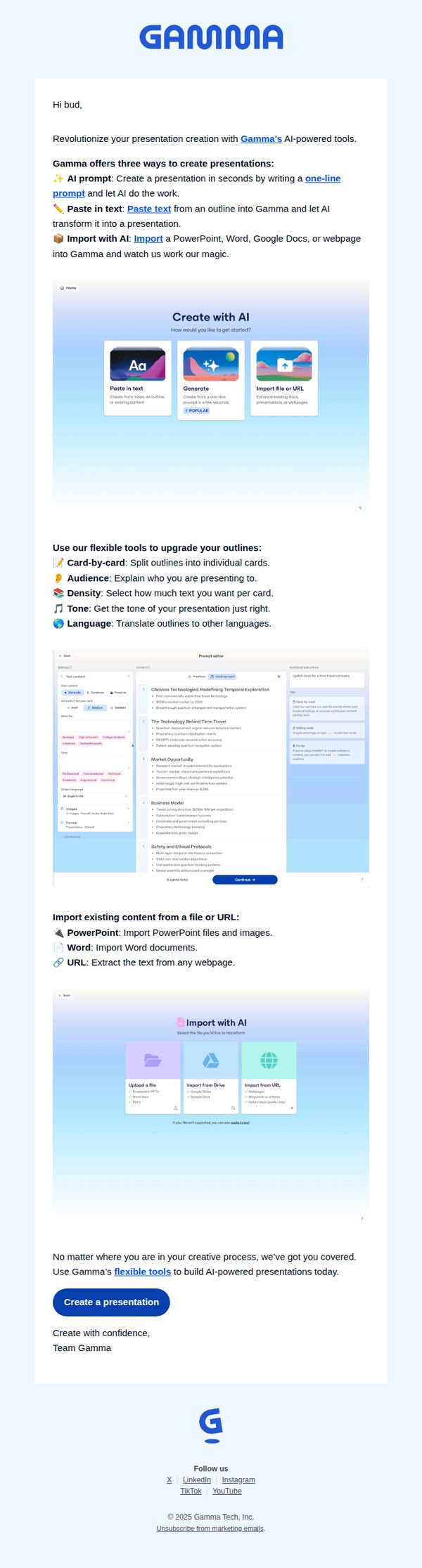
6. Create AI-powered presentations
Objective
To encourage users to start creating presentations using Gamma’s AI-powered tools by showcasing multiple intuitive entry points and flexible editing features that simplify the design process for any skill level.
Why this works
Gamma brilliantly lowers the barrier to entry by offering three distinct AI-powered creation paths, prompt, paste, or import, making it easy for users of any background to jump in without feeling overwhelmed by complexity.
How to implement
The email smartly emphasizes flexibility by breaking down customization options like tone, density, and language, helping users feel in control while still benefiting from AI automation, which builds trust and encourages experimentation.
Pro Tip
Add a subtle urgency element like a time-limited free trial or bonus template pack to the CTA section to nudge procrastinators toward immediate sign-up without compromising the clean, educational tone. • Include a short testimonial or user stat (e.g., 'Used by 500K+ professionals') near the CTA to reinforce social proof and credibility, especially since the email currently lacks third-party validation despite strong feature explanations.
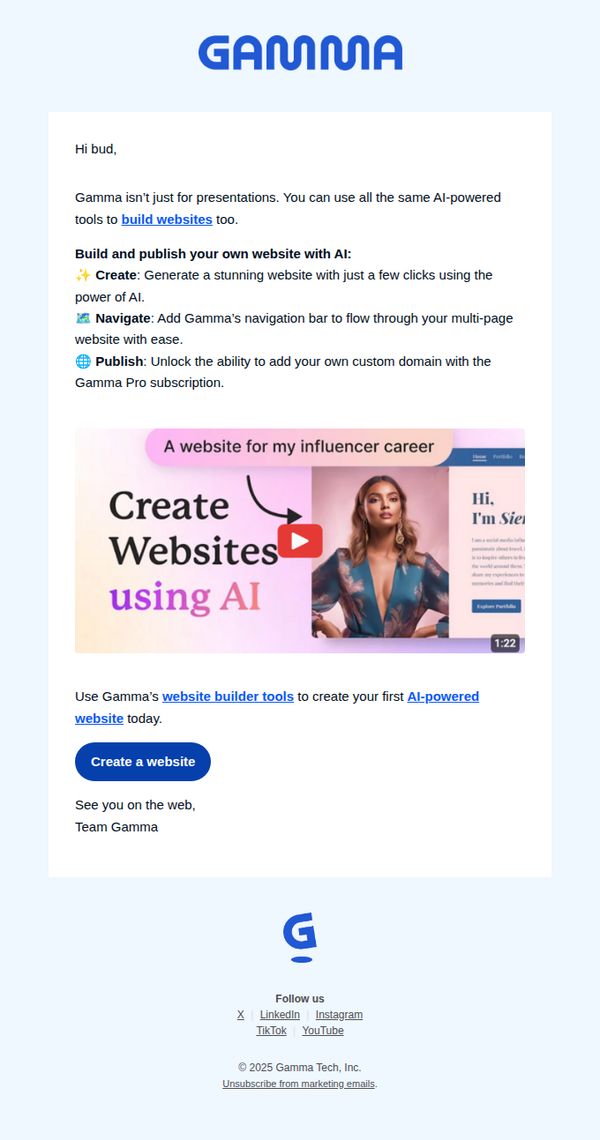
7. Build AI-powered websites
Objective
This email aims to expand user engagement beyond presentations by showcasing Gamma’s AI website builder, encouraging recipients to create their first AI-powered site and upgrade to Gamma Pro for custom domains. It positions Gamma as a versatile tool for personal branding and professional web presence.
Why this works
The email brilliantly reframes the product’s value by showing users they can build full websites, not just presentations, using the same intuitive AI tools, which broadens perceived utility and justifies subscription upgrades.
How to implement
By breaking down the website creation process into three simple, benefit-driven steps, Create, Navigate, Publish, the email reduces cognitive load and makes the action feel effortless, increasing conversion likelihood for hesitant users.
Pro Tip
Add a subtle countdown timer or limited-time offer badge near the CTA to create urgency, since the current design lacks any time-based incentive to act immediately, which could boost conversion rates. • Include a short testimonial or social proof snippet from a real user who built a website with Gamma, placed just above the CTA, to reinforce credibility and reduce perceived risk for first-time website builders.