Otter campaign emails worth copying
1. 👋 Thanks for Reaching Out
Objective
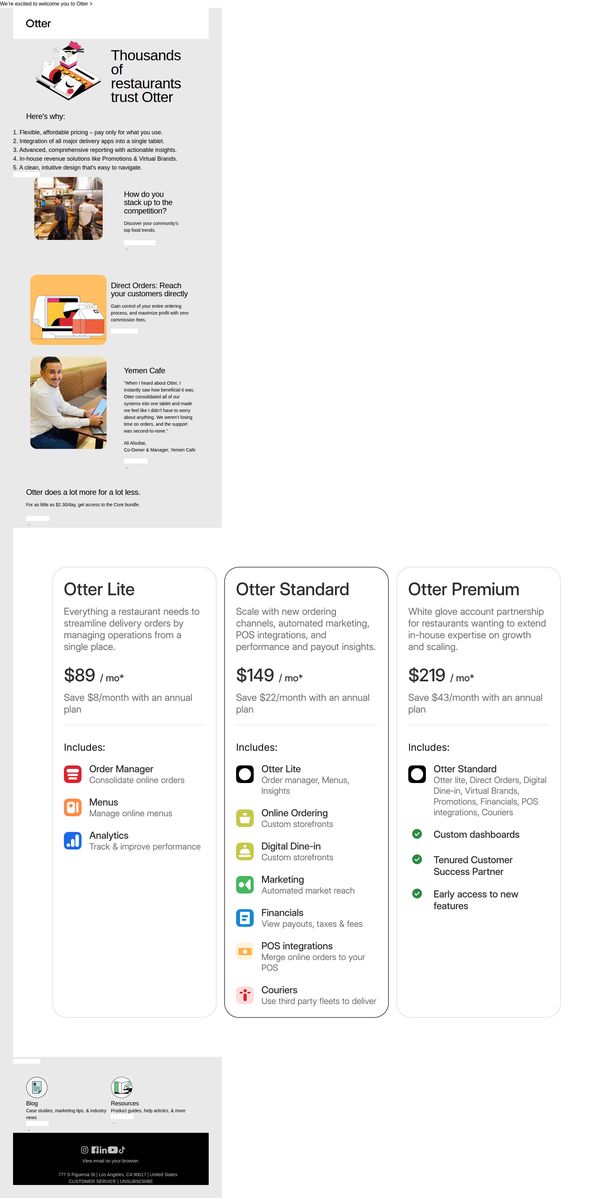
This email aims to welcome new prospects who have reached out to Otter by reinforcing trust through social proof and clearly presenting tiered pricing options to guide them toward selecting a plan that matches their restaurant’s operational needs.
Why this works
The email opens with a strong trust-building hook by immediately showcasing that thousands of restaurants already rely on Otter, which reduces perceived risk for new prospects evaluating the platform for the first time.
How to implement
Each pricing tier is clearly labeled with a name, monthly cost, and annual savings, making it easy for restaurant owners to compare value and choose the right plan without needing to dig through fine print or external links.
Pro Tip
Add a visual indicator like a checkmark or badge to the 'Otter Standard' plan to subtly suggest it’s the most popular or recommended option, helping guide decision-making for hesitant prospects. • Include a brief FAQ or 'Common Questions' section beneath the pricing tiers to preemptively address concerns like contract length, setup time, or integration support, reducing friction before the user needs to reach out.
2. Re: 📈We are Otter, Delivery Streamlined
Objective
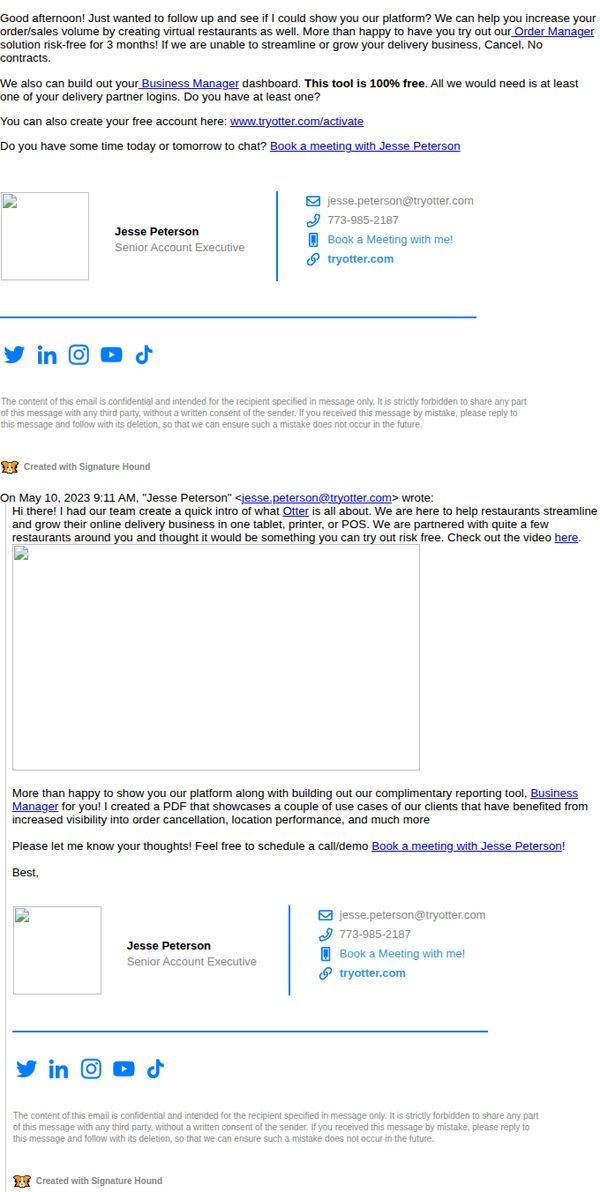
The email aims to re-engage a prospect by offering a risk-free 3-month trial of Otter’s Order Manager platform, positioning it as a tool to streamline delivery operations and grow sales volume, all while emphasizing no contracts and easy onboarding with existing partner logins.
Why this works
By anchoring the pitch in a risk-free trial with no contracts, Otter removes friction for hesitant restaurant owners, making adoption feel safe and exploratory rather than commitment-heavy, a smart psychological nudge for time-strapped operators.
How to implement
The email leverages social proof subtly by mentioning partnerships with ‘quite a few restaurants around you,’ which builds local credibility without needing named testimonials, a clever way to imply market validation without cluttering the message.
Pro Tip
Add a short video thumbnail or GIF in the body to visually demonstrate the Business Manager dashboard, this would reduce cognitive load and increase engagement by showing, not just telling, how the tool simplifies operations. • Include a brief bullet-point list of 2–3 key outcomes (e.g., ‘Reduce order errors by 40%’, ‘Cut delivery prep time in half’) to make value more scannable and concrete for busy restaurant managers skimming the email.
3. Otter - Online Order Integration
Objective
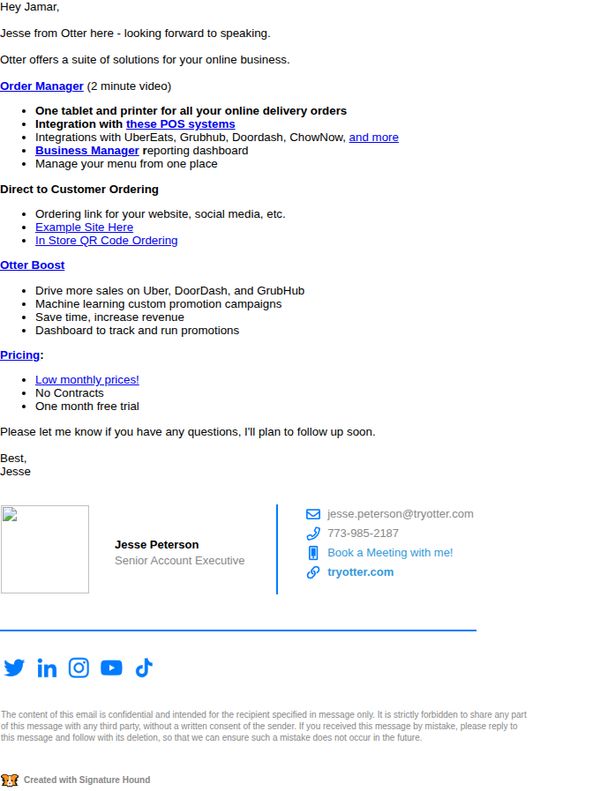
This email aims to introduce Otter’s online order integration tools to a potential client, highlighting key features like POS compatibility and sales dashboards to encourage a follow-up conversation or demo booking.
Why this works
The email opens with a personalized greeting and immediately establishes credibility by naming the sender and their role, which builds trust before diving into product features or pricing.
How to implement
Instead of overwhelming the reader with technical jargon, the email uses bullet points to break down complex features like POS integrations and QR code ordering into digestible, benefit-driven takeaways that speak to business owners’ pain points.
Pro Tip
Add a visual hero section or product screenshot near the top to break up text-heavy content and give the recipient a quick visual cue of what Otter’s dashboard or QR ordering interface looks like, increasing engagement and reducing cognitive load. • Include a short testimonial or case study snippet, even one sentence, from a similar business that saw increased sales or saved time using Otter, to build social proof and reinforce the value proposition before the pricing section.
4. 👋 Thanks for Reaching Out
Objective
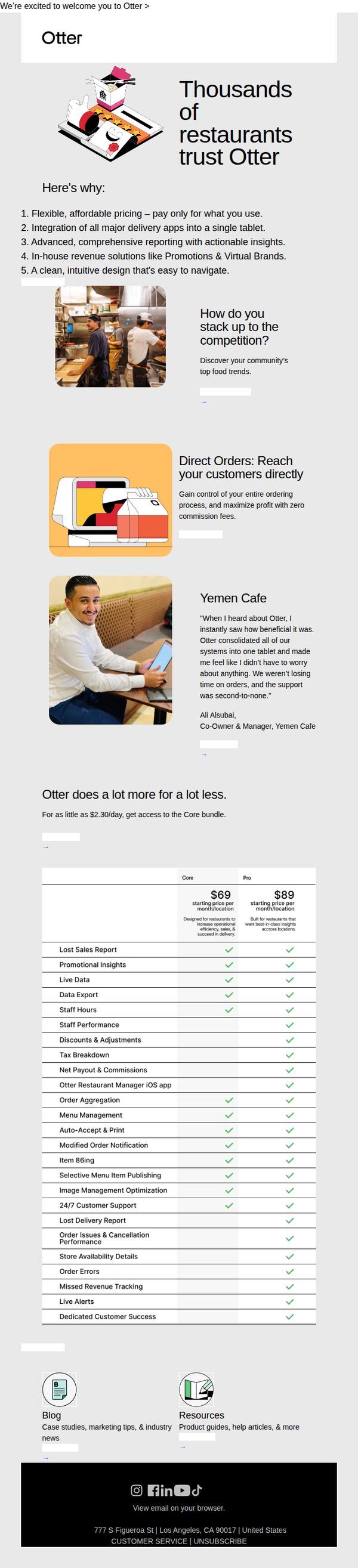
This email aims to warmly welcome new leads who have expressed interest in Otter, reinforcing trust by showcasing key benefits, social proof, and pricing transparency to encourage conversion to a paid plan. It positions Otter as a comprehensive, cost-effective solution for restaurant operators seeking streamlined operations and revenue growth.
Why this works
The email opens with a bold, benefit-driven headline that immediately signals social proof, 'Thousands of restaurants trust Otter', which builds credibility before diving into features, making the reader feel they’re joining a proven community rather than evaluating an unknown tool.
How to implement
By structuring the value proposition as a numbered list of five clear, outcome-focused benefits, including flexible pricing and zero commission fees, the email reduces cognitive load and helps busy restaurant owners quickly grasp why Otter solves their pain points better than competitors.
Pro Tip
The primary CTA 'Discover your community's top food trends' feels disconnected from the core conversion goal; it should be replaced with a stronger, benefit-driven action like 'Start Your Free Trial' or 'See Plans & Pricing' to align with the email’s intent to drive sign-ups. • The pricing table, while detailed, lacks visual hierarchy or a recommended plan highlight; adding a 'Most Popular' badge or color accent to the Core plan would guide decision-making and reduce friction for users comparing features and cost.
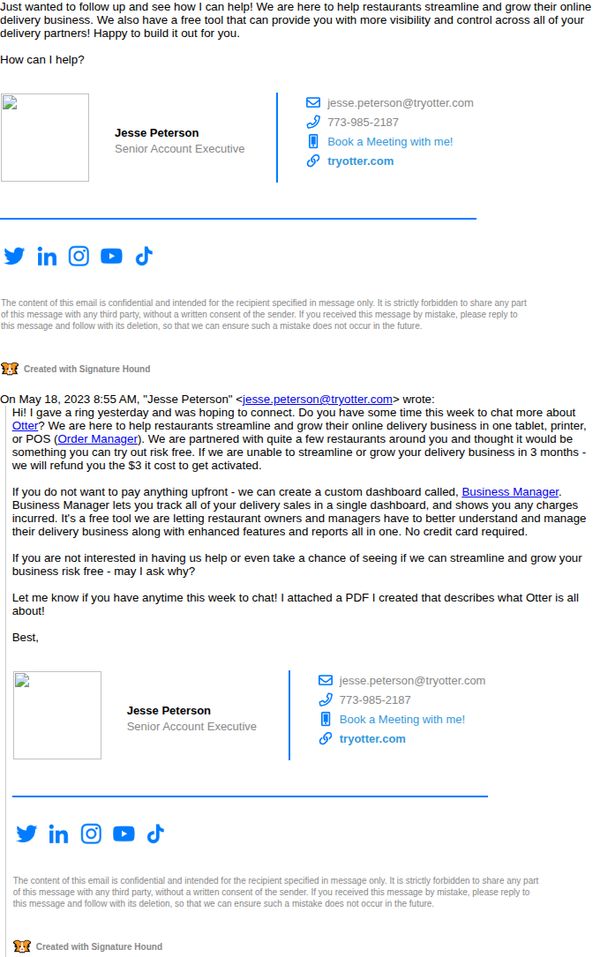
5. Re: Here to help! :)
Objective
This email aims to re-engage a prospect by offering personalized support to streamline and grow their restaurant’s online delivery business using Otter’s tools, while reducing perceived risk with a 3-month money-back guarantee.
Why this works
The email opens with a warm, human tone that positions the sender as a helpful partner rather than a salesperson, which lowers the recipient’s guard and invites genuine conversation instead of triggering sales resistance.
How to implement
By anchoring the offer in a risk-free trial with a clear 3-month guarantee and no credit card required, the message removes financial friction and positions the product as a safe experiment rather than a commitment, increasing conversion likelihood.
Pro Tip
Add a brief bullet-point summary of Business Manager’s top 3 features directly under the offer section to help skimmers quickly grasp value without needing to open the PDF or schedule a call. • Include a small social proof element, such as ‘Used by 500+ restaurants in your region’, near the guarantee to reinforce credibility and reduce perceived risk for hesitant prospects.
6. RE: Happy customers included!
Objective
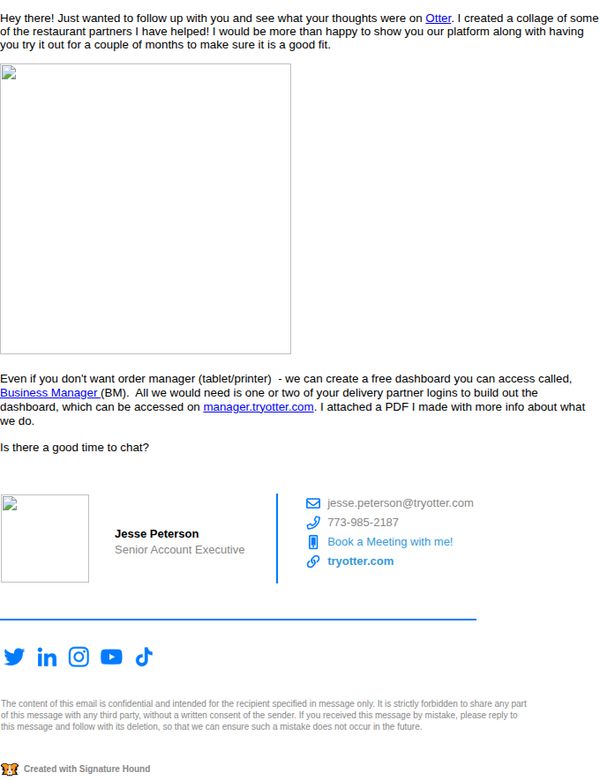
To re-engage a prospect by showcasing social proof through happy customer examples and offering a personalized demo or dashboard access, reinforcing trust and encouraging a follow-up conversation to close the sale.
Why this works
The email opens with a warm, personal follow-up tone that feels conversational rather than salesy, making the recipient feel valued and not pressured, which increases the likelihood of engagement.
How to implement
Including a tangible offer, a free customizable dashboard, turns abstract value into a concrete, low-risk next step, appealing to practical decision-makers who want to test before committing.
Pro Tip
Add a small visual collage or thumbnail grid of the 'happy customers' mentioned, even placeholder icons with restaurant names, to make social proof more immediate and visually compelling. • Reposition the 'Book a Meeting with me!' CTA higher in the email or repeat it after the offer description to reduce friction and ensure the primary action is never more than a glance away.
7. Re: Otter - Online Order Integration
Objective
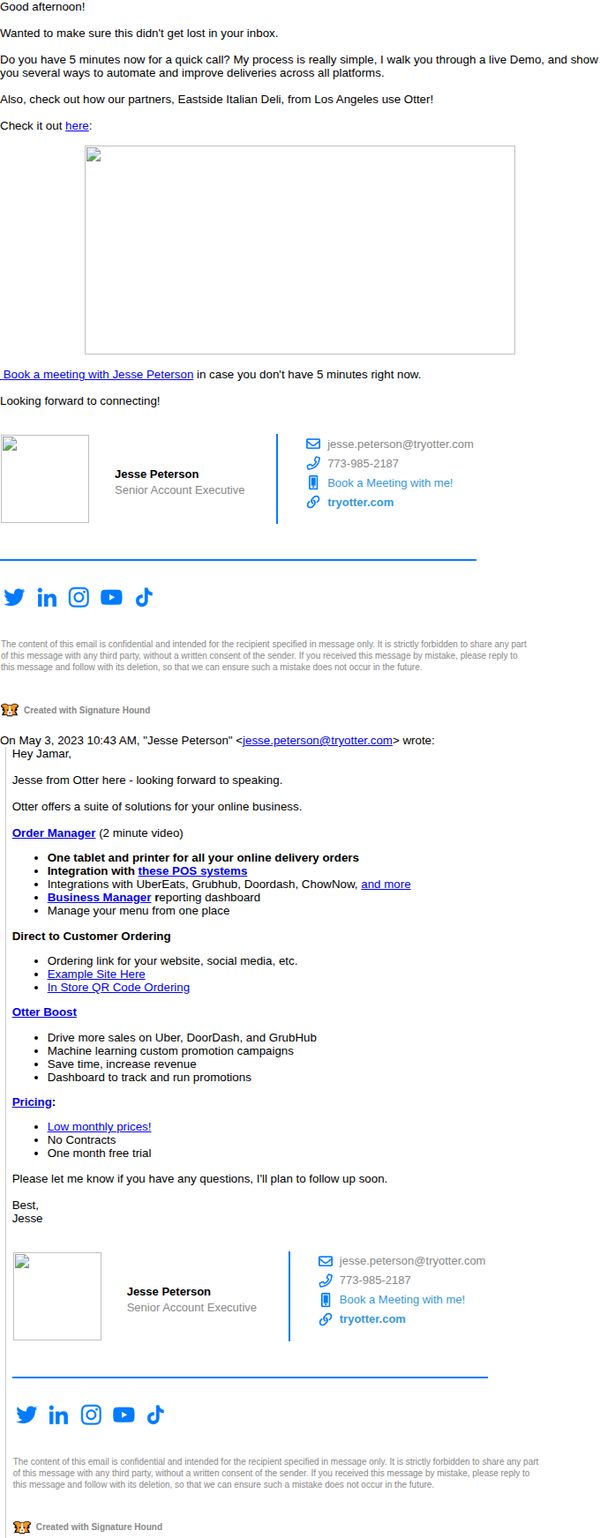
This email aims to re-engage a prospect by offering a quick live demo to showcase how Otter’s platform can automate and improve delivery operations across multiple platforms, while also highlighting a real-world partner success story to build credibility and urgency.
Why this works
The email opens with a time-sensitive, low-friction ask, a 5-minute live demo, which reduces perceived commitment while immediately signaling value, making it far more likely the recipient will say yes without overthinking.
How to implement
Including a named, location-specific partner example (Eastside Italian Deli from Los Angeles) adds social proof that feels authentic and geographically relevant, helping prospects visualize themselves succeeding with the same solution in their own market.
Pro Tip
The email lacks a visual hierarchy around the CTA, the 'Book a meeting with Jesse Peterson' link should be styled as a button with contrasting color and padding to draw immediate attention, rather than appearing as plain underlined text. • The embedded video placeholder is empty and visually broken, replacing it with a branded thumbnail or GIF preview would increase click-through by giving recipients a visual cue that something valuable is waiting, rather than a blank box.
8. Hey EZE Cafe! Here’s more on Otter
Objective
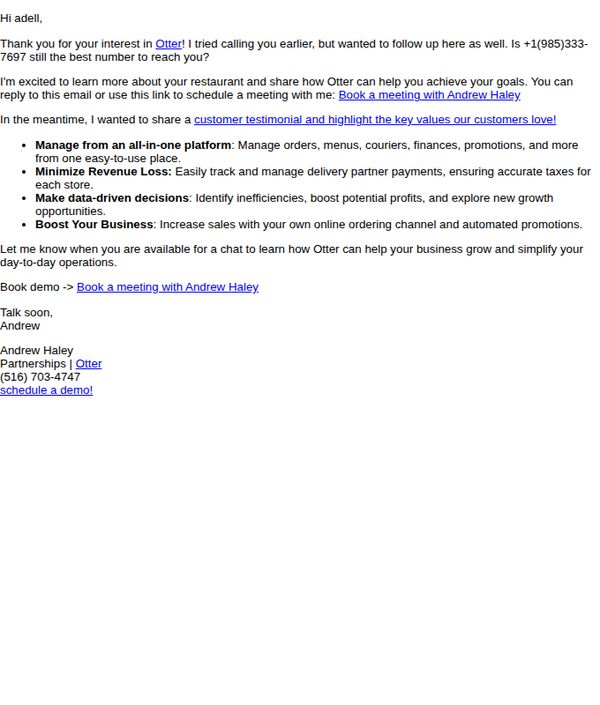
This email aims to re-engage a restaurant prospect by personalizing the follow-up, offering value through a customer testimonial, and driving them toward booking a demo to explore how Otter’s platform can streamline their operations and boost revenue.
Why this works
The email opens with a warm, personalized greeting that references prior outreach, instantly signaling the sender remembers the recipient and values their time, which builds trust before pitching.
How to implement
Instead of leading with features, it highlights customer outcomes, like minimizing revenue loss and boosting business, framing Otter as a growth partner rather than just a tool, which resonates more deeply with restaurant owners.
Pro Tip
Add a short, bolded customer testimonial quote near the top to immediately establish social proof and reduce skepticism before diving into feature bullets. • Include a visual element like a small screenshot or icon next to each benefit bullet to break up text and make the value propositions more scannable for time-pressed restaurant owners.
9. Demo Confirmed
Objective
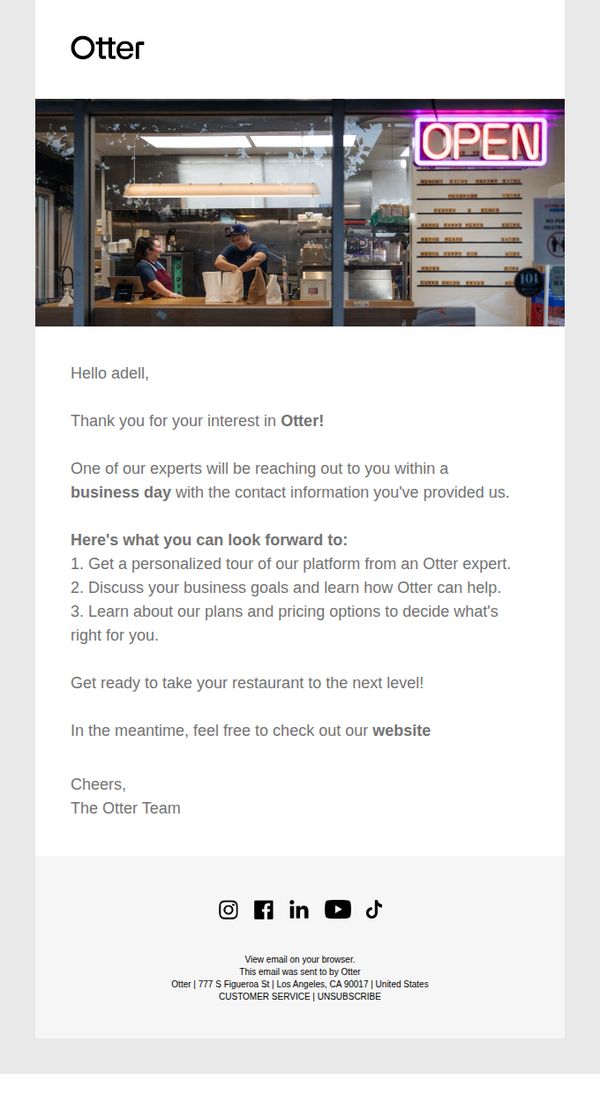
This email confirms a demo request and sets clear expectations for the next steps, aiming to build trust and excitement by outlining what the recipient will experience during their personalized tour with an Otter expert.
Why this works
The email opens with a warm, personalized greeting that immediately validates the recipient’s interest, making them feel seen and valued before diving into logistics or next steps.
How to implement
By listing exactly three clear outcomes the recipient can expect from the demo, the email reduces uncertainty and builds anticipation, turning a simple confirmation into a compelling preview of value.
Pro Tip
Add a secondary CTA button labeled 'Explore Features Now' above the footer to give users an immediate, low-friction action while they wait for the expert to reach out. • Include a small visual element, like a calendar icon or countdown, next to 'within a business day' to reinforce urgency and manage expectations more effectively.
10. 👋 Thanks, We Received Your Info
Objective
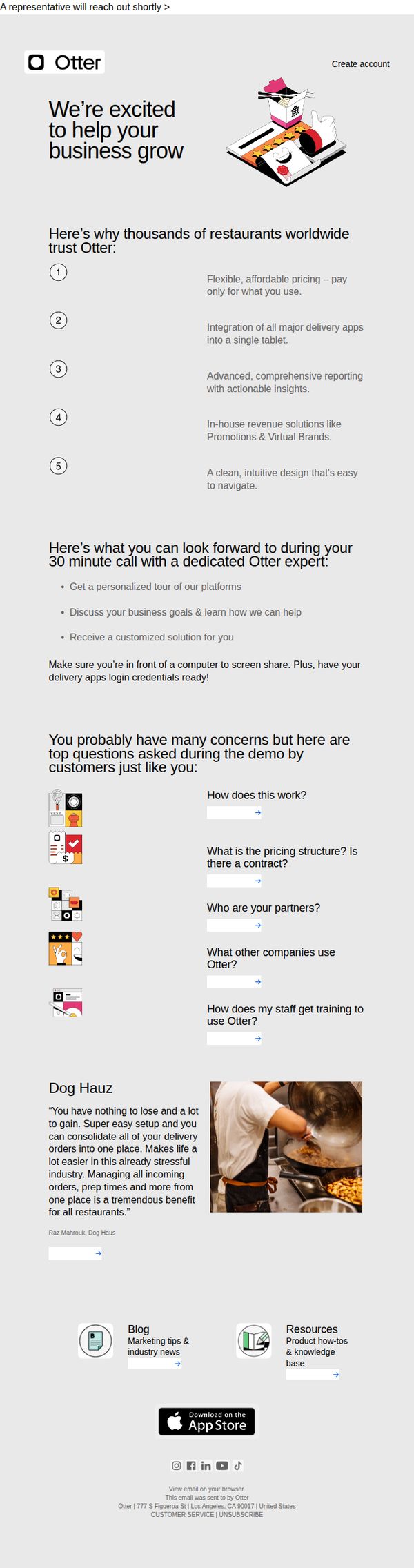
This email confirms receipt of the recipient’s information and sets expectations for the upcoming 30-minute demo call with an Otter expert, aiming to build trust and reduce anxiety by highlighting key benefits and answering common questions beforehand.
Why this works
By listing five concrete reasons restaurants trust Otter, from flexible pricing to intuitive design, the email builds credibility quickly without overwhelming the reader, making it easy to mentally justify the upcoming demo.
How to implement
The email proactively addresses top customer concerns with visual icons and clear questions, reducing friction before the call and positioning Otter as empathetic and prepared, which increases the likelihood of a productive conversation.
Pro Tip
Add a clear, secondary CTA button (e.g., 'Reschedule My Demo') near the top to give users immediate control if they’re not ready, reducing drop-off and improving user experience. • Include a small countdown timer or calendar link for the scheduled demo to create urgency and reduce no-shows, reinforcing the value of the upcoming 30-minute session.