How SecurityScorecard does email campaigns
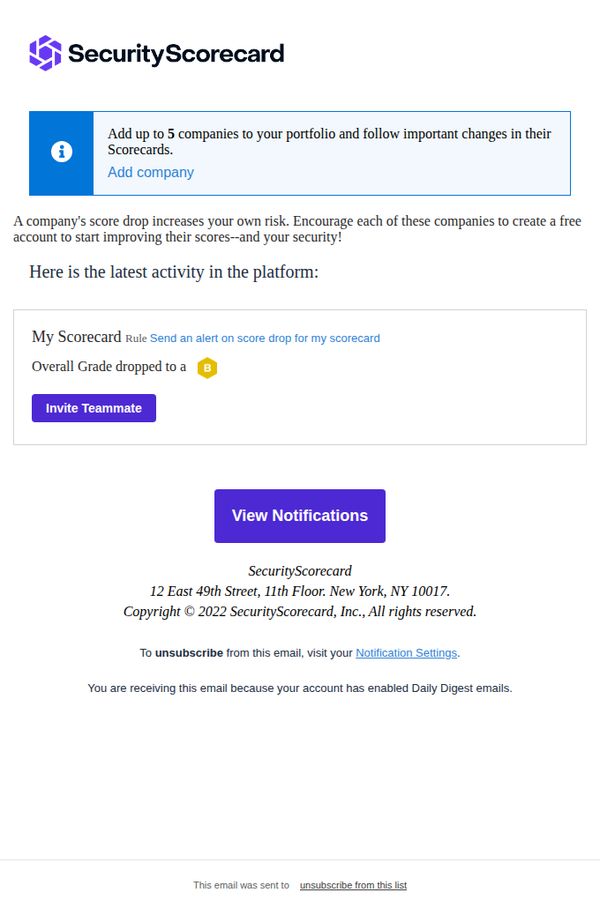
1. New Scorecard alerts: My Scorecard - njaemail.com [SecurityScorecard Daily Digest]
Objective
This email aims to alert the user to a recent decline in their security score and prompt immediate action by inviting teammates or viewing detailed notifications. It reinforces the value of portfolio monitoring and encourages collaborative risk mitigation.
Why this works
The email immediately surfaces a critical data point, the dropped security grade, and pairs it with a clear, actionable CTA, making the user’s next step obvious without requiring extra navigation or interpretation.
How to implement
By framing the score drop as a shared risk that impacts the user’s own security posture, the message creates urgency and social accountability, subtly nudging the recipient to involve teammates rather than ignore the alert.
Pro Tip
Add a visual indicator or icon next to the grade drop (e.g., a downward arrow or red alert badge) to make the severity of the score change instantly scannable without requiring text parsing. • Include a brief one-line explanation of what caused the score drop, even if generic, to reduce cognitive load and increase the likelihood of engagement by answering the user’s first question: 'Why did this happen?'
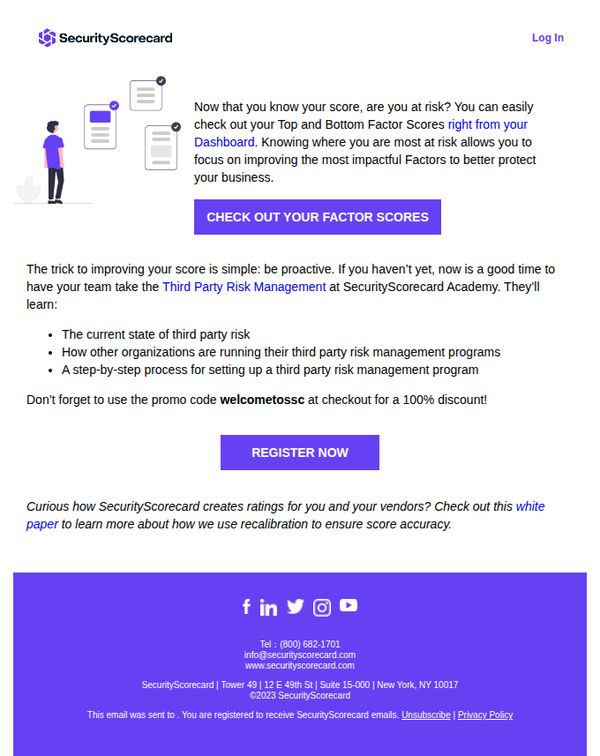
2. Here’s the first step to improving your score
Objective
The email aims to guide users toward improving their security score by encouraging them to explore their risk factors and enroll in a free educational course on third-party risk management, using a promotional discount to incentivize immediate action.
Why this works
The email smartly bridges awareness with action by first validating the user’s current score and then immediately directing them to the most relevant improvement levers, their Top and Bottom Factor Scores, making the next step feel personalized and urgent.
How to implement
By offering a 100% discount on a relevant educational course, the campaign transforms a passive awareness moment into a high-value conversion opportunity, aligning the user’s desire to improve with a frictionless, time-sensitive incentive.
Pro Tip
Add a visual progress indicator or mini-scorecard graphic near the CTA to show users how close they are to improvement, making the abstract concept of ‘improving your score’ feel more tangible and motivating. • Reposition the promo code closer to the CTA button or embed it directly into the button text (e.g., 'REGISTER NOW, Use Code WELCOMETOSSC for 100% Off') to reduce friction and prevent users from missing the discount.
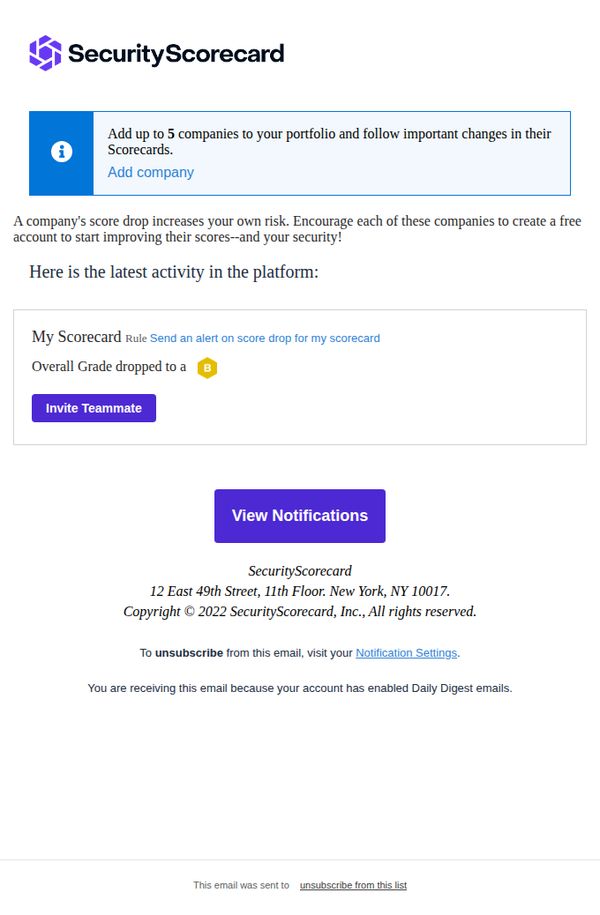
3. New Scorecard alerts: My Scorecard - njaemail.com [SecurityScorecard Daily Digest]
Objective
This email aims to alert the recipient about a recent drop in their SecurityScorecard grade and encourage immediate action by viewing notifications or inviting teammates to collaborate on improving security posture. It also promotes portfolio expansion by suggesting adding up to five companies for ongoing monitoring.
Why this works
The email immediately surfaces a critical security insight, a grade drop, with visual emphasis on the letter grade and a clear rule reference, making the alert impossible to ignore and instantly actionable for security teams.
How to implement
By embedding a direct CTA button labeled 'View Notifications' beneath the alert, the email reduces friction and guides users seamlessly from awareness to investigation, aligning perfectly with the urgency of security monitoring workflows.
Pro Tip
Add a brief explanation or tooltip next to the 'B' grade icon to clarify what the drop means, e.g., 'Your score dropped 15% due to recent vulnerabilities', to increase context and urgency without requiring a click. • Reposition the 'Add company' prompt higher or integrate it into the main alert section to better connect portfolio expansion with the immediate risk context, reinforcing the value of monitoring multiple vendors.
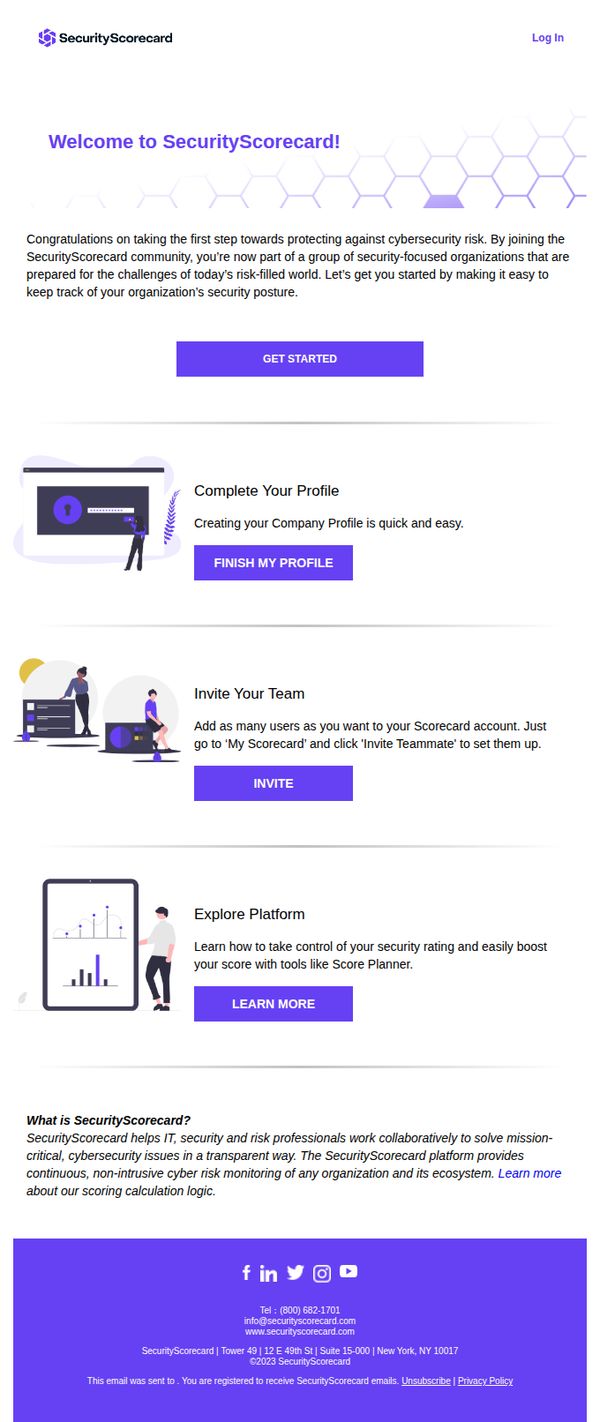
4. Your SecurityScorecard journey starts here
Objective
This email aims to welcome new SecurityScorecard users and guide them through their first critical onboarding steps, completing their profile, inviting team members, and exploring platform features, to accelerate time-to-value and foster early engagement with the platform.
Why this works
The email opens with a warm, community-driven welcome that frames onboarding not as a chore but as joining a movement of security-focused organizations, which builds emotional alignment before asking for action.
How to implement
Each onboarding step is paired with a simple, benefit-driven headline and a single, prominent CTA button, reducing cognitive load and making it effortless for new users to know exactly what to do next without feeling overwhelmed.
Pro Tip
Add a progress indicator or checklist near the top to visually show users how many onboarding steps remain, which would increase completion rates by creating a sense of momentum and accomplishment. • Replace the generic 'LEARN MORE' CTA under 'Explore Platform' with a more action-oriented phrase like 'See How Score Planner Works' to better align with the user’s intent to understand platform value quickly.
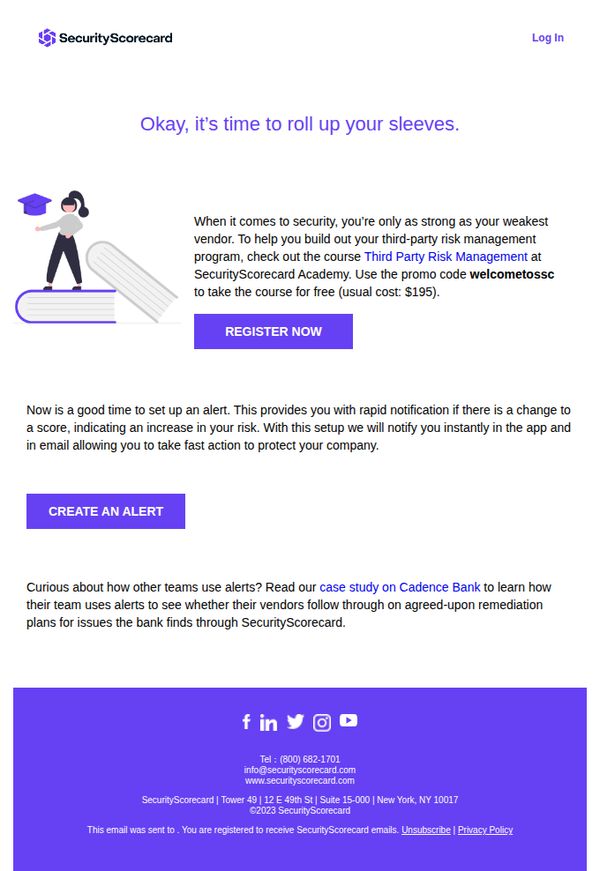
5. How to start a third-party vendor risk program
Objective
This email aims to guide security professionals toward launching a third-party vendor risk program by enrolling them in a free educational course, while also encouraging proactive risk monitoring through alert setup and real-world case study engagement.
Why this works
The email opens with a motivational phrase, 'Okay, it’s time to roll up your sleeves', which immediately frames the content as actionable and empowering, helping readers transition from passive awareness to proactive engagement with vendor risk management.
How to implement
By offering a free course with a visible promo code and contrasting it against the usual $195 cost, the email creates perceived value and urgency without requiring immediate financial commitment, lowering the barrier to entry for busy security professionals.
Pro Tip
Add a brief testimonial or quote from a past course participant near the CTA to reinforce credibility and reduce hesitation, especially since the course is free, social validation can significantly boost conversion rates. • Include a small visual indicator (like a progress bar or checklist) showing what users will accomplish by completing the course, helping them mentally map the value of their time investment before clicking 'Register Now'.
6. There’s so much more to SecurityScorecard
Objective
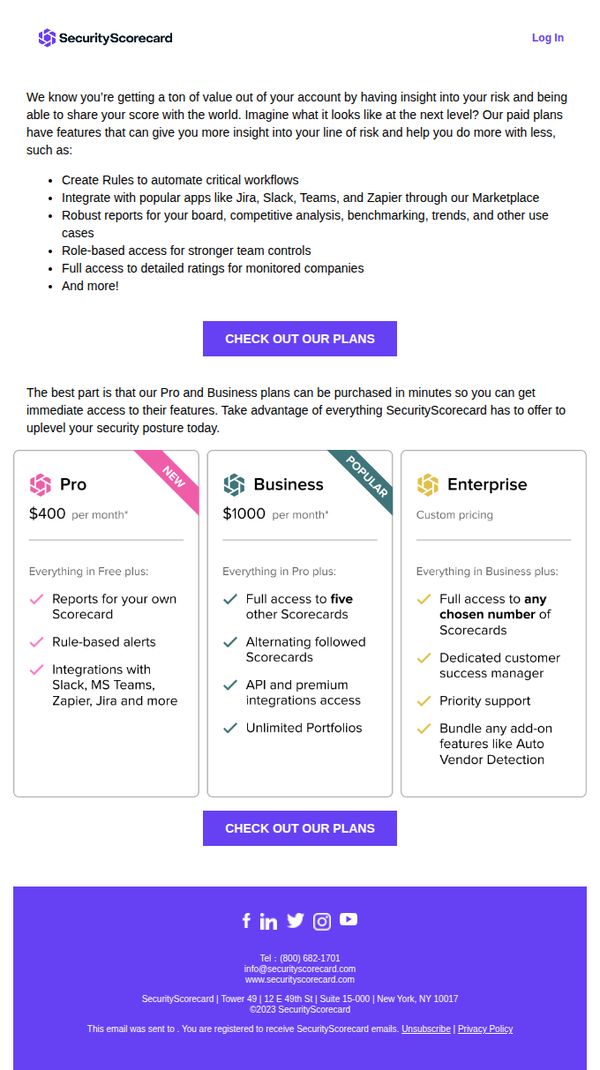
This email aims to upsell existing SecurityScorecard users by highlighting the advanced features available in paid plans, encouraging them to upgrade for deeper risk insights and workflow automation. It positions paid tiers as essential for scaling security operations efficiently.
Why this works
The email opens by validating the user’s current value while subtly hinting at untapped potential, creating a natural bridge to premium features without sounding pushy or dismissive of their existing usage.
How to implement
Each pricing tier is clearly differentiated with checkmarks and benefit-focused language, helping users self-identify which plan aligns with their operational scale and team needs without overwhelming them with jargon.
Pro Tip
Add a brief testimonial or customer quote near the pricing grid to reinforce trust and social proof, especially for users hesitant to upgrade from Free to Pro or Business tiers. • Include a short FAQ or 'What’s the difference?' toggle beneath the pricing cards to reduce friction for users comparing plans, especially around API access, portfolio limits, and support levels.
7. Welcome to SecurityScorecard!
Objective
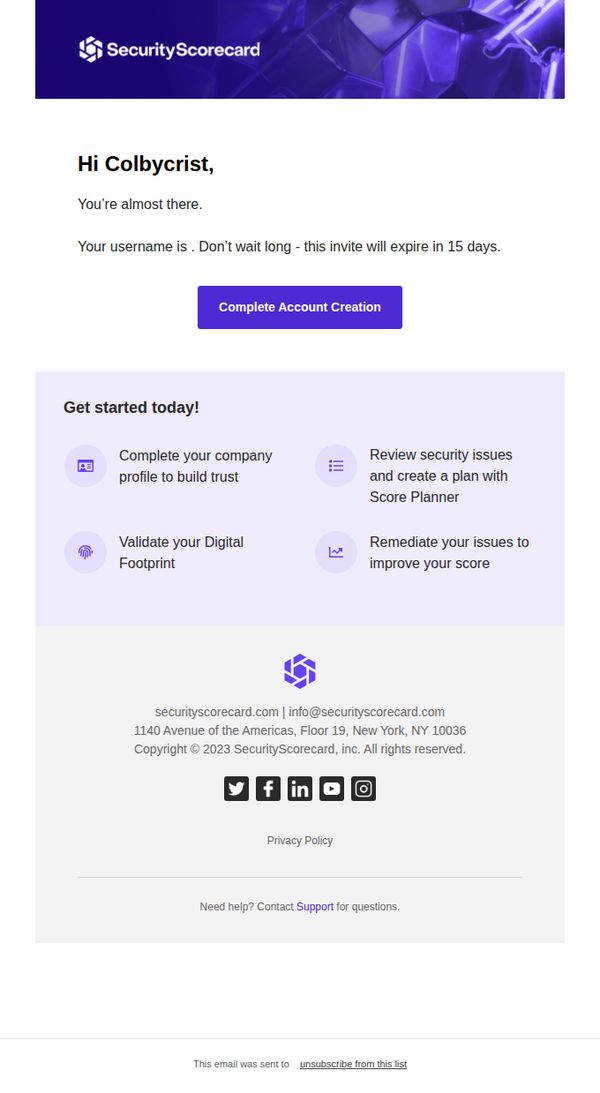
This email aims to guide new users through final account setup while creating urgency with a 15-day expiration, encouraging immediate action to activate their SecurityScorecard account and begin improving their security posture.
Why this works
The email smartly pairs urgency with clarity by stating the invite expires in 15 days while immediately offering a bold, centered CTA that removes friction from the next step in the onboarding journey.
How to implement
By breaking down the first actions into four digestible, icon-supported tasks, the email reduces overwhelm and gently guides the user toward meaningful engagement without demanding too much upfront commitment.
Pro Tip
Add a subtle countdown timer or progress bar near the CTA to visually reinforce urgency and guide users toward completion before the 15-day window closes. • Replace the generic 'Get started today!' section header with a benefit-driven headline like 'Unlock Your Security Insights in 4 Simple Steps' to better align with user motivation.
8. New Scorecard alerts: My Scorecard [SecurityScorecard Daily Digest]
![8. New Scorecard alerts: My Scorecard [SecurityScorecard Daily Digest]](https://nudge-growth-experimental.s3.amazonaws.com/nudge/email-screenshots/488160.jpg)
Objective
This email aims to alert users to a recent drop in their security score and encourage immediate action by inviting teammates and reviewing notifications, reinforcing the platform’s value in proactive risk management.
Why this works
The email immediately surfaces a critical security metric, a grade drop, to trigger urgency and relevance, making the user feel personally accountable for remediation rather than just informed.
How to implement
By linking the score drop to third-party risk, the message frames the issue as a shared responsibility, subtly encouraging collaboration and expanding platform adoption within the user’s organization.
Pro Tip
Add a brief explanation or tooltip next to the 'B' grade to clarify what caused the drop, this would reduce ambiguity and increase trust in the alert’s accuracy. • Include a time-sensitive element, like 'Alert triggered 2 hours ago,' to reinforce urgency and encourage immediate action rather than passive reading.
9. Welcome to SecurityScorecard!
Objective
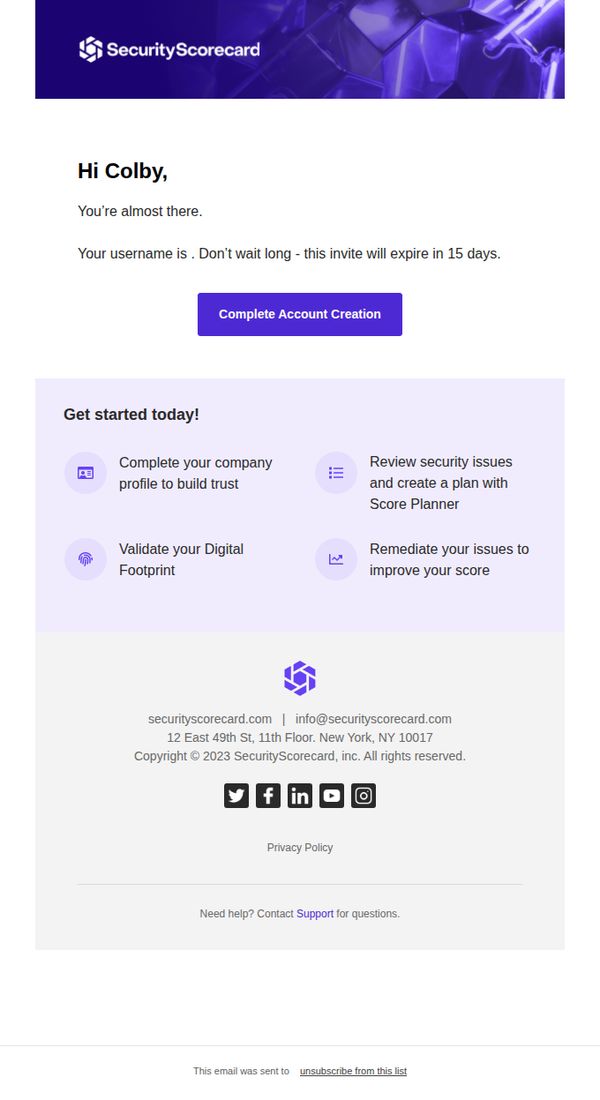
This email aims to guide the new user, Colby, through the final step of account creation by emphasizing urgency with a 15-day expiration and clearly outlining the immediate value they’ll unlock by completing their profile and validating their digital footprint.
Why this works
The email creates immediate momentum by framing account completion as the gateway to tangible security outcomes, like building trust and improving scores, rather than just another form to fill out, which aligns user action with business value.
How to implement
Using a personalized name and a time-sensitive expiration notice (15 days) transforms a generic welcome into a high-stakes, user-specific moment that reduces procrastination and increases conversion urgency without feeling pushy or salesy.
Pro Tip
Add a subtle progress indicator or checklist next to each of the four onboarding steps to visually reinforce completion status and motivate users to check off each action as they go, increasing perceived momentum and reducing drop-off. • Reposition the 'Complete Account Creation' CTA to appear again at the bottom of the 'Get started today!' section, right after the user reads the value they’ll unlock, to reduce friction and capitalize on peak motivation.